Уводзіны
This manual provides detailed instructions for the setup, operation, and maintenance of your LeadsaiL K786 White Wireless Keyboard and Mouse Combo. This full-sized ergonomic combo offers a stable 2.4GHz wireless connection, quiet typing, and an optical mouse for precise control. Please read this manual thoroughly before use to ensure optimal performance and longevity of your device.
Змест пакета
- 1 x LeadsaiL K786 Wireless Keyboard (White)
- 1 x LeadsaiL Wireless Mouse (White)
- 1 х USB-прыёмнік (знаходзіцца ўнутры мышы)
- 1 х Кіраўніцтва карыстальніка

Image: LeadsaiL K786 White Wireless Keyboard and Mouse Combo, showing both devices and the USB receiver.
Настройка
1. Устаноўка батарэі
- Для клавіятуры: Open the battery compartment on the underside of the keyboard. Insert 1 AAA battery (not included), ensuring correct polarity. Close the compartment.
- Для мышкі: Open the battery compartment on the underside of the mouse. Insert 1 AA battery (not included), ensuring correct polarity. The USB receiver is conveniently stored within this compartment. Remove the USB receiver before closing the compartment.
Выява: Падрабязная view of the battery compartments for both the keyboard and mouse, highlighting where to insert batteries and locate the USB receiver.
2. Connect the USB Receiver
- Знайдзіце USB-прыёмнік, які знаходзіцца ў батарэйным адсеку мышы.
- Plug the USB receiver into an available USB port on your computer (desktop, laptop, Chromebook, MacBook, iMac).
- The keyboard and mouse are plug-and-play and should connect automatically within a few seconds. No additional software or drivers are required.

Image: The USB receiver being inserted into a computer, demonstrating the simple plug-and-play setup for the wireless keyboard and mouse.
Інструкцыя па эксплуатацыі
Эрганамічны дызайн
The keyboard features adjustable tilt legs on the underside. Flip these legs out to raise the keyboard to a comfortable typing angle, reducing wrist strain during prolonged use.

Image: A user's hands typing on the LeadsaiL keyboard with its foldable stand extended, illustrating the ergonomic tilt.
Клавішы хуткага доступу да мультымедыя
The keyboard includes 12 multimedia shortcut keys (F1-F12) that can be accessed by pressing the Fn key simultaneously with the desired F-key. These shortcuts provide quick access to functions such as play/pause, volume control, email, and more.
- Fn+F1: Медыяплэер
- Fn+F2: Памяншэнне гучнасці
- Fn+F3: Павялічыць гучнасць
- Fn+F4: Адключыць гук
- Fn+F5: Папярэдні трэк
- Fn+F6: Наступны трэк
- Fn+F7: Прайграванне/Паўза
- Fn+F8: Стоп
- Fn+F9: Галоўная старонка
- Fn+F10: Электронная пошта
- Fn+F11: Мой кампутар
- Fn+F12: пошук

Image: The LeadsaiL keyboard with visual indicators for the 12 multimedia function keys, demonstrating their quick access capabilities.
Ціхая аперацыя
The keyboard features soft membrane keys designed for a comfortable and nearly silent typing experience. The mouse utilizes silent micro-click technology, ensuring quiet operation suitable for shared environments.

Image: A silent LeadsaiL mouse positioned near a sleeping child, emphasizing its low-noise design for focused work without disturbance.
Auto Power-Saving
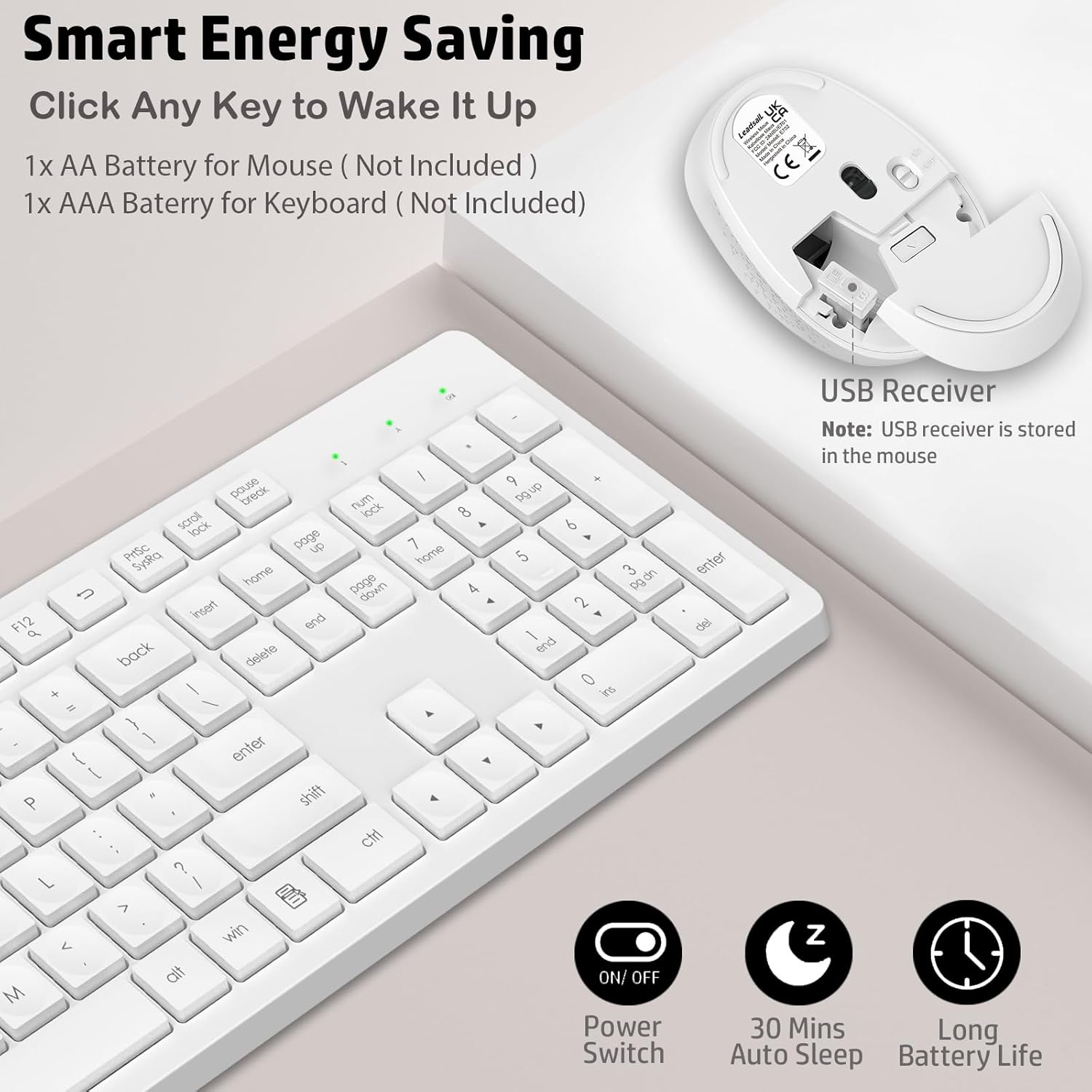
To conserve battery life, both the keyboard and mouse automatically enter sleep mode after 10 minutes of inactivity. To wake them up, simply click any key on the keyboard or move/click the mouse.

Image: The LeadsaiL keyboard and mouse illustrating their automatic energy-saving features, including a power switch and 10-second auto standby.
Асаблівасці мышы
The optical mouse is designed for comfort and offers smooth, precise tracking with 1600 DPI sensitivity, suitable for various tasks.
Тэхнічнае абслугоўванне
Замена батарэі
- Replace the keyboard battery with a new AAA battery when the low battery indicator light (located above the numeric keypad) illuminates.
- Replace the mouse battery with a new AA battery when mouse performance degrades or the indicator light (if present) signals low power.
Уборка
Для чысткі клавіятуры і мышы выкарыстоўвайце мяккую губкуamp cloth. Avoid using harsh chemicals or abrasive cleaners. Ensure devices are powered off before cleaning.
Ліквідацыю непаладак
- No connection/Unresponsive:
- Пераканайцеся, што батарэйкі ўсталяваны правільна і не разраджаны. Пры неабходнасці замяніце.
- Пераканайцеся, што USB-прыёмнік надзейна падключаны да спраўнага USB-порта вашага кампутара.
- Паспрабуйце падключыць USB-прыёмнік да іншага порта USB.
- Ensure the keyboard and mouse are powered on (check the power switch on the mouse).
- Перазагрузіце кампутар.
- Затрымка або перарывістае падключэнне:
- Ensure the devices are within the 33-foot (10m) operating range of the USB receiver.
- Мінімізуйце перашкоды ад іншых бесправадных прылад (напрыклад, Wi-Fi-роўтараў, бесправадных тэлефонаў).
- Avoid placing the receiver near large metal objects.
- Курсор мышы няўстойлівы:
- Ачысціце аптычны датчык на ніжняй частцы мышы.
- Выкарыстоўвайце мыш на чыстай, небліскучай паверхні або кілімку для мышы.
Тэхнічныя характарыстыкі
| Памеры прадукту | 16.93 х 5.04 х 0.98 цалі |
| Вага прадмета | 1.57 фунта |
| Нумар мадэлі | К786 |
| Патрабуюцца батарэі | 1 AA (Mouse), 1 AAA (Keyboard) |
| Тэхналогія падлучэння | Бесправадная сувязь USB 2.4 ГГц |
| Сумяшчальныя прылады | Windows 11/10/8/7, Mac OS, Chrome OS, Linux (Desktops, Laptops, Notebooks, Chromebooks, MacBooks, iMacs) |
| Асаблівасць | Lightweight, Portable, Ergonomic, Silent Click |

Image: Technical drawing of the LeadsaiL keyboard and mouse with key dimensions indicated.
Афіцыйнае відэа пра прадукт
Відэа: Афіцыйная відэапрэзентацыя прадуктуasing the LeadsaiL K786 Wireless Keyboard and Mouse Combo, highlighting its features and design.
Гарантыя і падтрымка
The LeadsaiL K786 Wireless Keyboard and Mouse Combo is backed by a 12-month warranty. For any support inquiries, please contact LeadsaiL customer service via email. Refer to the contact information provided in the original product packaging or on the LeadsaiL official webсайт.


