Уводзіны
This manual provides essential information for setting up, operating, maintaining, and troubleshooting your HP 27-cr100 All-in-One Desktop. Please read these instructions carefully before using your device.
Што ў скрынцы
Праверце наяўнасць усіх прадметаў ва ўпакоўцы:
- HP 27-cr100 All-in-One Desktop
- Шнур харчавання
- Правадная клавіятура HP 310 чорнага колеру
- Правадная мыш HP чорнага колеру
- Documentation (this manual, safety guide, etc.)
- USB-назапашвальнік 32 ГБ
Настройка
1. Распакаванне і размяшчэнне
Carefully remove the All-in-One desktop and its components from the packaging. Place the desktop on a stable, flat surface with adequate ventilation around the unit.
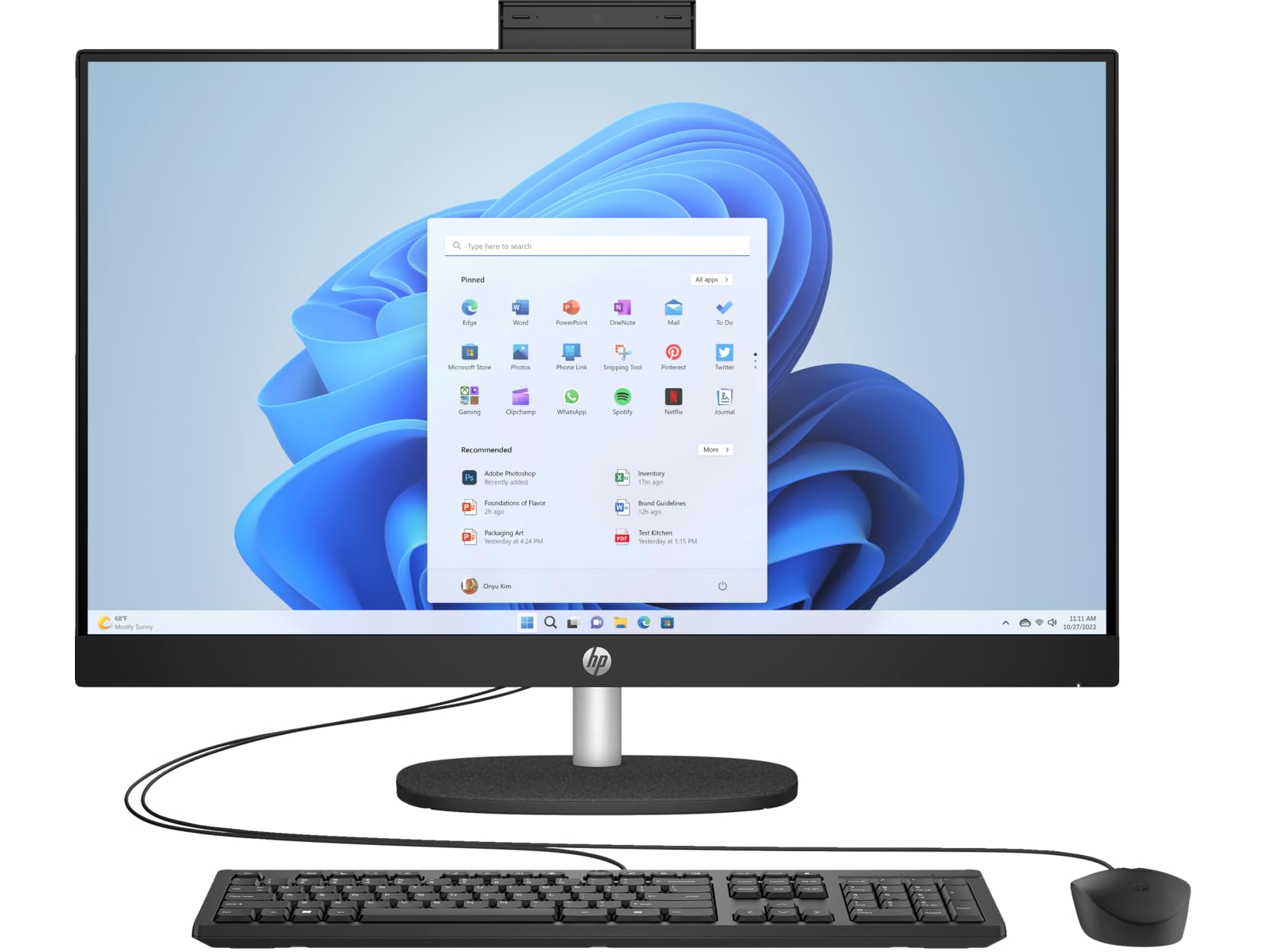
Figure 1: HP 27-cr100 All-in-One Desktop with included keyboard and mouse.
2. Падключэнне перыферыйных прылад
- Connect the wired keyboard to an available USB port on the back of the desktop.
- Падключыце правадную мыш да іншага даступнага порта USB.

Малюнак 2: Задняя частка view of the desktop highlighting the various ports for peripheral connections.
3. Падключэнне сілкавання
- Connect the power cord to the power input on the back of the desktop.
- Падключыце другі канец шнура сілкавання да заземленай электрычнай разеткі.
4. Пачатковая загрузка
- Націсніце кнопку харчавання, якая звычайна знаходзіцца збоку або ўнізе дысплея.
- Follow the on-screen instructions to complete the Windows 10 Pro setup process. This may include setting up your user account, network connection, and other preferences.

Figure 3: The desktop display showing the Windows operating system interface.
Інструкцыя па эксплуатацыі
Windows 10 Pro Basics
Your HP All-in-One Desktop comes pre-installed with Windows 10 Pro. Familiarize yourself with the operating system's interface, Start Menu, taskbar, and file explorer for efficient use.
Сувязь
- Wi-Fi: Каб падключыцца да бесправадной сеткі, націсніце значок Wi-Fi на панэлі задач, выберыце сетку і ўвядзіце пароль.
- Bluetooth: Enable Bluetooth in Windows settings to pair with compatible devices like headphones or speakers.
- Парты USB: Use the available USB 3.2 Gen 1 Type-C, USB 3.2 Gen 1 Type-A, and USB 2.0 Type-A ports for connecting external devices such as USB drives, printers, or other accessories.
- HDMI: The HDMI v1.4 port allows you to connect an external display or projector.
- LAN: For a wired network connection, connect an Ethernet cable to the 10/100/1000Mbps LAN port.
Выкарыстанне камеры
The integrated 720p HD camera features a privacy shutter. To use the camera, slide the shutter open. Close it when not in use for privacy and security.
Аўдыё
The desktop includes dual 2W speakers for audio output. You can also connect headphones or external speakers to the Headphone/Microphone Combo Jack.
Тэхнічнае абслугоўванне
Уборка
- экран: Выкарыстоўвайце мяккую тканіну без ворса. dampвадой або растворам для чысткі экрана. Пазбягайце агрэсіўных хімічных рэчываў.
- Шасі: Wipe the exterior surfaces with a soft, dry cloth. Ensure ventilation openings are clear of dust.
- Клавіятура і мыш: Выкарыстоўвайце сціснутае паветра, каб выдаліць смецце паміж клавішамі. Працярыце паверхні злёгку злёгкуamp тканіна.
Абнаўлення праграмнага забеспячэння
Regularly check for and install Windows updates to ensure system stability, security, and performance. HP also provides driver updates through its support webсайт або праграмнае забеспячэнне HP Support Assistant.
Рэзервовае капіраванне даных
Рэкамендуецца рэгулярна рабіць рэзервовыя копіі важных дадзеных на знешні дыск або ў воблачнае сховішча, каб прадухіліць страту дадзеных.
Ліквідацыю непаладак
If you encounter issues with your HP 27-cr100 All-in-One Desktop, refer to the following common solutions:
- Няма харчавання: Ensure the power cord is securely connected to both the desktop and the electrical outlet. Test the outlet with another device.
- Няма дысплея: Check all cable connections. If using an external monitor, ensure it is powered on and correctly connected. Try restarting the computer.
- Няма падключэння да Інтэрнэту: Verify Wi-Fi is enabled and connected to the correct network. For wired connections, ensure the Ethernet cable is properly seated. Restart your router/modem if necessary.
- Перыферыйныя прылады не працуюць: Ensure the keyboard and mouse are correctly plugged into the USB ports. Try different USB ports.
- Нізкая прадукцыйнасць: Закрыйце непатрэбныя праграмы. Праверце фонавыя працэсы, якія спажываюць шмат рэсурсаў. Забяспечце дастаткова вольнага месца на SSD-назапашвальніку.
For more complex issues or further assistance, please visit the official HP Support webсайт або звярніцеся ў службу падтрымкі кліентаў HP.
Тэхнічныя характарыстыкі
| Асаблівасць | Дэталь |
|---|---|
| Назва мадэлі | 27-cr100 |
| Працэсар | Intel Core Ultra 7 155U 12-Core (Up to 4.8 GHz) |
| Графіка | Графіка Intel Iris Xe (інтэграваная) |
| Дысплей | 27" LED-backlit IPS (1920 x 1080) 60Hz, 300 nits, Anti-glare |
| Памяць | 64 ГБ аператыўнай памяці DDR5 SDRAM 4800 МГц |
| Захоўванне | 4 ТБ M.2 Цвёрдацельны назапашвальнік |
| Аперацыйная сістэма | Windows 10 Pro |
| Камера | 720p HD-камера з затворам прыватнасці |
| Аўдыё | Падвойныя дынамікі магутнасцю 2 Вт |
| Бесправоднае падключэнне | Wi-Fi 6 (2x2), Bluetooth 5.3 |
| Парты | 1x USB-C 3.2 Gen 1, 2x USB 3.2 Gen 1 Type-A, 2x USB 2.0 Type-A, 1x HDMI v1.4, 1x Headphone/Microphone Combo Jack, 1x RJ-45 LAN |
| Памеры (В х Ш х Г) | 20.35 х 24.11 х 7.34 цалі |
| Вага | 14.81 фунта |
| Колер | Jet Black |
Гарантыя і падтрымка
Your HP 27-cr100 All-in-One Desktop includes 1 Year Support from HP within the US. For warranty claims, technical assistance, or additional support resources, please visit the official HP Support webсайт або звярніцеся ў службу падтрымкі кліентаў. Трымайце чэк аб куплі і серыйны нумар прадукту пад рукой, калі звяртаецеся па падтрымку.
Для атрымання дадатковай інфармацыі наведайце: Служба падтрымкі HP