1. Уводзіны і агляд прадуктуview
This manual provides detailed instructions for the setup, operation, and maintenance of your ZEBRONICS Juke BAR 4100 Soundbar. Please read this manual thoroughly before using the product to ensure proper functionality and to maximize your audio experience.

Image 1.1: The ZEBRONICS Juke BAR 4100 Soundbar and its accompanying subwoofer, shown with the remote control. The soundbar is a long, slender unit, and the subwoofer is a compact, cube-shaped speaker.
Асноўныя характарыстыкі:
- Дынамічны выхад: 200W RMS total power (90W subwoofer, 110W soundbar).
- Мультысувязь: Bluetooth v5.0, HDMI (ARC), Optical, USB, and AUX inputs.
- Магутныя драйверы: Soundbar features 4 x 5.71 cm drivers; subwoofer features a single 16.51 cm driver for enhanced bass.
- Віртуальны аб'ёмны гук 5.1: Creates an immersive, multi-channel audio environment.
- Мацаванне на сцяну: Designed for flexible placement and space efficiency.
- Святлодыёдны дысплей: Provides clear status, volume, and connectivity mode information.
2. Што ў скрынцы
Акуратна распакуйце ўсе прадметы і пераканайцеся, што вы атрымалі наступныя кампаненты:
- Саўндбар - 1 адзінка
- Subwoofer - 1 unit
- Пульт дыстанцыйнага кіравання - 1 адзінка
- Input Cable - 1 unit
- Даведнік па QR-кодах - 1 адзінка
3. Інструкцыі па ўсталёўцы
3.1 Размяшчэнне
For optimal audio performance, place the soundbar centrally below your television. The subwoofer can be placed on the floor near the soundbar, ideally in a corner for enhanced bass response.

Image 3.1: The soundbar positioned below a television, with the subwoofer on the floor to the left, illustrating a typical home theater setup.
3.2 Насценны мантаж
The soundbar is designed to be wall-mountable. Use appropriate wall mounting hardware (not included) and follow the instructions provided in the QR Code Guide for secure installation. Ensure the wall can support the weight of the soundbar.
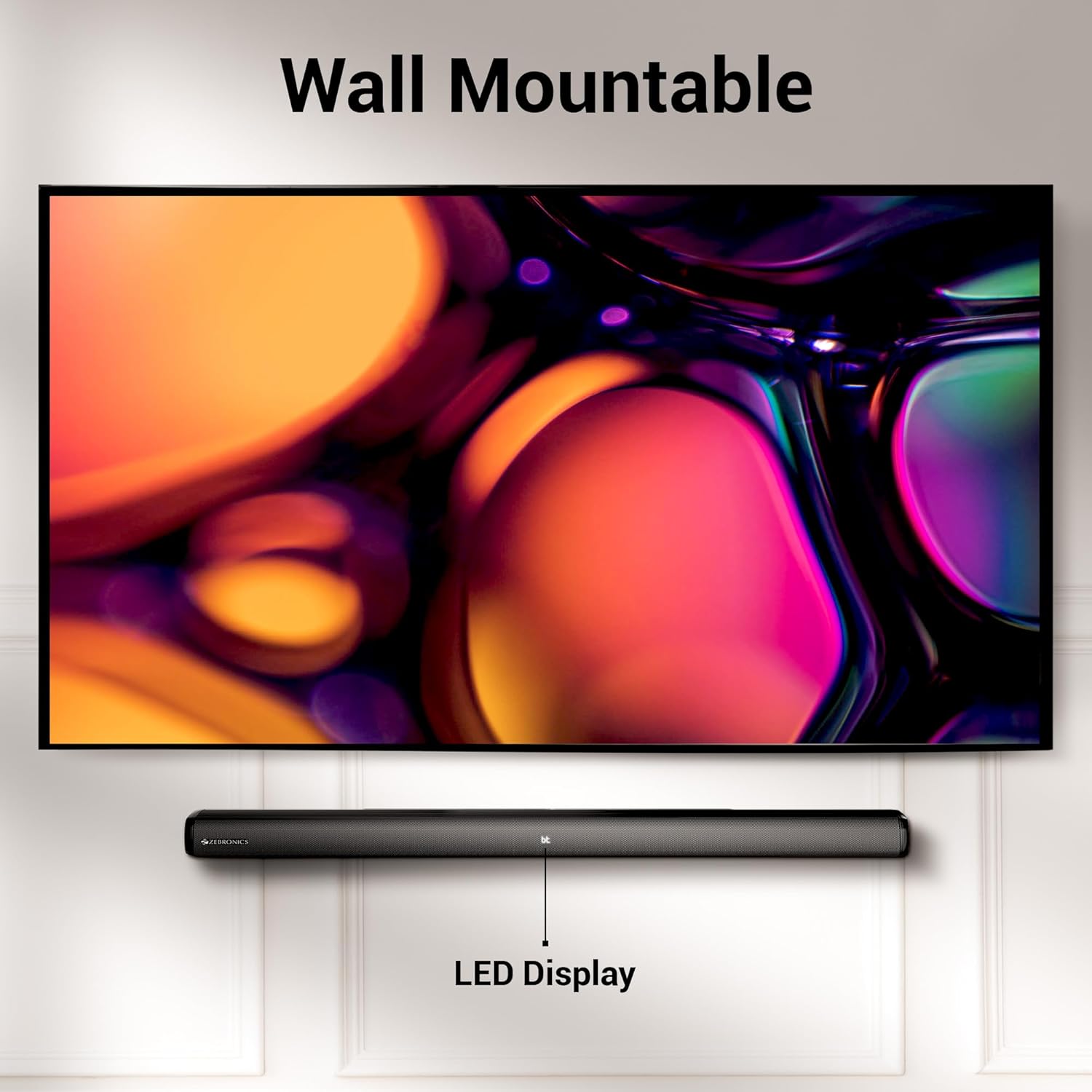
Image 3.2: The soundbar mounted on a wall beneath a television, demonstrating its wall-mountable design and integrated LED display.
3.3 Падключэнне сабвуфера
Connect the subwoofer to the soundbar using the provided input cable. Ensure the connection is secure.
3.4 Падключэнне харчавання
Connect the power cables for both the soundbar and the subwoofer to a suitable power outlet. The LED display on the soundbar will illuminate.
4. Інструкцыя па эксплуатацыі
4.1 Уключэнне/выключэнне сілкавання
Націсніце Магутнасць кнопку на саўндбары або пульце дыстанцыйнага кіравання, каб уключыць або выключыць прыладу.
4.2 Выбар рэжыму
Націсніце Рэжым button on the soundbar or the remote control to cycle through available input modes: Bluetooth (BT), HDMI (ARC), Optical (OPT), USB, and AUX. The selected mode will be indicated on the LED display.
4.3 Рэгулятар гучнасці
Выкарыстоўвайце Аб'ём + і гучнасць - кнопкі на саўндбары або пульце дыстанцыйнага кіравання для рэгулявання ўзроўню гучнасці.
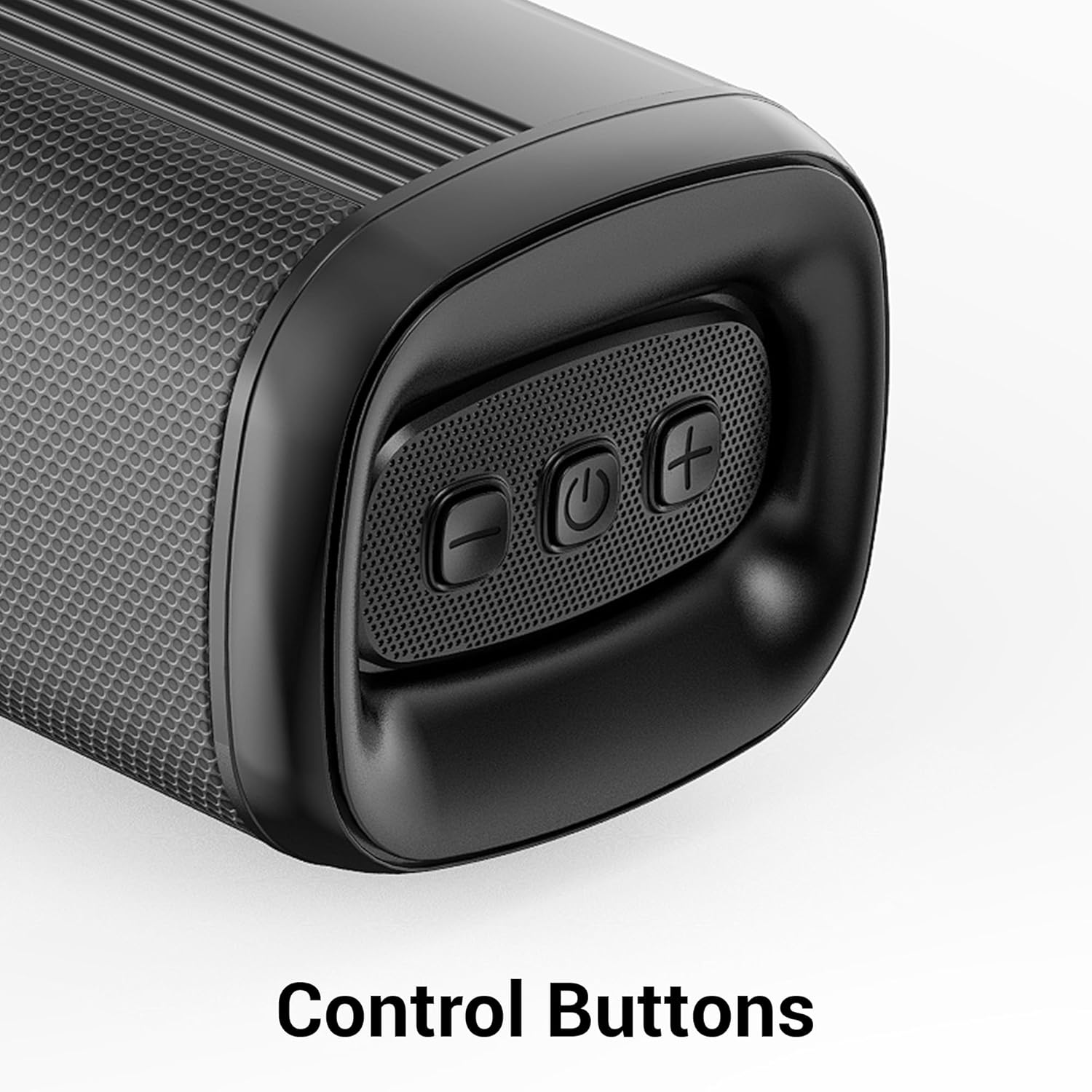
Малюнак 4.1: Крупны план view of the control buttons on the soundbar, including volume down, power, and volume up.
5. Сувязь
The ZEB-Juke Bar 4100 offers multiple connectivity options for various devices.

Image 5.1: The soundbar with an overlay indicating its multi-connectivity features: Bluetooth v5.0, TV (ARC), Optical IN, USB, and AUX.
5.1 Падключэнне Bluetooth (BT)
- Уключыце саўндбар і абярыце BT mode. The LED display will show "BT" and flash, indicating pairing mode.
- Enable Bluetooth on your mobile device or computer and search for "ZEB-JUKE BAR 4100".
- Select the soundbar from the list of available devices to pair. Once connected, the "BT" indicator will stop flashing.
5.2 HDMI (ARC) Connection
- Падключыце кабель HDMI ад HDMI ARC port on the soundbar to the HDMI ARC порт на вашым тэлевізары.
- Выберыце HDMI ARC рэжым на саўндбары.
- Пераканайцеся, што аўдыёвыхад вашага тэлевізара настроены на HDMI ARC або знешнія дынамікі.
5.3 Optical (OPT) Connection
- Connect an optical cable from the Аптычны ўваход port on the soundbar to the optical output port on your television or audio source.
- Выберыце OPT рэжым на саўндбары.
- Пераканайцеся, што аўдыёвыхад вашага тэлевізара настроены на аптычны або знешнія дынамікі.
5.4 Прайграванне з USB
- Устаўце USB-назапашвальнік з аўдыя files у USB порт на гукавой панэлі.
- Выберыце USB mode. The soundbar will automatically begin playing audio files.
- Use the remote control to navigate tracks (Play/Pause, Next/Previous).
5.5 Злучэнне AUX
- Connect a 3.5mm audio cable from the AUX IN port on the soundbar to the audio output of your device (e.g., smartphone, MP3 player).
- Выберыце ДАП рэжым на саўндбары.
6. Тэхнічнае абслугоўванне
Каб забяспечыць даўгавечнасць і аптымальную працу вашай гукавой панэлі, выконвайце наступныя рэкамендацыі па тэхнічным абслугоўванні:
- Уборка: Выкарыстоўвайце мяккую сухую тканіну для чысткі паверхняў саўндбара і сабвуфера. Не выкарыстоўвайце вадкія ачышчальнікі або абразіўныя матэрыялы.
- Вентыляцыя: Забяспечце належную вентыляцыю вакол прылад. Не блакуйце вентыляцыйныя адтуліны.
- Асяроддзе: Avoid exposing the soundbar to extreme temperatures, humidity, or direct sunlight. Keep it away from water and other liquids.
- Магутнасць: Адключыце кабель сілкавання ад разеткі, калі прылада не будзе выкарыстоўвацца працяглы час.
7. Выпраўленне непаладак
If you encounter any issues with your ZEBRONICS Juke BAR 4100 Soundbar, refer to the following common problems and solutions:
| праблема | Магчымая прычына | Рашэнне |
|---|---|---|
| Няма ўлады | Сеткавы кабель не падключаны; разетка неактыўная. | Ensure power cables are securely connected and the power outlet is functioning. |
| Няма гуку | Incorrect input mode selected; volume too low; audio cable not connected properly. | Select the correct input mode (BT, HDMI, OPT, USB, AUX). Increase volume. Check all audio cable connections. Ensure TV audio output is set correctly. |
| Спалучэнне Bluetooth не атрымалася | Саўндбар не ў рэжыме спалучэння; прылада занадта далёка; перашкоды. | Ensure soundbar is in BT mode and "BT" is flashing. Move device closer to the soundbar. Turn off other Bluetooth devices to reduce interference. |
| Пульт дыстанцыйнага кіравання не працуе | Батарэйкі разрадзіліся; паміж пультам і саўндбарам ёсць перашкода. | Replace remote control batteries. Ensure no objects are blocking the remote's signal path to the soundbar's sensor. |
8. Тэхнічныя характарыстыкі
Technical specifications for the ZEBRONICS Juke BAR 4100 Soundbar:
- Назва мадэлі: ZEB-JUKE BAR 4100
- Агульная выхадная магутнасць: 200 Watts RMS (Soundbar: 110W, Subwoofer: 90W)
- Тып дынаміка: Soundbar with external Subwoofer
- Канфігурацыя канала аб'ёмнага гуку: Віртуальны 5.1
- Драйверы гукавой панэлі: 4 х 5.71 см
- Драйвер сабвуфера: 1 х 16.51 см
- Тэхналогія падключэння: Bluetooth v5.0, HDMI (ARC), Optical, USB, Auxiliary
- Дыяпазон Bluetooth: Да 10 метраў
- АЧХ: 45 Hz (minimum, as per data)
- Тып мацавання: Насценны мантаж
- Метад кантролю: Пульт дыстанцыйнага кіравання, кнопкі на прыладзе
- Product Dimensions (Combined unit): 30.6 Г х 19 Ш х 36.7 В сантыметраў
- Вага прадмета: 6 кг
- Крыніца харчавання: Правадная электрычная
- Уключаныя кампаненты: Sound Bar, Subwoofer, Remote, Input cable, QR code guide
9. Гарантыя і падтрымка
The ZEBRONICS Juke BAR 4100 Soundbar comes with a limited warranty. Please refer to the warranty card included in your package for specific terms and conditions.
For technical assistance, troubleshooting, or warranty claims, please contact ZEBRONICS customer support. Contact details can typically be found on the official ZEBRONICS webсайце або ў прыкладзенай дакументацыі.
Вы таксама можаце наведаць чыноўніка Крама ZEBRONICS на Amazon каб атрымаць дадатковую інфармацыю пра прадукт і рэсурсы падтрымкі.


