Уводзіны
This manual provides detailed instructions for the GOBOULT Mirage Smart Watch. Please read this guide thoroughly to ensure proper setup, operation, and maintenance of your device. This smartwatch features a 1.39-inch HD display, Bluetooth calling, comprehensive health monitoring, and various sports modes.
Што ў скрынцы
- GOBOULT Mirage Smart Watch
- Зарадны кабель
- Кіраўніцтва карыстальніка
- Гарантыйны талон
Настройка
1. Зарадка прылады
Before initial use, fully charge your GOBOULT Mirage Smart Watch. Connect the provided charging cable to the charging port on the back of the watch and to a standard USB power adapter (not included). The watch typically charges within 120 minutes.

Image: GOBOULT Mirage Smart Watch displaying its features, including charging capability.
2. Спалучэнне са смартфонам
- Download the official GOBOULT companion app from your smartphone's app store (available for iOS and Android).
- Пераканайцеся, што Bluetooth уключаны на вашым смартфоне.
- Open the app and follow the on-screen instructions to search for and connect to your GOBOULT Mirage Smart Watch.
- Пацвердзіце запыт на спалучэнне як на гадзінніку, так і на смартфоне.
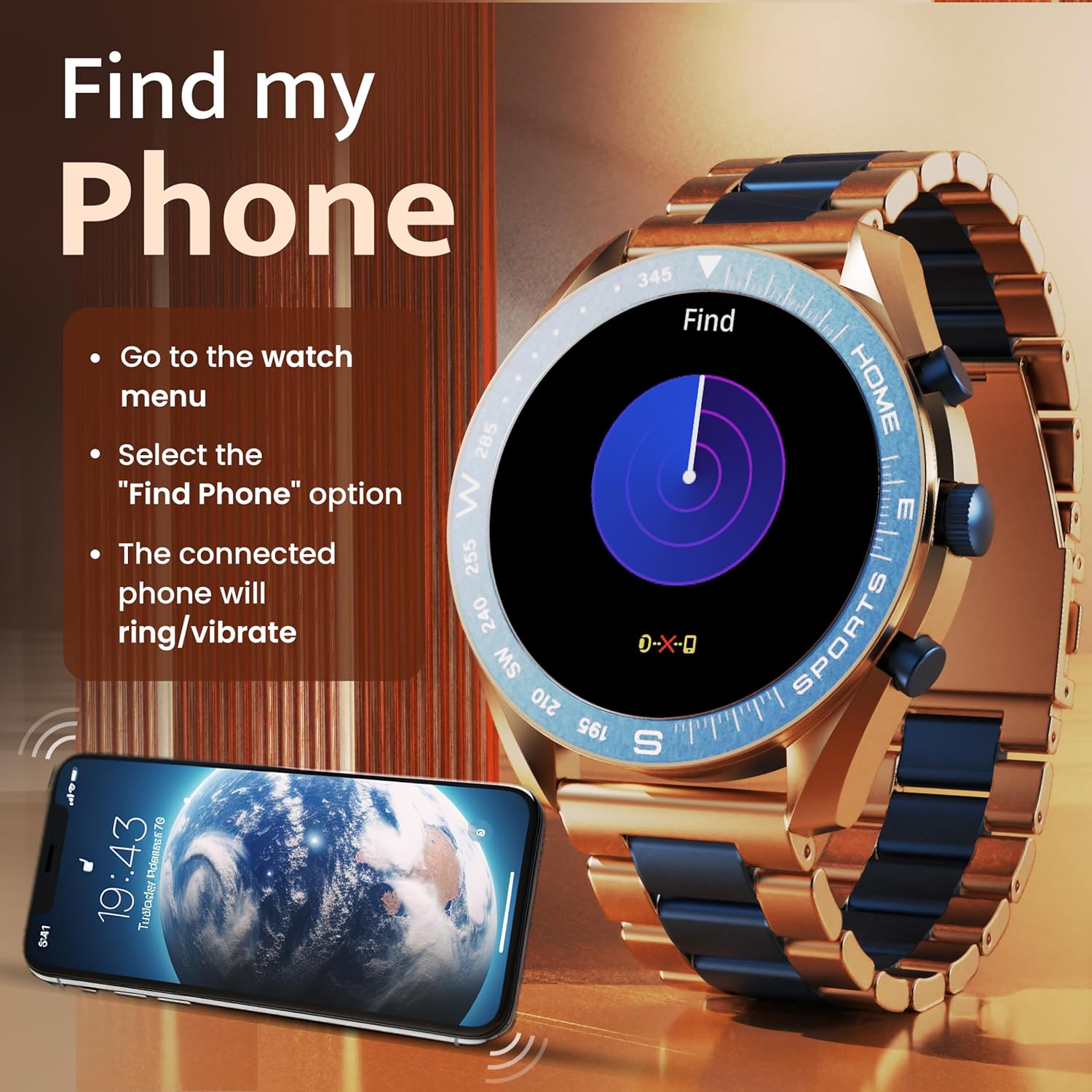
Image: The GOBOULT Mirage Smart Watch connected to a smartphone, illustrating connectivity.
Інструкцыя па эксплуатацыі
1. Дысплей і навігацыя
The GOBOULT Mirage features a 1.39-inch HD display with 360x360 pixels resolution and 500 nits peak brightness for clear visibility. Navigate the watch interface using touch gestures and the digital crown.
- Лічбавая карона: Press to power on/off, switch UIs, and navigate menus. Rotate to scroll through options.
- Бакавыя кнопкі: Use for quick access to specific functions, such as launching sports modes.

Image: GOBOULT Mirage Smart Watch highlighting the digital crown and its various functions.
2. Bluetooth-званкі
With the built-in speaker and microphone, you can make and receive calls directly from your wrist once paired with your smartphone via Bluetooth 5.3.
- To answer a call, tap the green icon on the watch screen.
- To reject a call, tap the red icon.
- To make a call, access the dial pad or contacts through the watch menu.
Image: GOBOULT Mirage Smart Watch showing an incoming call notification.
3. Маніторынг здароўя
The GOBOULT Mirage provides comprehensive health tracking features:
- SpO2 Blood Oxygen Monitor: Вымярае ўзровень кіслароду ў крыві.
- Манітор сардэчнага рытму: Кругласутачнае адсочванне пульса.
- Манітор сну: Адсочвае рэжым сну і яго якасць.
- Breath Training Mode: Правядзе вас праз дыхальныя практыкаванні.
- Напамін пра пітную ваду: Заклікае вас падтрымліваць водны баланс.
- Сядзячы напамін: Alerts you after periods of inactivity.
- Адсочванне актыўнасці: Запісвае крокі, адлегласць і спаленыя калорыі.
- Адсочванне менструальнага цыклу: Helps monitor menstrual cycles.

Image: GOBOULT Mirage Smart Watch showcasing its complete health suite on the display.
4. Спартыўныя рэжымы
Track your performance across over 120 sports modes. Access these modes quickly using the shortcut buttons.
- Examples include Running, Cycling, Yoga, Cricket, Badminton, and Basketball.

Image: GOBOULT Mirage Smart Watch showing the selection of over 120 sports modes.
5. Цыферблаты
Personalize your watch with over 300 cloud-based watch faces. You can also customize the dial to match your style.

Image: GOBOULT Mirage Smart Watch illustrating the variety of 300+ cloud watch faces.
6. Разумныя апавяшчэнні
Receive SMS and other smart notifications directly on your watch. Ensure your watch is connected to your phone via Bluetooth for this feature to function.

Image: GOBOULT Mirage Smart Watch showing a push notification from a messaging app.
7. Галасавы памочнік са штучным інтэлектам
Access an intelligent AI voice assistant for hands-free control. Long press the designated button or use the voice assistant icon on the screen to activate.
8. Знайсці мой тэлефон
If you misplace your connected smartphone, use the 'Find My Phone' feature on your watch:
- Go to the watch menu.
- Select the "Find Phone" option.
- The connected phone will ring or vibrate, helping you locate it.
Image: GOBOULT Mirage Smart Watch showing the 'Find My Phone' interface.
9. Воданепранікальнасць
The GOBOULT Mirage Smart Watch is IP67 water-resistant, offering protection against dust and temporary immersion in water. It is suitable for daily wear and activities like hand washing or light rain.

Image: GOBOULT Mirage Smart Watch demonstrating its IP67 water resistance.
10. Mini Games
The watch includes several mini-games for entertainment during leisure time.
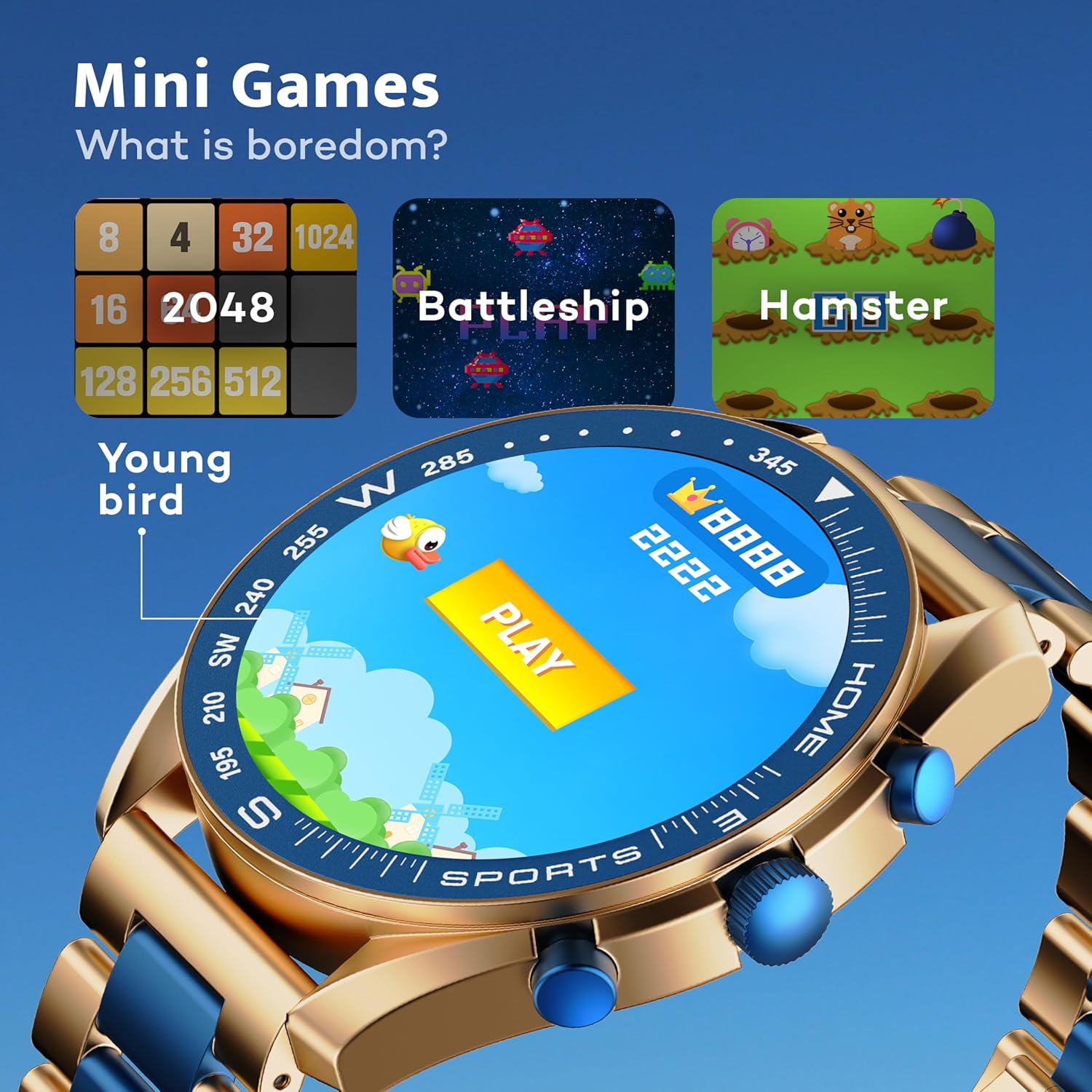
Image: GOBOULT Mirage Smart Watch showing the selection of mini-games.
Тэхнічнае абслугоўванне
1. Уборка
- Wipe the watch screen and body with a soft, dry cloth.
- Для ўстойлівых забруджванняў выкарыстоўвайце злёгку damp cloth and immediately dry the watch.
- Пазбягайце выкарыстання агрэсіўных хімікатаў або абразіўных матэрыялаў, бо яны могуць пашкодзіць пакрыццё.
2. Рэкамендацыі па воданепранікальнасці
- The IP67 rating means the watch is protected from dust and can withstand immersion in water up to 1 meter for 30 minutes.
- Do not use the watch for swimming, showering with hot water, or diving.
- Avoid exposing the watch to high-pressure water or steam.
- Калі гадзіннік намокне, старанна высушыце яго перад зарадкай або выкарыстаннем якіх-небудзь кнопак.
Ліквідацыю непаладак
- Гадзіннік не ўключаецца: Пераканайцеся, што гадзіннік цалкам зараджаны. Падключыце яго да зараднай прылады як мінімум на 30 хвілін.
- Немагчыма спалучыць з тэлефонам: Пераканайцеся, што на вашым тэлефоне ўключаны Bluetooth, і гадзіннік знаходзіцца ў зоне дзеяння. Перазагрузіце абедзве прылады і паспрабуйце зноў падключыць прыладу.
- Недакладныя дадзеныя пра здароўе: Пераканайцеся, што гадзіннік шчыльна прылягае да запясця, не занадта туга і не занадта свабодна. Рэгулярна чысціце датчыкі.
- Кароткі тэрмін службы батарэі: Зменшце яркасць экрана, адключыце непатрэбныя апавяшчэнні і абмяжуйце бесперапынны маніторынг пульса, калі ён не патрэбны.
- Праблемы з дысплеем: Restart the watch. If the problem persists, contact customer support.
Тэхнічныя характарыстыкі
| Асаблівасць | Дэталь |
|---|---|
| Марка | ГОБАЛТ |
| Нумар мадэлі | 8906133853464 |
| Памер дысплея | 1.39 цалі |
| Яркасць | 500 гнід |
| Матэрыял каркаса | Сплаў цынку |
| Бесправадны тып | Bluetooth 5.3 |
| Аперацыйная сістэма | iOS, Android |
| Воданепранікальнасць | IP67 |
| Час зарадкі акумулятара | 120 хвілін |
| Тып батарэі | Літый-палімерны |
| Вага прадмета | 106 г |
Гарантыя і падтрымка
Your GOBOULT Mirage Smart Watch comes with a warranty card included in the box. Please refer to this card for details regarding warranty coverage and terms.
For technical support, troubleshooting assistance, or warranty claims, please contact GOBOULT customer service through their official webсайт або кантактную інфармацыю, указаную ў гарантыйным талоне.


