Уводзіны
Thank you for choosing the ErGear Electric Standing Desk. This manual provides detailed instructions for assembly, operation, maintenance, and troubleshooting to ensure optimal performance and longevity of your desk. Please read this manual thoroughly before installation and use, and retain it for future reference.
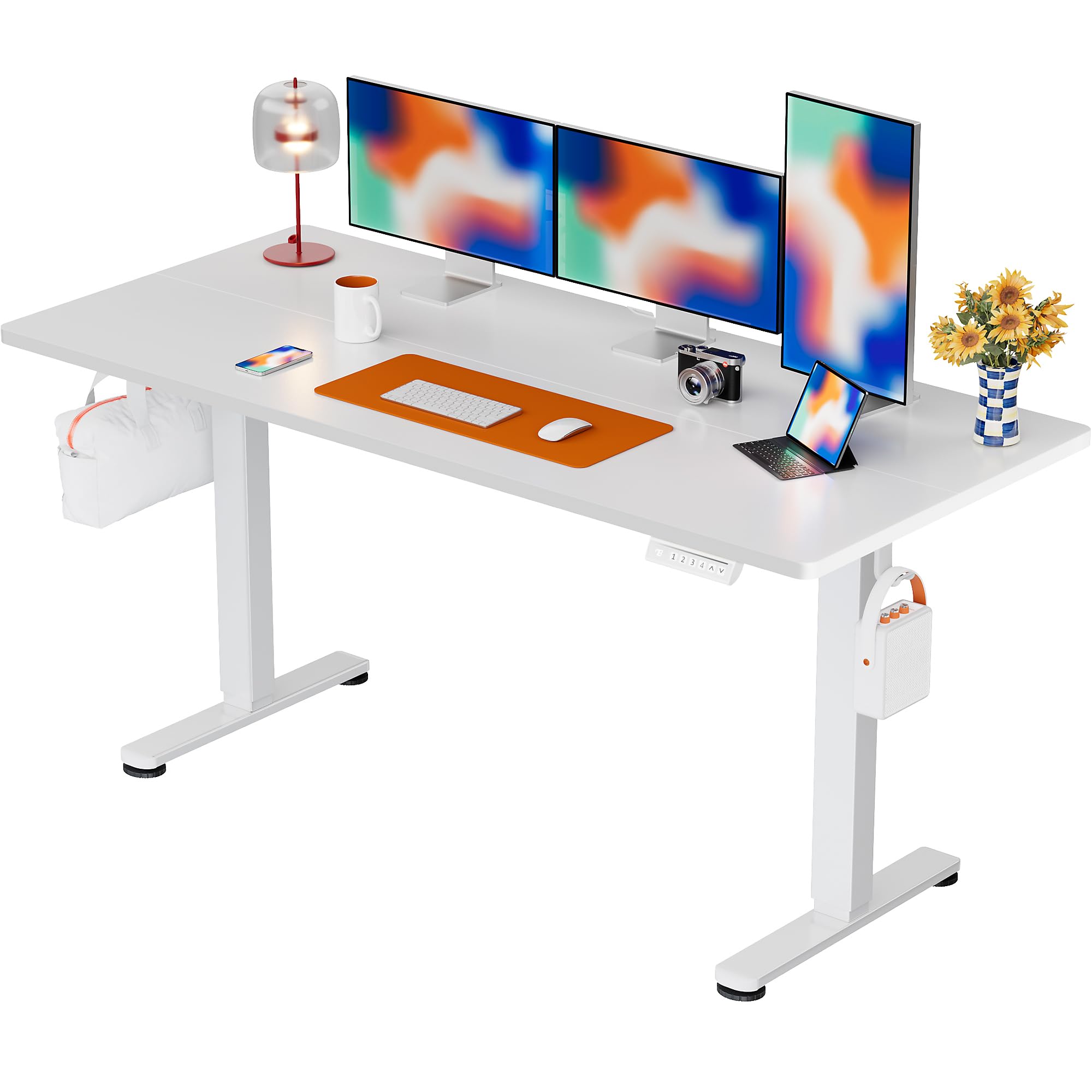
The ErGear Electric Standing Desk, 63x28 inch, in a white finish, featuring a spacious desktop and electric height adjustment capabilities.
Інфармацыя па бяспецы
- Перад зборкай пераканайцеся, што ўсе кампаненты наяўныя і не пашкоджаныя. Не выкарыстоўвайце, калі якія-небудзь дэталі адсутнічаюць або дэфектныя.
- Трымайце дзяцей і хатніх жывёл далей ад стала падчас працы, каб пазбегнуць траўмаў.
- Do not overload the desk. The maximum weight recommendation is 176 pounds (80 kg).
- Ensure the power cord is not pinched or damaged. Connect to a grounded outlet.
- Пазбягайце траплення вадкасцей непасрэдна на панэль кіравання або побач з электрычнымі кампанентамі.
- Regularly check all screws and connections to ensure they are tight and secure.
- Гэты стол прызначаны толькі для выкарыстання ў памяшканні.
Змест пакета
Перад пачаткам зборкі пераканайцеся, што ўсе наступныя кампаненты ўваходзяць у камплект:
- Desktop Boards ×2
- Leg with Motor ×1
- Ножка ×1
- Leg Bases ×2
- Crossbar & Transmission Rod
- Controller & Power Cable
- Усе неабходныя мантажныя прылады і абсталяванне
Інструкцыя па зборцы
Follow these steps carefully to assemble your ErGear Electric Standing Desk. An assembly video is also provided for visual guidance.
Official ErGear Electric Standing Desk Assembly Video. This video demonstrates the step-by-step process for setting up your desk.
Step 1: Assemble the Desk Legs
Attach the leg bases to the desk legs using the provided screws. Ensure they are securely fastened.

The stable T-shaped desk legs provide a sturdy foundation for the electric standing desk.
Step 2: Attach Side Plates and Transmission Rod
Connect the side plates to the desk legs. Insert the transmission rod fully into the left leg and secure it. If the two desk legs are not at the same height, insert the rod into the left leg and turn to adjust.
Step 3: Assemble and Attach the Desktop
Place the two desktop boards together, aligning the dowels. Secure the desktop to the assembled frame using the provided screws and brackets. Ensure all connections are tight.
Крок 4: Падключыце кабелі
Connect the motor and control panel cables to the main control box. Ensure all connections are firm and correctly oriented.
Step 5: Install Cable Hole Covers
Place the cable hole covers into the designated openings on the desktop to manage wires neatly.

Ergonomic guidelines for using the standing desk, showing optimal monitor and arm positions for both sitting and standing.
Інструкцыя па эксплуатацыі
Панэль кіравання скончыласяview
The desk features an intuitive control panel with height adjustment buttons and memory presets.
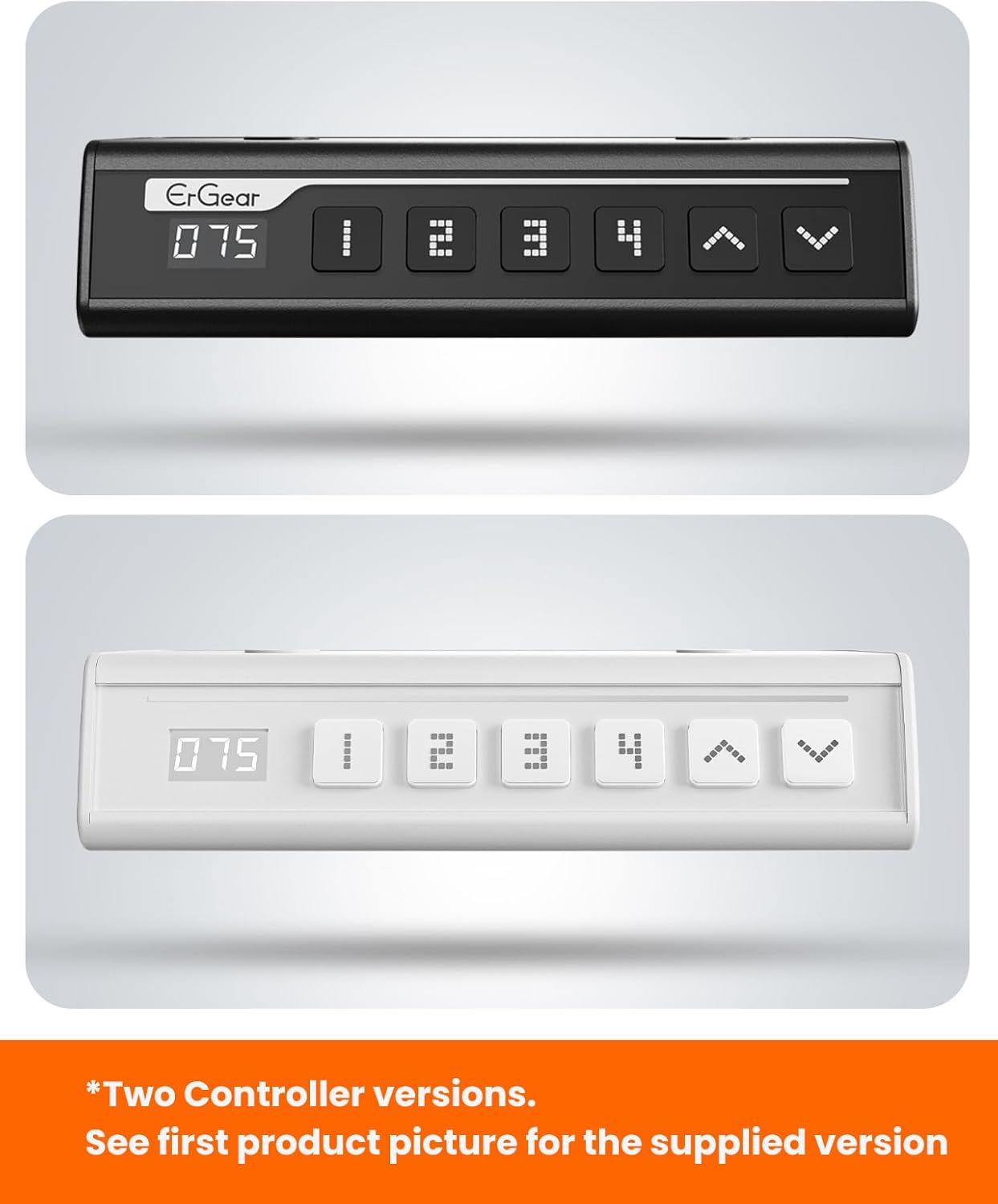
The ErGear control panel, available in two versions, features a digital height display and four programmable memory settings.
Рэгуляванне вышыні
- Выкарыстоўвайце Уверх (^) і Уніз (v) arrows to smoothly adjust the desk height between 28.35 inches and 46.46 inches.
- Адпусціце кнопку на патрэбнай вышыні.
Налады памяці
The desk allows you to save up to 4 preferred height settings.
- Адрэгулюйце вышыню стала на патрэбную вам вышыню з дапамогай стрэлак уверх/уніз.
- Націсніце M button (or equivalent memory set button). The display will flash.
- Націсніце адну з нумараваных кнопак загадзя настроеных налад (1, 2, 3 або 4) на працягу 3 секунд, каб захаваць бягучую вышыню ў гэтым прэсеце.
- Каб выклікаць захаваную вышыню, проста націсніце адпаведную кнопку з нумарам загадзя ўсталяванай вышыні. Стол аўтаматычна перамясціцца ў захаванае становішча.
This video demonstrates the smooth and quiet operation of the ErGear Electric Standing Desk, showcasing its height adjustment and memory preset features.
Тэхнічнае абслугоўванне
- Уборка: Працярыце працоўны стол і рамку мяккай губкайamp тканінай. Пазбягайце агрэсіўных хімічных рэчываў або абразіўных ачышчальнікаў.
- агляд: Periodically check all screws and connections for tightness. Re-tighten if necessary.
- Кабельнае кіраванне: Ensure cables are neatly organized and not tangled or pinched to prevent damage.
Ліквідацыю непаладак
If you encounter any issues with your ErGear Electric Standing Desk, please refer to the following common problems and solutions:
| праблема | Магчымая прычына | Рашэнне |
|---|---|---|
| Стол не рухаецца | Power cable disconnected, motor error, overloaded desk. | Check power connections. Unplug for 30 seconds and plug back in. Reduce weight on the desk. |
| Нераўнамерная вышыня | Transmission rod not fully inserted or adjusted. | Refer to Step 2 of assembly to ensure the transmission rod is correctly installed and adjusted. |
| Шум падчас працы | Normal operation sound, loose screws. | A slight motor sound is normal. Check and tighten any loose screws on the frame. |
| Не працуюць прэсеты памяці | Няправільная працэдура захавання. | Follow the memory preset instructions carefully (press M, then the number within 3 seconds). |
Тэхнічныя характарыстыкі
| Асаблівасць | Дэталь |
|---|---|
| Марка | ErGear |
| Нумар мадэлі | EGESD7W-CA |
| Дызайн працоўнага стала | Пастаянны стол |
| Форма | Прамавугольны |
| Памеры прадукту (Д х Ш х У) | 71.1 Г х 160 Ш х 118 В сантыметраў |
| Памер | 63*28 цаляў |
| Колер | Белы |
| Мінімальная вышыня | 28.35 цалі |
| Максімальная вышыня | 46.46 цалі |
| Таўшчыня стальніцы | 1.5 сантыметраў |
| Базавы матэрыял | Легаваная сталь |
| Верхні тып матэрыялу | Engineered Wood (Walnut Wood finish) |
| Асаблівасці | Adjustable Height, Electric, Ergonomic |
| Рэкамендацыя па максімальнай вазе | 176 фунтаў (80 кг) |
| Патрабуецца зборка | Так (у камплекце ўсе інструменты для зборкі) |
Гарантыя і падтрымка
ErGear is committed to providing high-quality products and customer satisfaction. This product comes with:
- 5-гадовая абарона on the desktop and desk frame.
- 2-гадовая абарона on motors and electrical components.
For any questions, concerns, or warranty claims, please contact ErGear customer support. You can typically find contact information on the product packaging or the official ErGear website. Please have your model number (EGESD7W-CA) and purchase details ready when contacting support.

The ErGear Electric Standing Desk seamlessly integrates into various home office environments.