Уводзіны
Thank you for choosing the KWANWA KW319 Digital Alarm Clock. This clock is designed for ease of use and clear visibility, featuring a large LED display, multiple brightness settings, and a battery backup for convenience. Please read this manual carefully to ensure proper setup and operation.
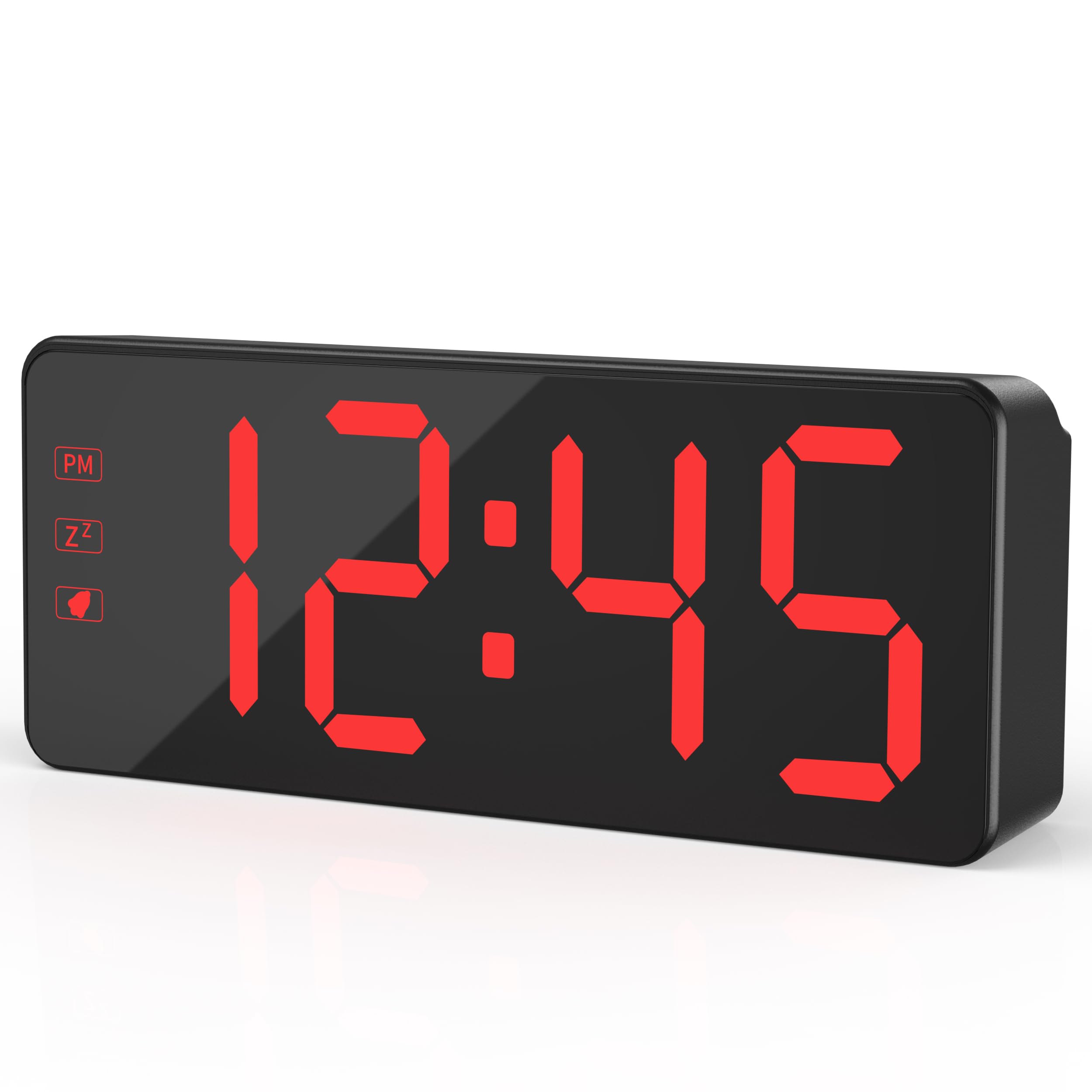
The KWANWA KW319 Digital Alarm Clock, showcasing its clear red LED display.
Асноўныя характарыстыкі:
- 2.4" Bold LED Display: Ultra-clear, glare-free digits for instant readability.
- 3-Level Dimmer & Auto Night Mode: Adjustable brightness (Low/Medium/High) with an automatic dimming feature from 8 PM to 6 AM.
- Рэзервовы акумулятар: Requires 3xAA batteries (not included) to save time and alarm settings during power outages. LED digits hide in battery mode to conserve energy, lighting up for 10 seconds when the top is tapped.
- Gradual Wake-Up Alarm: Alarm volume increases gradually over 120 seconds.
- Smart Snooze Function: Allows up to 3 snooze intervals of 7 minutes each.
- Oversized Tactile Buttons: Easy-to-use buttons for setting time and alarms.
- 12/24-Hour Switching: Intuitive setup for preferred time format.
Настройка
1. Уключэнне гадзінніка
The KWANWA KW319 Digital Alarm Clock operates primarily via its UL-certified power adapter. It also supports battery backup.
- Падключыце адаптар сілкавання: Plug the provided 59-inch UL-certified adapter into the DC IN port on the back of the clock and then into a standard wall outlet. The LED time digits will display constantly.
- Усталюйце рэзервовыя батарэі (неабавязкова, але рэкамендуецца): Open the battery compartment on the back of the clock and insert 3xAA batteries (not included). These batteries will preserve your time and alarm settings during a power interruption. In battery-only mode, the LED display will turn off to save power; tap the top of the clock to temporarily display the time for 10 seconds.

The KWANWA Digital Alarm Clock powered by its UL-certified adapter, showing the time display.
2. Initial Setup and Button Overview
Before first use, gently remove any protective film from the display. The clock features oversized tactile buttons on the back for easy adjustment.

Тыл view of the clock, highlighting the large setting buttons for time and alarm adjustments.
3. Усталёўка часу
- Націсніце і ўтрымлівайце УСТАНОВА ЧАСУ кнопку на задняй панэлі гадзінніка, пакуль лічбы гадзін не пачнуць міргаць.
- Выкарыстоўвайце UP or УНІЗ кнопкі для налады гадзіны. Звярніце ўвагу на індыкатар PM, калі выкарыстоўваеце 12-гадзінны фармат.
- Прэса УСТАНОВА ЧАСУ again to move to the minute digits. Use the UP or УНІЗ кнопкі для налады хвілін.
- Прэса УСТАНОВА ЧАСУ яшчэ раз, каб пацвердзіць і выйсці з рэжыму налады часу.
4. Налада сігналізацыі
- Націсніце і ўтрымлівайце AL SET кнопку на задняй частцы гадзінніка, пакуль лічбы гадзіны будзільніка не пачнуць міргаць.
- Выкарыстоўвайце UP or УНІЗ кнопкі для налады гадзін будзільніка.
- Прэса AL SET again to move to the alarm minute digits. Use the UP or УНІЗ кнопкі для налады хвілін будзільніка.
- Прэса AL SET яшчэ раз, каб пацвердзіць і выйсці з рэжыму налады будзільніка.
- Каб уключыць або выключыць сігнал трывогі, націсніце кнопку AL ВКЛ/ВЫКЛ кнопка. Пры актывацыі на дысплеі з'явіцца значок сігналізацыі.
5. Adjusting Display Brightness and Night Mode
The clock offers three levels of brightness and an automatic night mode.
- Ручная яркасць: Націсніце СВЯТЛО / СНОЗ button on the top of the clock to cycle through Low, Medium, and High brightness settings.
- Аўтаматычны начны рэжым: The clock automatically dims the display between 8 PM and 6 AM for comfortable viewing in a dark room. This feature is enabled by default.

Visual representation of the three brightness levels: High, Medium, and Dim.
6. 12/24-гадзінны фармат
Каб пераключыцца паміж 12-гадзінным і 24-гадзінным фарматамі часу, націсніце кнопку 12/24 кнопку на задняй частцы гадзінніка.
The clock displaying time in both 12-hour (left) and 24-hour (right) formats.
Кіраванне сігналізацыяй
1. Gradual Wake-Up Alarm
The alarm features a gradual wake-up technology. When the alarm sounds, its volume will slowly increase over 120 seconds to provide a gentle awakening.

Illustration of the alarm's auto-ascending volume feature, showing increasing sound waves.
2. Функцыя паўтору будзільніка
Калі гучыць будзільнік, націсніце вялікую кнопку СВЯТЛО / СНОЗ button on the top of the clock to activate the snooze function. The alarm will pause for 7 minutes and then sound again. You can use the snooze function up to 3 times.
3. Turning Off the Alarm
To turn off the alarm completely after it sounds (without snoozing), press any button on the back of the clock (e.g., AL SET, UP, УНІЗ, або AL ВКЛ/ВЫКЛ).
Тэхнічнае абслугоўванне
Уборка
To clean the clock, gently wipe the surface with a soft, dry cloth. Do not use abrasive cleaners or solvents, as these may damage the display or casing.
Замена батарэі
If the clock is primarily used with the power adapter, the backup batteries will last for an extended period. Replace the 3xAA batteries when the clock fails to retain time or alarm settings during a power outage.
Ліквідацыю непаладак
- Дысплей пусты або не падсвятляецца:
- Ensure the power adapter is securely plugged into both the clock and a working wall outlet.
- If running on battery backup, the display will be off to save power. Tap the top of the clock to temporarily illuminate the display.
- Праверце, ці правільна ўстаўлены батарэйкі і ці не разраджаны яны. Пры неабходнасці замяніце іх.
- Time or alarm settings are lost after a power outage:
- This indicates the backup batteries are either not installed or are depleted. Install or replace the 3xAA batteries.
- Сігналізацыя не гучыць:
- Ensure the alarm is activated. Check for the alarm icon on the display. If not present, press the AL ВКЛ/ВЫКЛ кнопка.
- Праверце, ці правільна ўсталяваны час будзільніка.
- Buttons are unresponsive or difficult to press:
- Пераканайцеся, што смецце не перашкаджае кнопкам.
- If the issue persists, try unplugging the clock and removing the batteries for a few minutes, then reconnecting power to reset the device.
Тэхнічныя характарыстыкі
| Марка | КВАНВА |
| Нумар мадэлі | KW319 |
| Тып дысплея | LED Digits |
| Колер | Black Case-red Led |
| Памеры прадукту | 5.1"Ш х 2.5"В |
| Вага прадмета | 0.27 кілаграма |
| Крыніца харчавання | Corded Powered |
| Рэзервовы акумулятар | Патрабуецца 3 батарэйкі АА (не ўваходзяць у камплект) |
| Матэрыял | Пластыкавыя |
| Асаблівасць | 3-Level Dimmer, Auto Night Mode, Backup Battery, Snooze |
Гарантыя і падтрымка
For warranty information or technical support, please refer to the product packaging or contact KWANWA customer service directly. Keep your purchase receipt for warranty claims.


