1. Уводзіны
The ANENG DM3004A is a high-accuracy handheld metal detector designed for quickly locating small metallic objects. It is suitable for various applications, including security checks, finding lost items, and educational purposes. This manual provides essential information for the safe and effective use of your device, covering setup, operation, maintenance, and troubleshooting.
2. Інфармацыя па бяспецы
- Перад эксплуатацыяй прылады прачытайце ўсе інструкцыі.
- Не падвяргайце прыладу ўздзеянню экстрэмальных тэмператур, вільгаці або прамых сонечных прамянёў.
- Пры ўсталёўцы батарэек пераканайцеся ў правільнай палярнасці.
- Выміце батарэйкі, калі прылада не будзе выкарыстоўвацца працяглы час, каб прадухіліць іх уцечку.
- Трымайце прыладу далей ад моцных магнітных палёў.
- This device is not a toy; keep out of reach of children.
3. Змесціва ўпакоўкі
Калі ласка, праверце змесціва пасылкі пасля атрымання. Калі якія-небудзь прадметы адсутнічаюць або пашкоджаныя, звярніцеся ў службу падтрымкі кліентаў.
- 1 x ANENG DM3004A Handheld Metal Detector
- 1 х Кіраўніцтва карыстальніка

Figure 3.1: ANENG DM3004A Metal Detector with its retail packaging and included user manual.
4. Прадукт скончыўсяview
Familiarize yourself with the components of your ANENG DM3004A metal detector.
- Detection Coil: The circular part responsible for detecting metallic objects.
- Ручка: Эрганамічны дызайн для зручнага захопу.
- Выключальнік сілкавання: Toggles the device ON/OFF.
- Зуммер: Emits an audible alarm when metal is detected.
- Святлодыёдны індыкатар: Lights up to visually indicate metal detection.
- Батарэйны адсек: Located at the base of the handle for battery installation.

Figure 4.1: Detail of the ON/OFF switch and the buzzer alarm area on the ANENG DM3004A.
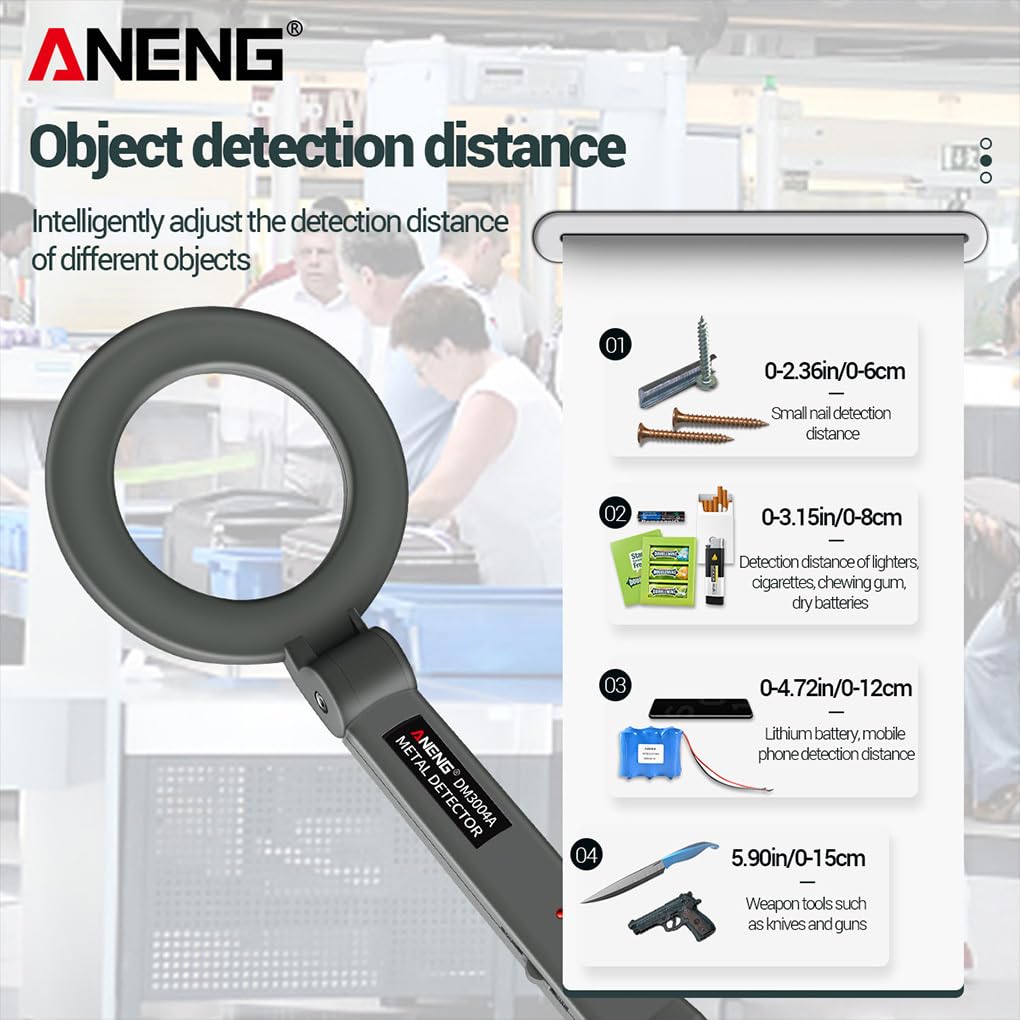
Figure 4.2: The red LED indicator illuminates upon metal detection. The probe head can be rotated up to 180 degrees for versatile use.
5. Настройка
5.1 Устаноўка батарэі
- Locate the battery compartment cover at the bottom of the handle.
- Зрушыце або адшчэпіце вечка, каб адкрыць адсек.
- Insert one DC9V 6F22 battery, ensuring correct polarity (+ and - terminals match the markings inside the compartment).
- Надзейна зачыніце крышку батарэйнага адсека.
Заўвага: The battery is not included in the package and must be purchased separately.
6. Інструкцыя па эксплуатацыі
6.1 Уключэнне/выключэнне
- To turn on the device, slide the power switch to the "ON" position. The device will emit a short beep, indicating it is ready for use.
- To turn off the device, slide the power switch to the "OFF" position.
6.2 Выяўленне металу
- Hold the metal detector by the handle, keeping the detection coil away from your body and other metallic objects.
- Slowly sweep the detection coil over the area you wish to scan. Maintain a consistent distance from the surface.
- When a metallic object is detected, the device will emit an audible alarm (buzzer) and the red LED indicator will light up. The intensity of the alarm and light may increase as you get closer to the object.
- Pinpoint the exact location by moving the coil slowly in a cross-pattern over the detected area.

Малюнак 6.1: Выпample of using the ANENG DM3004A for security scanning.
6.3 Detection Distances
The detection distance varies depending on the size, shape, and composition of the metallic object.
- Small nails: 0-6 cm (0-2.36 inches)
- Lighters, cigarettes, chewing gum, dry batteries: 0-8 cm (0-3.15 inches)
- Lithium batteries, mobile phones: 0-12 cm (0-4.72 inches)
- Weapon tools (e.g., knives, guns): 0-15 cm (0-5.90 inches)
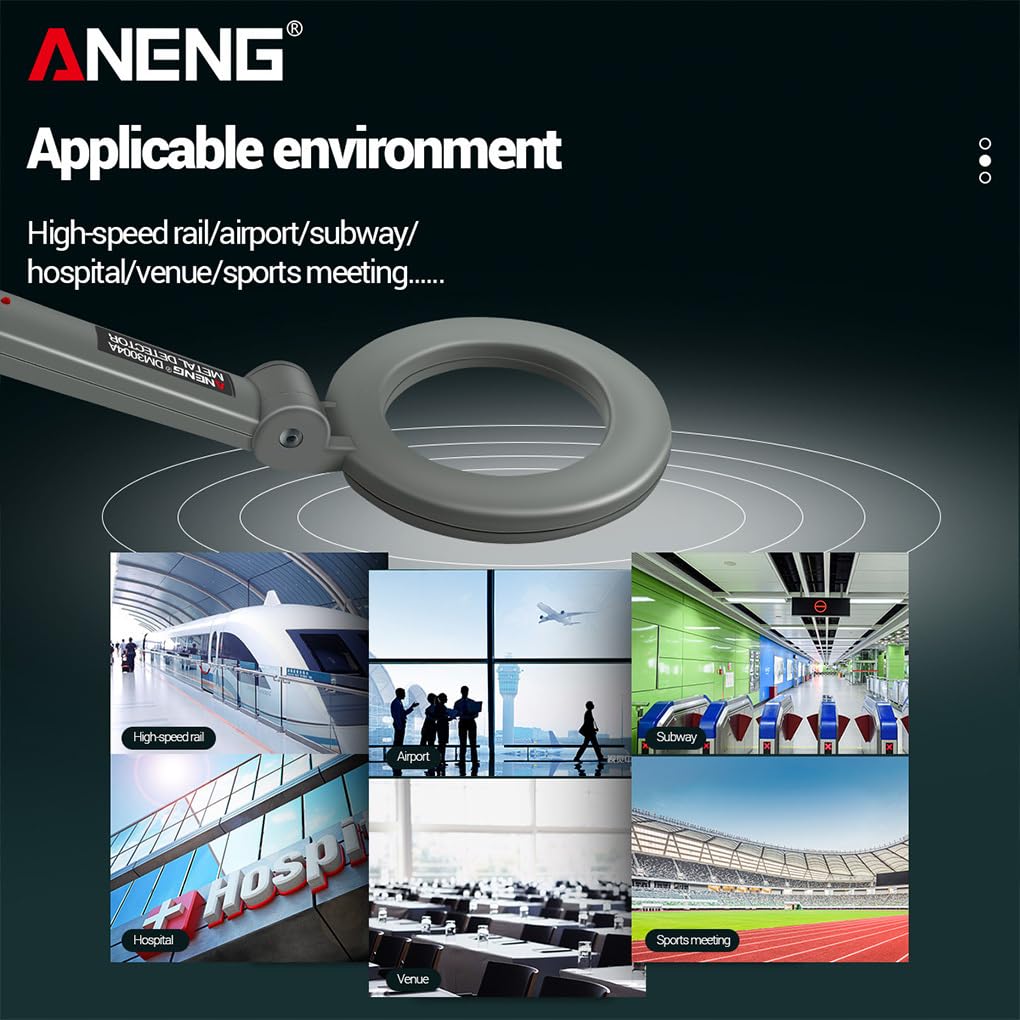
Figure 6.2: Approximate detection distances for common metallic objects.
6.4 Applicable Environments
The ANENG DM3004A is suitable for use in various environments where metal detection is required.
- High-speed rail stations
- Аэрапорты
- Падземныя пераходы
- Бальніцы
- Event venues
- Sports meetings

Малюнак 6.3: Выпamples of suitable environments for the ANENG DM3004A metal detector.
7. Тэхнічнае абслугоўванне
- Уборка: Працірайце прыладу мяккай сухой тканінай. Не выкарыстоўвайце абразіўныя ачышчальнікі або растваральнікі.
- Замена батарэі: Replace the 9V battery when the detection performance decreases or the device fails to power on.
- захоўванне: Store the metal detector in a cool, dry place when not in use. Remove the battery if storing for extended periods.
- Пазбягайце ўздзеяння: Абараняйце прыладу ад падзенняў і моцных удараў.
8. Выпраўленне непаладак
| праблема | Магчымая прычына | Рашэнне |
|---|---|---|
| Прылада не ўключаецца. | Батарэя разраджаная або няправільна ўсталяваная. | Check battery polarity; replace with a new 9V battery. |
| No alarm or LED indication when metal is present. | Battery low; object too small or too far; device malfunction. | Replace battery; ensure object is within detection range; contact customer support if issue persists. |
| False alarms or continuous beeping. | Interference from other electronic devices or large metallic structures nearby. | Move away from sources of interference; ensure no metal is near the coil during startup. |
9. Тэхнічныя характарыстыкі
| Асаблівасць | Дэталь |
|---|---|
| мадэль | DM3004A |
| Тып батарэі | DC9V 6F22 (Not Included) |
| Працоўная тэмпература | -10℃ ~ 50℃ (14°F ~ 122°F) |
| Спажыванне току | <3 мА |
| Вага прадмета | 244 г (без батарэі) |
| Product Dimensions (Stretch) | Approx. 394x140mm (15.51x5.51 inch) |
| Search Head Diameter | 140 мм |
| Дакладнасць вымярэнняў | 90% |
| Краіна паходжання | Кітай |
10. Гарантыя і падтрымка
10.1 Інфармацыя аб гарантыі
This product comes with a standard manufacturer's warranty against defects in materials and workmanship. The specific terms and duration of the warranty may vary by region and retailer. Please retain your proof of purchase for warranty claims. The warranty does not cover damage caused by misuse, accidents, unauthorized modifications, or normal wear and tear.
10.2 Падтрымка кліентаў
If you encounter any issues or have questions regarding your ANENG DM3004A metal detector that are not covered in this manual, please contact the retailer or the manufacturer's customer service for assistance. Provide your product model number and a detailed description of the issue when seeking support.


