1. Уводзіны
Дзякуй за пакупкуasing the ZEBRONICS ZEB-GLOW BOX 15A Party Trolley DJ Speaker. This manual provides essential information for the safe and efficient operation of your speaker. Please read it thoroughly before use and retain it for future reference.

Image: The ZEBRONICS ZEB-GLOW BOX 15A Party Trolley DJ Speaker with its wireless microphone.
2. Што ў скрынцы
Акуратна распакуйце змесціва і пераканайцеся, што ўсе прадметы наяўныя:
- Speaker - 1 unit
- Input Cable - 1 unit
- Power Cord - 1 unit
- Remote - 1 unit
- Wireless Mic - 1 unit
- Даведнік па QR-кодах - 1 адзінка
3. Асаблівасці прадукту
The ZEB-GLOW BOX 15A is designed to deliver a powerful audio experience with versatile functionalities:
- Магутны аўдыё: 180W output with a 38.1cm (15-inch) full-range driver for immersive sound.
- Мультысувязь: Supports Bluetooth v5.0, USB, SD card, and AUX input, plus FM radio.
- Двайныя ўваходы: Features dual 6.3mm and dual XLR inputs for microphones and guitars.
- Доўгі час гульні: Built-in rechargeable battery provides up to 6 hours of playback (at 50% volume, LED off).
- Партатыўны дызайн: Equipped with carry handles and trolley wheels for easy transport.
- Karaoke & Recording: Dedicated karaoke mode and recording feature to USB/SD card.
- RGB-святлодыёдныя лямпы: Translucent body with multiple RGB LED light modes and an LED display.
- TWS Capability: Allows pairing two ZEB-Glow Box 15A speakers for stereo sound.
- Комплексныя элементы кіравання: Dedicated controls for mic volume, echo, bass, treble, and master volume.
- Wireless UHF Mic: Includes a wireless UHF microphone for hassle-free vocal input.
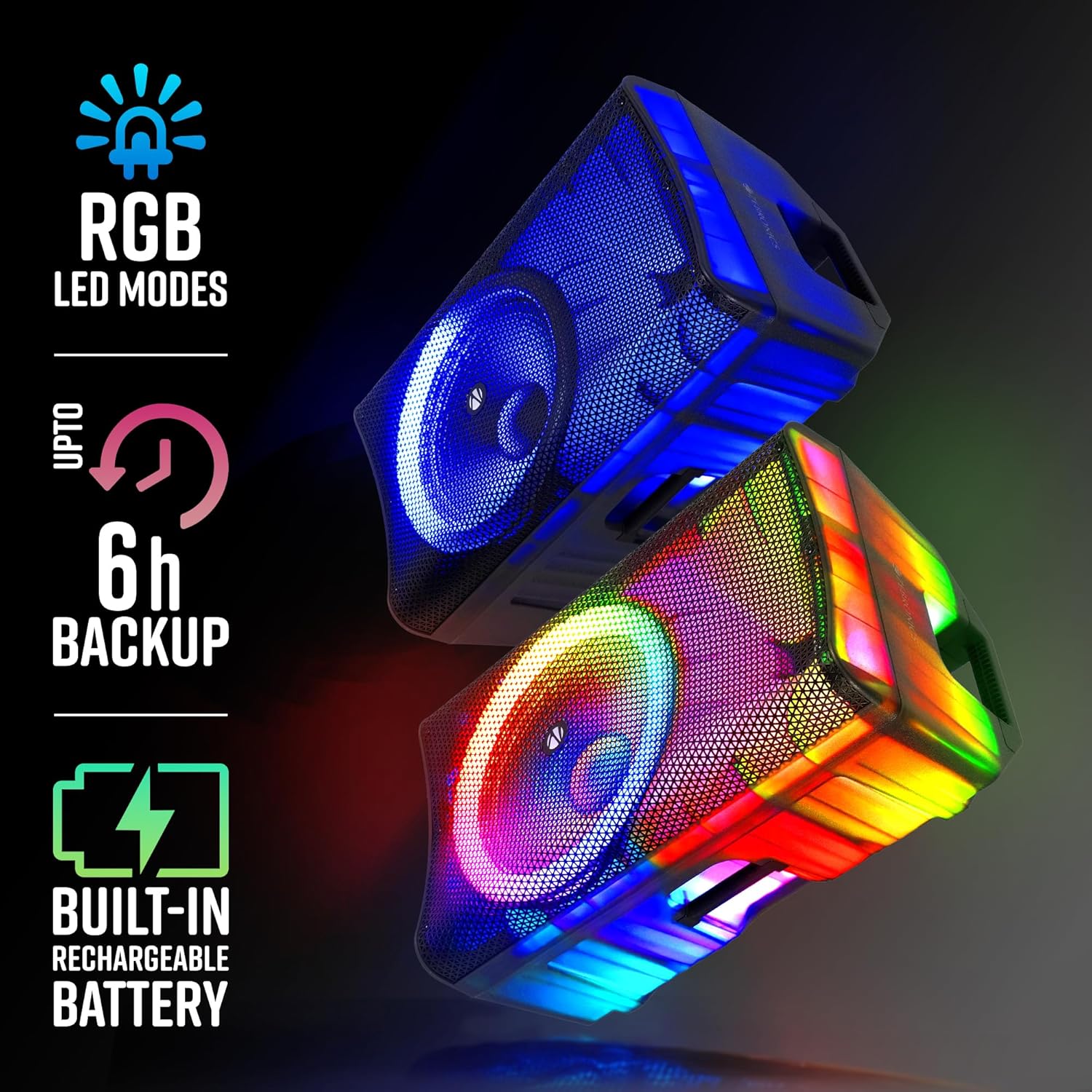
Image: Visual representation of the speaker's RGB LED modes, battery backup, and rechargeable battery feature.
4. Кіраўніцтва па наладцы
4.1 Распакоўка і размяшчэнне
- Асцярожна дастаньце дынамік і ўсе аксэсуары з упакоўкі.
- Place the speaker on a stable, flat surface. The integrated trolley wheels and carry handles facilitate easy movement.
- Ensure adequate ventilation around the speaker.

Выява: Крупны план views highlighting the speaker's translucent body, trolley wheels, carry handle, and the included remote control.
4.2 Уключэнне і зарадка
- Connect the power cord to the speaker's AC input and then to a suitable power outlet.
- The speaker has a built-in rechargeable battery. For first-time use, fully charge the speaker for optimal battery life.
- To power on, locate the power switch on the rear panel and switch it to the 'ON' position.
5. Інструкцыя па эксплуатацыі
5.1 Асноўныя аперацыі
- Уключэнне/выключэнне харчавання: Use the main power switch on the rear panel.
- Рэгулятар гучнасці: Adjust the master volume knob on the control panel. Separate bass and treble controls are available for sound customization.
- Выбар рэжыму: Press the 'MODE' button on the control panel or remote to switch between Bluetooth, USB, SD, AUX, and FM radio modes. The LED display will indicate the current mode.
Святлодыёдныя ліхтары 5.2 RGB
- The speaker features dynamic RGB LED lights. Use the dedicated LED button on the control panel or remote to cycle through different light modes or turn them off.

Image: The ZEB-GLOW BOX 15A speaker displaying its blue RGB lighting effect.

Image: The ZEB-GLOW BOX 15A speaker displaying its vibrant multicolor RGB lighting effect.
6. Сувязь
6.1 Злучэнне Bluetooth
- Switch the speaker to Bluetooth mode. The LED display will show 'BLUE'.
- Enable Bluetooth on your mobile device and search for 'ZEB-GLOW BOX 15A'.
- Select the speaker to pair. A confirmation tone will indicate successful pairing.
6.2 Прайграванне з USB/SD-карты
- Insert a USB drive or SD card into the respective slot. The speaker will automatically switch to USB/SD mode and begin playing compatible audio files.
- Use the playback controls (Play/Pause, Next, Previous) on the speaker or remote.
6.3 AUX ўваход
- Connect an external audio device (e.g., MP3 player, smartphone) to the AUX input using a 3.5mm audio cable.
- Switch the speaker to AUX mode.
6.4 Уваходы для мікрафона і гітары
- The speaker features dual 6.3mm and dual XLR inputs for microphones or guitars.
- Connect your wired microphone or guitar to the appropriate input.
- Adjust the dedicated 'MIC VOL' and 'ECHO' controls for optimal sound.

Выява: Падрабязны view of the speaker's control panel, illustrating the various input ports and adjustment knobs.
7. Karaoke and Recording
7.1 Using the Wireless UHF Microphone
- Insert batteries into the wireless UHF microphone.
- Turn on the microphone. It will automatically connect to the speaker.
- Adjust the 'MIC VOL' and 'ECHO' controls on the speaker for desired vocal effects.
7.2 Функцыя запісу
- Пераканайцеся, што ў дынамік устаўлена USB-назапашвальнік або SD-карта.
- Press the 'REC' button on the control panel or remote to start recording.
- Press 'REC' again to stop recording. The audio will be saved to the inserted storage device.

Image: The top image demonstrates the TWS function with two speakers, while the bottom image illustrates the use of the UHF wireless microphone for karaoke and recording.
8. Функцыя TWS (сапраўднае бесправадное стэрэа)
The TWS function allows you to pair two ZEB-GLOW BOX 15A speakers wirelessly for a true stereo sound experience.
- Пераканайцеся, што абодва дынамікі ўключаны і знаходзяцца ў рэжыме Bluetooth.
- On one of the speakers (this will be the primary speaker), press and hold the 'TWS' button. The speaker will emit a pairing tone.
- The primary speaker will automatically search for and connect to the secondary speaker. Once connected, both speakers will play audio in stereo.
- Connect your mobile device to the primary speaker via Bluetooth as described in section 6.1.
9. Тэхнічнае абслугоўванне
9.1 Ачыстка
- Працярыце вонкавы бок дынаміка мяккай сухой тканінай.
- Не выкарыстоўвайце абразіўныя ачышчальнікі, воск або растваральнікі.
- Keep the speaker free from dust and debris.
9.2 Сыход за акумулятарам
- Каб падоўжыць тэрмін службы батарэі, пазбягайце частай поўнай разрадкі батарэі.
- Charge the speaker regularly, even if not in use, to prevent deep discharge.
- Захоўвайце дынамік у прахалодным, сухім месцы, калі ён не выкарыстоўваецца працяглы час.
10. Выпраўленне непаладак
| праблема | Магчымая прычына | Рашэнне |
|---|---|---|
| Няма ўлады | Power cord not connected; Battery discharged; Power switch off | Check power cord connection; Charge the battery; Turn power switch ON |
| Няма гуку | Занадта нізкі гук; няправільны рэжым уводу; прылада падключана няправільна | Increase volume; Select correct input mode; Reconnect device/cable |
| Bluetooth не спалучаецца | Speaker not in Bluetooth mode; Device Bluetooth off; Speaker already paired | Switch to Bluetooth mode; Enable Bluetooth on device; Disconnect from other devices |
| Не працуе мікрафон | Mic volume low; Mic off; Batteries low (wireless mic); Incorrect input | Increase 'MIC VOL'; Turn mic ON; Replace batteries; Ensure mic is in correct input |
| Спалучэнне TWS не атрымалася | Speakers too far apart; One speaker not in Bluetooth mode | Ensure speakers are close; Verify both are in Bluetooth mode before TWS pairing |
11. Тэхнічныя характарыстыкі
| мадэль | ZEB-GLOW BOX 15A |
| Выхадная магутнасць (RMS) | 180 Вт |
| Памер драйвера | 38.1cm (15-inch) Full Range |
| Сувязь | Bluetooth v5.0, USB, SD, AUX, FM Radio |
| Microphone/Guitar Inputs | Dual 6.3mm, Dual XLR |
| Бесправадны мікрафон | UHF Wireless Mic (included) |
| Час прайгравання ад батарэі | Да 6 гадзін (пры гучнасці 50%, святлодыёд выключаны) |
| Асаблівасці | Karaoke, Recording, TWS, RGB LED Lights, Trolley Wheels, Carry Handle |
| Памеры (Д х Ш х У) | 44.2 х 47.5 х 73.2 см |
| Вага прадмета | 12 кг |
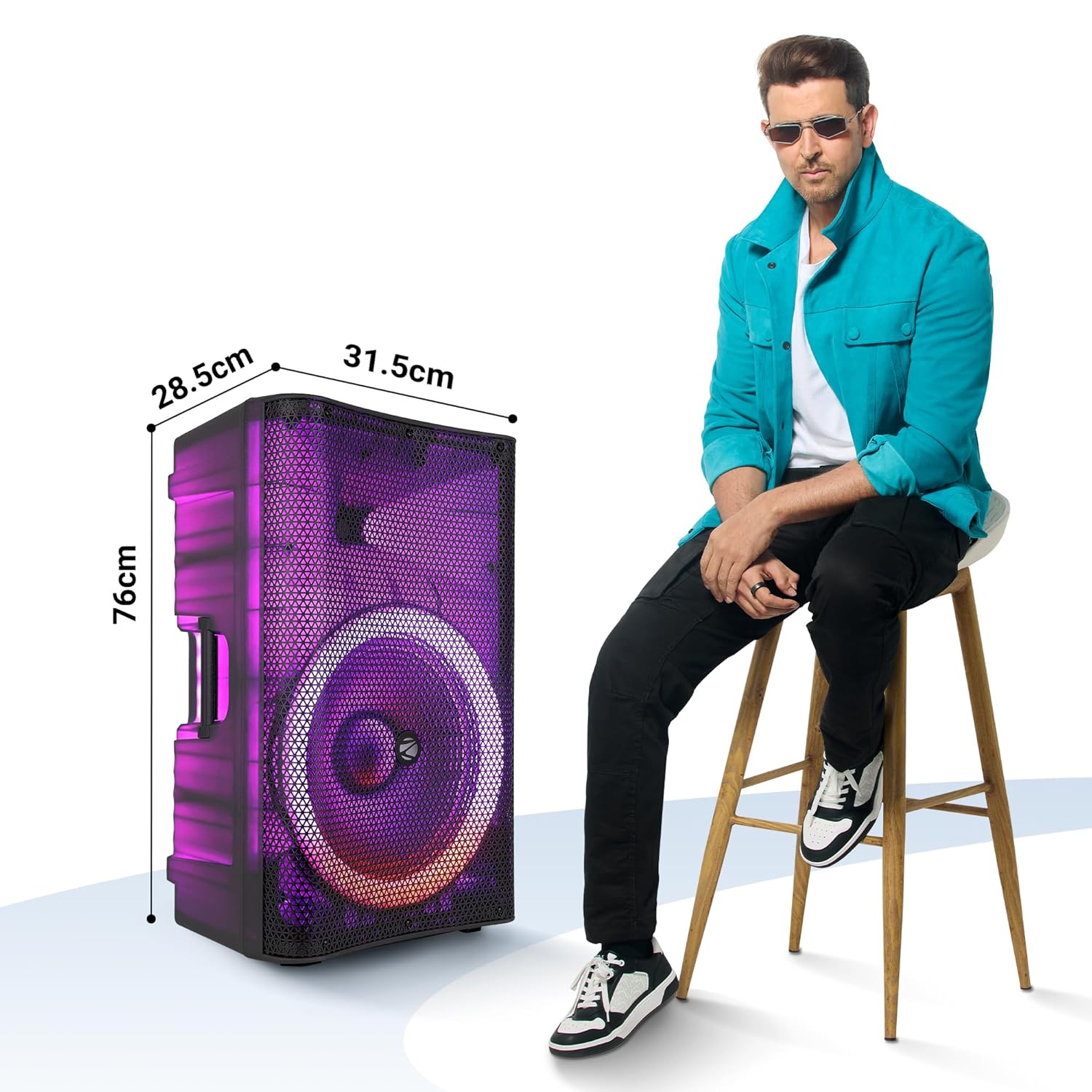
Image: The ZEB-GLOW BOX 15A speaker with its key dimensions indicated, shown next to a person for size comparison.
12. Інфармацыя па бяспецы
- Не падвяргайце дынамік уздзеянню дажджу або вільгаці.
- Не адчыняйце дынамік casinг; звярніцеся па абслугоўванне да кваліфікаванага персаналу.
- Пазбягайце размяшчэння дынаміка паблізу крыніц цяпла або пад прамымі сонечнымі прамянямі.
- Забяспечце належную вентыляцыю, каб прадухіліць перагрэў.
- Захоўваць у месцах, недаступных дзецям.
13. Гарантыя і падтрымка
For warranty information, technical support, or service inquiries, please refer to the warranty card included with your product or visit the official ZEBRONICS webсайт. Захоўвайце чэк аб куплі як пацверджанне пакупкі.
Manufacturer: Zebronics India Private Limited


