1. Уводзіны
Welcome to the DOOGEE Tab A9 Pro user manual. This guide provides essential information to help you set up, operate, and maintain your new Android tablet. Please read this manual thoroughly before using the device to ensure proper functionality and safety.
2. Што ў скрынцы
The DOOGEE Tab A9 Pro package includes the following items:
- 1 x DOOGEE Tab A9 Pro Tablet
- 1 кабель USB Type-C
- 1 х зарадная прылада
- 1 x SIM Ejector Pin
- 1 х ўпаковачная скрынка
- 1 х Кіраўніцтва карыстальніка
- 1 х гарантыйны талон
- 1 х пратэктар экрана (папярэдне нанесены)
3. Прадукт скончыўсяview
The DOOGEE Tab A9 Pro features a sleek design and powerful components for an optimal user experience.
Асноўныя характарыстыкі:
- Дысплей: 10.1-inch IPS HD Ultra-Clear Display (1280x800 pixels, 16.7 million colors, 16:10 aspect ratio, 1200:1 contrast, 2.5D cover glass).
- Працэсар: Unisoc T310 Quad-core, 2 GHz.
- Памяць і захоўванне: 20GB RAM (4GB base + 16GB virtual), 128GB ROM, expandable up to 2TB with microSD.
- акумулятар: 6580 mAh Lithium battery for extended use.
- Камеры: Задняя камера 8 Мп, франтальная камера 5 Мп.
- Аперацыйная сістэма: Android 15.
- Падключэнне: Wi-Fi (2.4G/5G), Bluetooth 5.0.
- Аўдыё: Dual 1217 BOX Speakers, 3.5mm Audio Jack.
- Бяспека: Распазнаванне асобы.
- Памеры: 24.53 x 16.33 x 0.99 cm; 478 grams.
Фізічныя кампаненты:
Familiarize yourself with the tablet's physical layout.
Малюнак 3.1: Пярэдняя і задняя часткі view of the DOOGEE Tab A9 Pro Tablet.

Малюнак 3.2: бок view showing power button, volume controls, and ports.

Figure 3.3: Available color options for the DOOGEE Tab A9 Pro Tablet.
4. Настройка
4.1 Першапачатковае ўключэнне
- Press and hold the Power button located on the side of the tablet until the DOOGEE logo appears.
- Выконвайце падказкі на экране, каб выбраць мову, падключыцца да сеткі Wi-Fi і наладзіць свой уліковы запіс Google.
4.2 Зарадка акумулятара
Before first use, fully charge the tablet's battery.
- Падключыце кабель USB Type-C да порта зарадкі планшэта.
- Connect the other end of the cable to the provided charger, then plug the charger into a power outlet.
- На экране з'явіцца індыкатар зарадкі.

Figure 4.1: Illustration of the 6580 mAh high-capacity battery.
4.3 Устаўка карты MicroSD
To expand storage, insert a microSD card (sold separately).
- Знайдзіце латок для SIM-карты/microSD на бакавой панэлі планшэта.
- Устаўце штыфт для выкіду SIM-карты ў невялікую адтуліну побач з латком, каб адкрыць яго.
- Устаўце карту microSD у прызначаны слот на латку.
- Акуратна ўстаўце латок назад у планшэт, пакуль ён не зашчоўкнецца.

Figure 4.2: Storage capacity details, including expandable memory.
5. Інструкцыя па эксплуатацыі
5.1 Навігацыя па Android 15
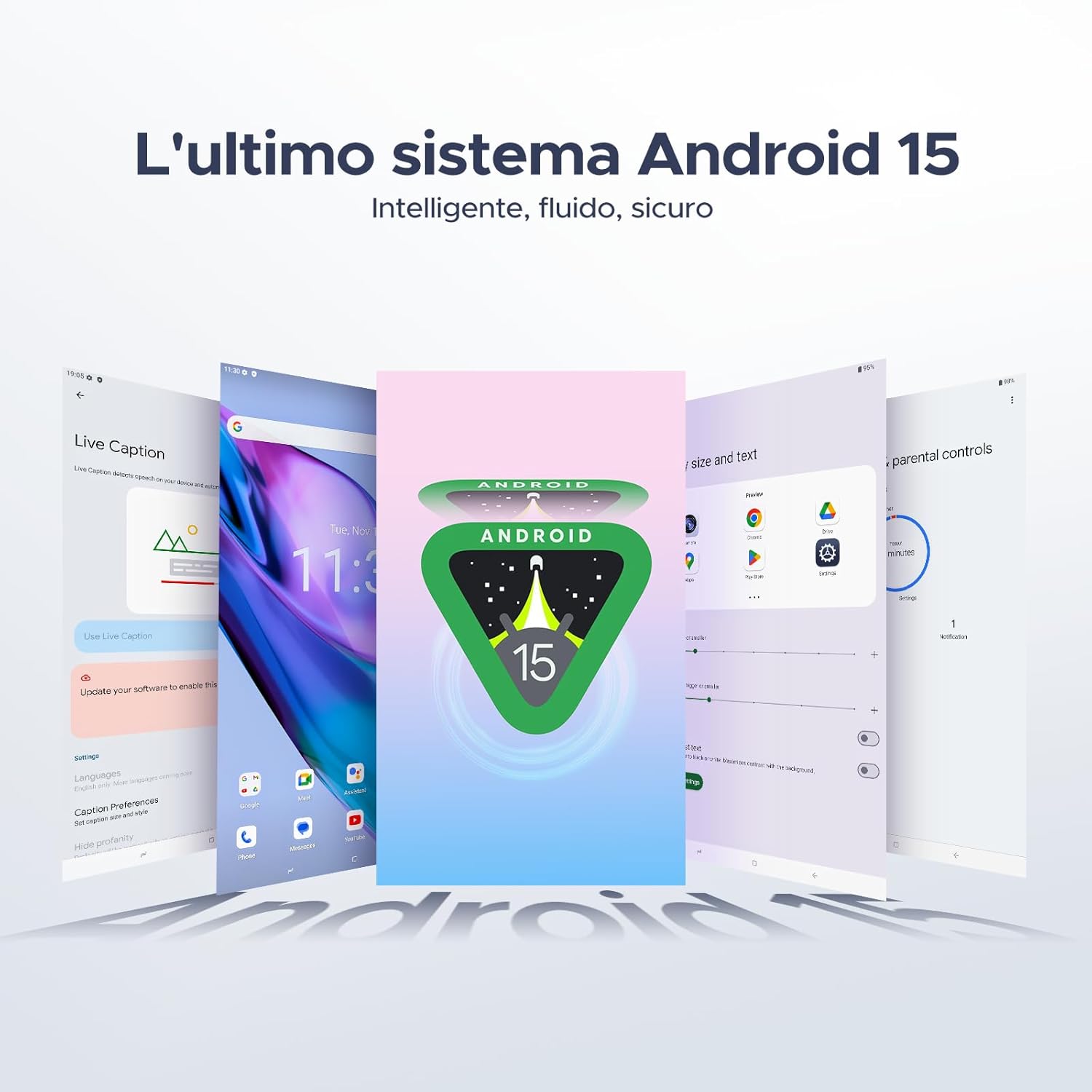
Your tablet runs on the latest Android 15 system, offering an intelligent, fluid, and secure experience.

Figure 5.1: The Android 15 operating system interface.
5.2 Функцыі дысплея
The 10.1-inch IPS HD display provides a wide visual field. Utilize features like Eye-Caring Mode and Dark Mode for enhanced viewз камфортам.

Figure 5.2: Details of the 10.1-inch IPS HD Ultra-Clear Display.

Figure 5.3: Eye-Caring Mode and Dark Mode for visual comfort.
5.3 Выкарыстанне камеры
Capture moments with the 8MP main camera and take clear selfies or video calls with the 5MP front camera. The tablet also supports Beauty Mode and Google Smart Camera features.

Figure 5.4: The 8MP main camera for clear photos.

Figure 5.5: The 5MP front camera for selfies and video calls.

Figure 5.6: Beauty Mode for enhancing photos.

Figure 5.7: Google Smart Camera features for enhanced photography.
5.4 Аўдыё і падключэнне
Enjoy clear audio through the dual 1217 BOX speakers or connect headphones via the 3.5mm audio jack. The tablet supports Wi-Fi 5 (2.4G/5G) for stable and fast internet access.

Figure 5.8: Dual 1217 BOX speakers for crystal clear audio.

Figure 5.9: Standard 3.5mm audio jack for stable, distortion-free transmission.

Figure 5.10: Wi-Fi 5 for seamless connectivity.
5.5 Бяспека і прыватнасць
Unlock your tablet effortlessly using Face Unlock. Android 15 also provides enhanced privacy features, including precise permission control, robust data encryption, and proactive app screening.

Figure 5.11: Face recognition unlock for easy access.

Figure 5.12: Enhanced privacy shield features of Android 15.
5.6 Функцыі павышэння прадукцыйнасці
The tablet supports efficient split-screen multitasking and comes with WPS Office integrated for productivity on the go.

Figure 5.13: Efficient split-screen multitasking.

Figure 5.14: WPS Office integrated for PC-level productivity.
5.7 Дадатковыя магчымасці
The tablet offers Sleep Mode, Multi-user System, and Parental Control features for a versatile user experience.

Figure 5.15: Discover more with Android 15 features.
5.8 Відэа пра прадукты
Watch these official videos for a visual guide to the DOOGEE Tab A9 Pro's features.
Video 5.1: DOOGEE Tab A9 Pro product overview (Папярэднеview).
Video 5.2: DOOGEE Tab A9 Pro features highlight (Preview).
Video 5.3: DOOGEE Tab A9 Pro design and performance (Preview).
6. Тэхнічнае абслугоўванне
6.1 Ачыстка планшэта
- Выкарыстоўвайце мяккую тканіну без ворса для чысткі экрана і корпуса планшэта.
- Пазбягайце выкарыстання агрэсіўных хімікатаў або абразіўных матэрыялаў, бо яны могуць пашкодзіць паверхню.
6.2 Сыход за акумулятарам
- Пазбягайце ўздзеяння экстрэмальных тэмператур на планшэт.
- Для аптымальнага тэрміну службы батарэі пазбягайце частай поўнай разрадкі батарэі.
6.3 Абнаўленне праграмнага забеспячэння
Regularly check for and install software updates to ensure your tablet has the latest features and security enhancements. Go to Налады > Сістэма > Абнаўленне сістэмы каб праверыць наяўнасць абнаўленняў.
7. Выпраўленне непаладак
If you encounter issues with your DOOGEE Tab A9 Pro, refer to the following common solutions:
| праблема | Рашэнне |
|---|---|
| Планшэт не ўключаецца | Ensure the battery is charged. Connect the charger and wait a few minutes before attempting to power on again. If it still doesn't turn on, press and hold the power button for 10-15 seconds to force a restart. |
| Экран не рэагуе | Перазагрузіце планшэт. Калі праблема не знікне, выканайце скід да заводскіх налад (заўвага: гэта сатрэ ўсе дадзеныя). |
| Праблемы з падключэннем да Wi-Fi | Перазапусціце маршрутызатар Wi-Fi і планшэт. Забудзьцеся пра сетку ў наладах планшэта і падключыцеся зноў. Пераканайцеся, што вы знаходзіцеся ў зоне дзеяння сігналу Wi-Fi. |
| Збоі або завісанні праграм | Clear the cache and data for the problematic app (Settings > Apps > [App Name] > Storage > Clear Cache/Clear Data). If the issue continues, uninstall and reinstall the app. Ensure your tablet's software is up to date. |
| Акумулятар хутка разраджаецца | Reduce screen brightness, close unused apps running in the background, disable Wi-Fi/Bluetooth when not in use, and check for power-intensive apps in battery usage settings. |
Калі гэтыя рашэнні не вырашаюць праблему, звярніцеся ў службу падтрымкі кліентаў.
8. Тэхнічныя характарыстыкі
Detailed technical specifications for the DOOGEE Tab A9 Pro:
| Асаблівасць | Спецыфікацыя |
|---|---|
| Марка | ДУГІ |
| Нумар мадэлі | Tab A9 PRO |
| Аперацыйная сістэма | Android 15 |
| Працэсар | Unisoc T310 Quad-core, 2 GHz |
| АЗП | 20 GB (4GB base + 16GB virtual) |
| Унутраная памяць (ROM) | 128 ГБ |
| Сховішча з магчымасцю пашырэння | Up to 2 TB via microSD card (sold separately) |
| Памер экрана | 10.1 цалі |
| Дазвол экрана | 1280 х 800 пікселяў |
| Задняя камера | 8 МП |
| Пярэдняя камера | 5 МП |
| Сувязь | Wi-Fi (802.11ac, 2.4G/5G), Bluetooth 5.0 |
| Ёмістасць батарэі | 6580 Міліampэр-гадзіна (мАг) |
| Памеры прадукту | 24.53 х 16.33 х 0.99 см |
| Вага прадмета | 478 грамаў |
| Колер | BLACK (also available in Glacier Blue, Meteorite Gray) |
9. Гарантыя і падтрымка
Your DOOGEE Tab A9 Pro comes with a manufacturer's warranty. Please refer to the included Warranty Card for details on coverage and terms. For technical support, troubleshooting assistance beyond this manual, or warranty claims, please contact DOOGEE customer service through their official webсайт або прадаўца, дзе быў набыты тавар.
Для атрымання дадатковай інфармацыі наведайце DOOGEE Store on Amazon.


