1. Уводзіны
Thank you for choosing the GOBOULT Crown Smart Watch. This manual provides essential information for setting up, operating, and maintaining your device. The GOBOULT Crown Smart Watch features a 1.95-inch HD display, Bluetooth calling, a functional rotating crown, and comprehensive health monitoring capabilities.
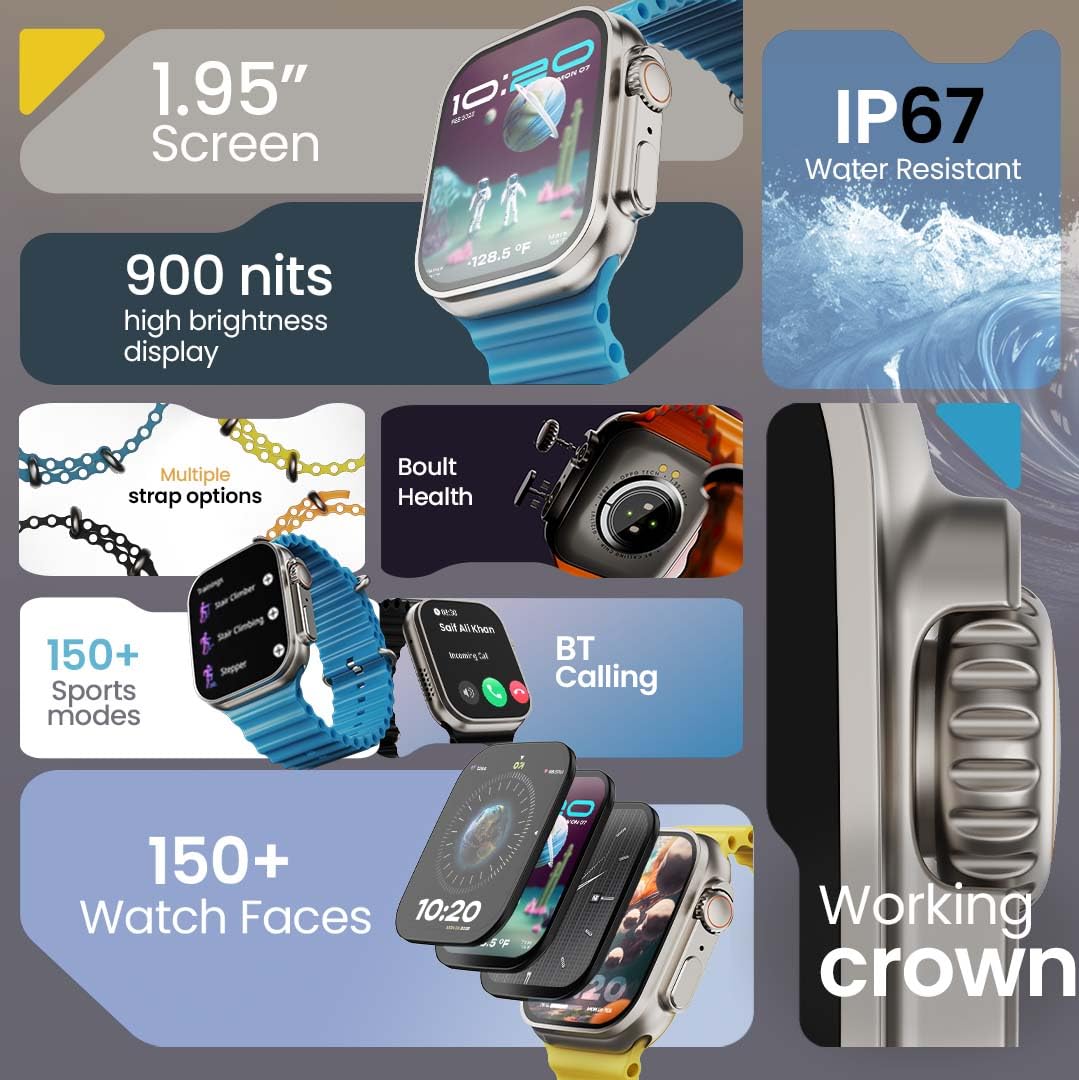
Выява 1.1: Канецview of the GOBOULT Crown Smart Watch highlighting its 1.95-inch screen, 900 nits brightness, IP67 rating, multiple strap options, Boult Health features, Bluetooth calling, 150+ sports modes, 150+ watch faces, and working crown.
2. Што ў скрынцы
Ensure all the following items are present in your product packaging:
- GOBOULT Crown Smart Watch
- Зарадны кабель
- Кіраўніцтва карыстальніка
- Гарантыйны талон
3. Прадукт скончыўсяview
The GOBOULT Crown Smart Watch is designed with a premium zinc alloy frame and a vibrant 1.95-inch HD display. It features a functional rotating crown for intuitive navigation and a dedicated button for sports modes.
3.1 Асноўныя кампаненты
- 1.95-цалевы HD-дысплей: Offers clear visuals with up to 900 nits brightness for excellent outdoor visibility.
- Working Rotating Crown: Used for scrolling, zooming, and navigating menus.
- Бакавая кнопка: Often dedicated for quick access to sports modes or other functions.
- Zinc Alloy Frame: Забяспечвае трываласць і прэміяльнае адчуванне.
- Датчыкі: Located on the back for heart rate, SpO2, and other health monitoring.
- Мікрафон і дынамік: Integrated for Bluetooth calling and voice assistant functions.
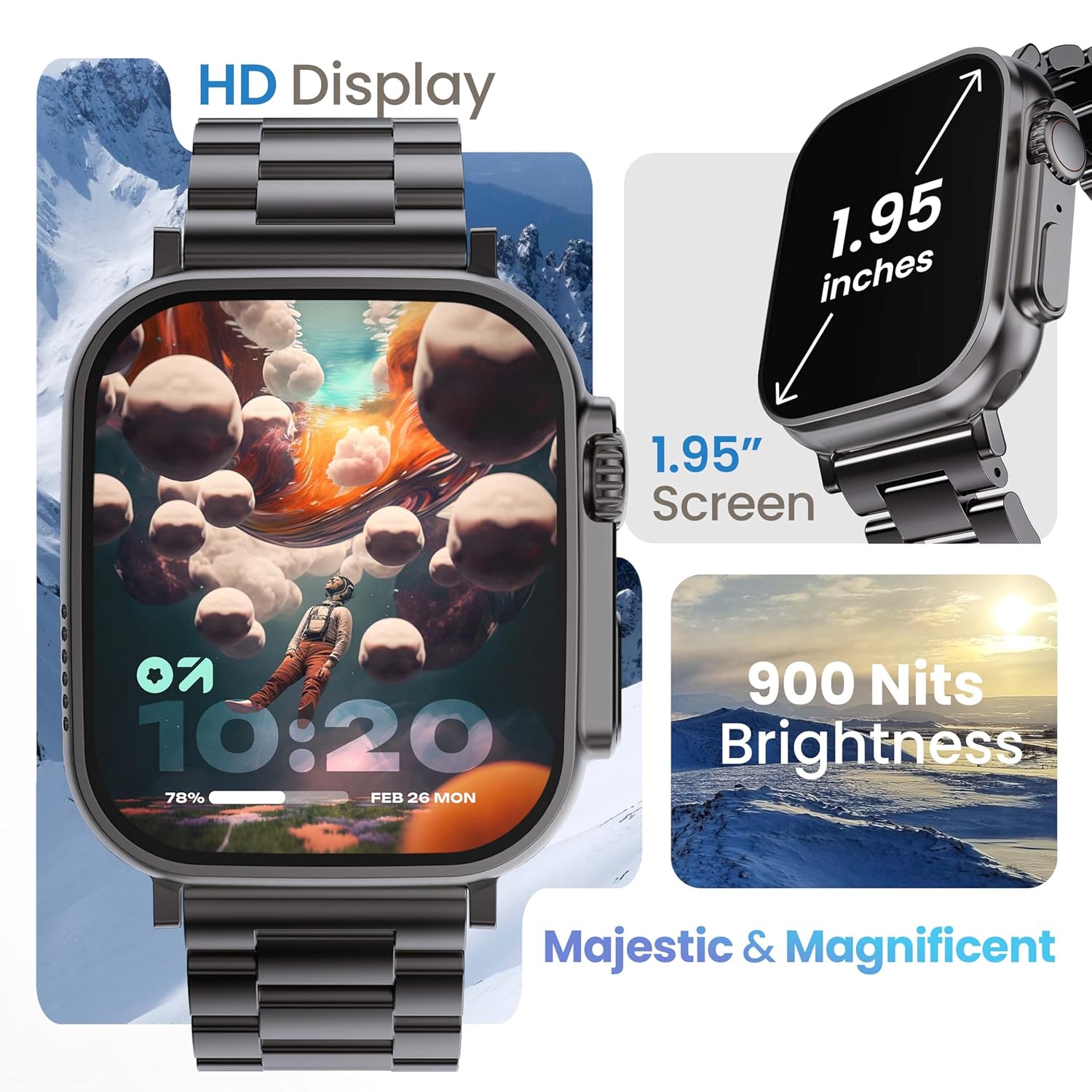
Image 3.1: The 1.95-inch HD display of the GOBOULT Crown Smart Watch, emphasizing its size and 900 Nits brightness for clear visibility.
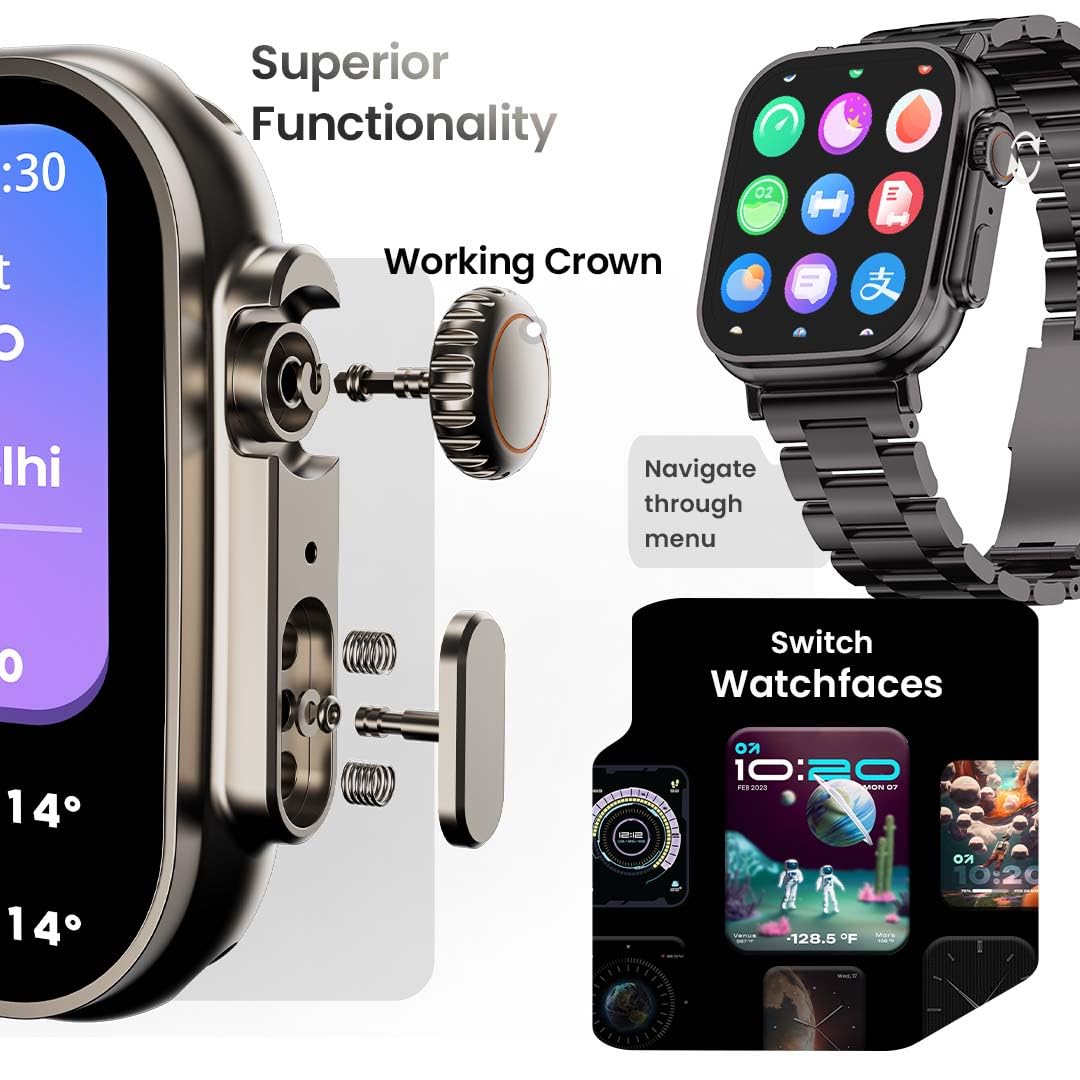
Малюнак 3.2: Падрабязны view of the working crown on the GOBOULT Crown Smart Watch, illustrating its use for navigating menus and switching watch faces.
4. Настройка
4.1 Зарадка разумнага гадзінніка
- Connect the magnetic charging cable to the charging pins on the back of the watch.
- Падключыце USB-кабель да стандартнага USB-адаптара харчавання (не ўваходзіць у камплект) або да USB-порта кампутара.
- The watch display will indicate charging status. A full charge takes approximately 150 minutes.
Заўвага: Перад зарадкай пераканайцеся, што зарадныя кантакты чыстыя і сухія, каб прадухіліць карозію.
4.2 Спалучэнне са смартфонам
To unlock all features, pair your GOBOULT Crown Smart Watch with the companion app on your smartphone.
- Download the official GOBOULT companion app from your smartphone's app store (compatible with iOS and Android devices).
- Пераканайцеся, што Bluetooth уключаны на вашым смартфоне.
- Open the GOBOULT app and follow the on-screen instructions to create an account or log in.
- У дадатку выберыце «Дадаць прыладу» або «Падключыць новую прыладу».
- The app will search for available devices. Select 'GOBOULT Crown' from the list.
- Пацвердзіце запыт на спалучэнне як на гадзінніку, так і на смартфоне.
Пасля спалучэння гадзіннік сінхранізуе дадзеныя з вашым тэлефонам, і вы зможаце наладзіць параметры праз праграму.
5. Інструкцыя па эксплуатацыі
5.1 Асноўная навігацыя
- Сэнсарны экран: Правядзіце пальцам улева, управа, уверх або ўніз, каб перамяшчацца па меню і апавяшчэннях. Націсніце, каб выбраць элементы.
- Рабочая карона: Rotate the crown to scroll through lists, zoom in/out, or switch watch faces. Press the crown to return to the home screen or access the app menu.
- Бакавая кнопка: Press to quickly access the sports mode menu.
Выклікі па Bluetooth 5.2
The GOBOULT Crown Smart Watch supports Bluetooth calling (BT 5.2) with a built-in speaker and microphone.
- Ensure your watch is paired with your smartphone via Bluetooth.
- To make a call, access the dial pad on your watch or select a contact from your synchronized phonebook.
- To answer an incoming call, tap the green icon on the watch screen. To reject, tap the red icon.
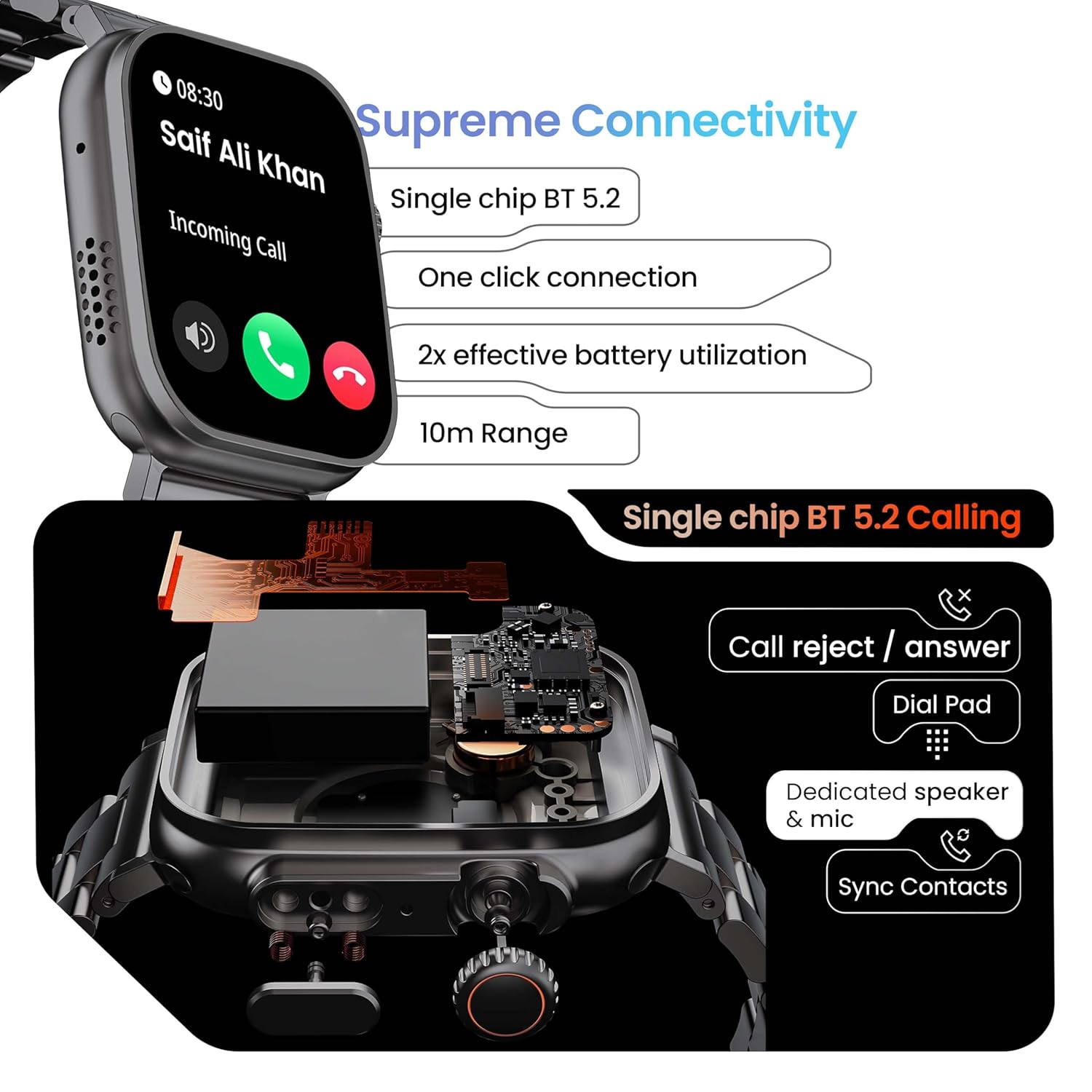
Image 5.1: Illustration of the Bluetooth 5.2 calling functionality on the GOBOULT Crown Smart Watch, including call reject/answer, dial pad, dedicated speaker & mic, and contact synchronization.
5.3 спартыўных рэжымаў
The watch offers over 120 sports modes to track various physical activities.
- Press the dedicated side button or navigate through the app menu to access 'Sports Modes'.
- Select your desired activity (e.g., Running, Cycling, Yoga, HIIT).
- The watch will begin tracking metrics such as duration, heart rate, calories burned, and steps.
- End the workout by following the on-screen prompts. Data will be synchronized with the app.

Image 5.2: The GOBOULT Crown Smart Watch actively tracking a workout, showing real-time data for heart rate, calories, and steps, with a dedicated button for sports modes.
5.4 Маніторынг здароўя
The watch provides continuous health tracking features.
- Маніторынг сардэчнага рытму: Адсочвае ваш пульс 24/7.
- Маніторынг SpO2: Вымярае ўзровень насычэння крыві кіслародам.
- Аналіз сну: Кантралюе рэжым і якасць сну.
- Адсочванне актыўнасці: Запісвае крокі, адлегласць і спаленыя калорыі на працягу дня.
- Папярэджанні аб маларухомы лад жыцця: Reminds you to move after periods of inactivity.
- Адсочванне жаночага менструальнага цыклу: Available through the companion app.
- Трэніроўка дыхання: Кіраваныя дыхальныя практыкаванні для рэлаксацыі.
Access detailed health data and trends in the GOBOULT companion app.
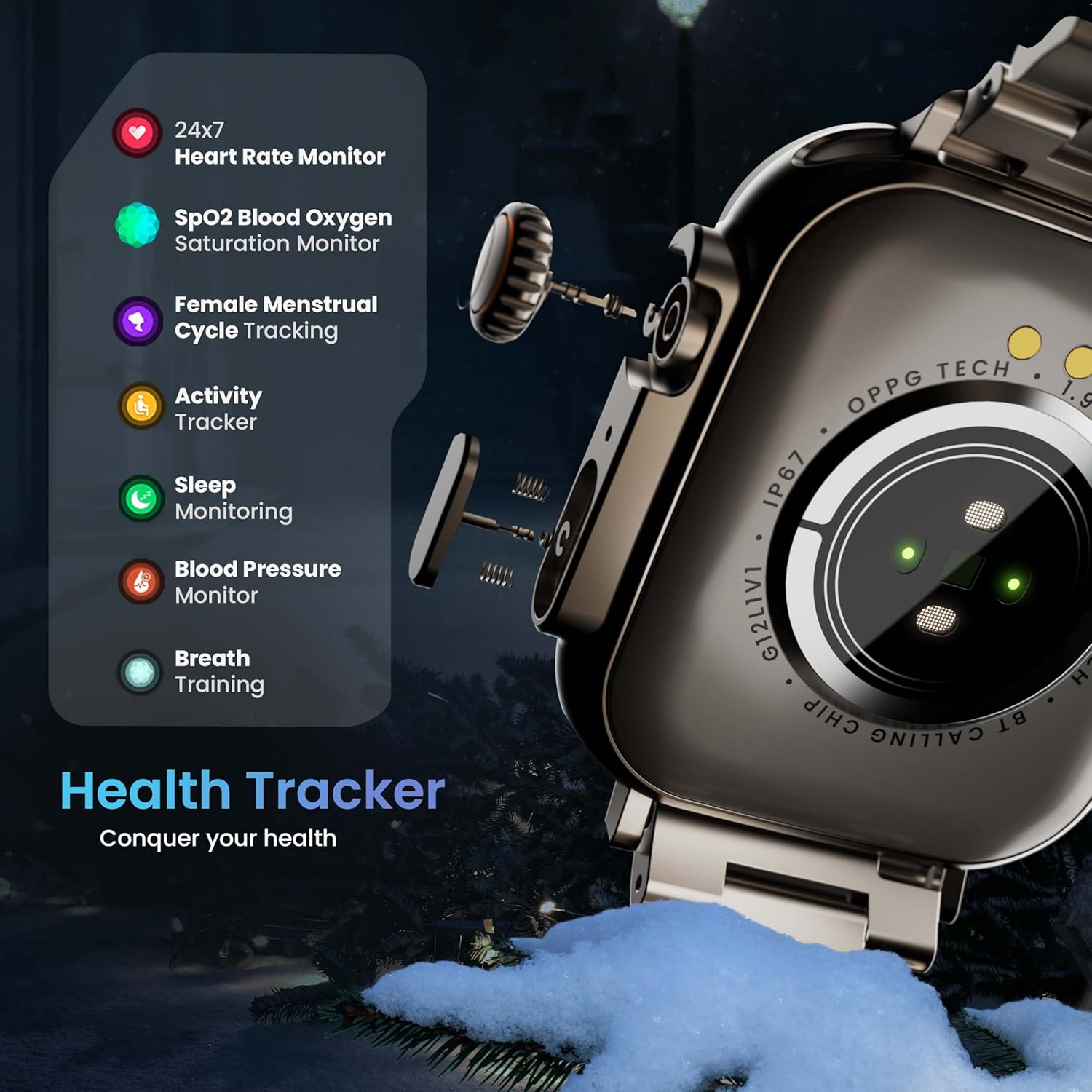
Image 5.3: The GOBOULT Crown Smart Watch highlighting its comprehensive health tracker capabilities, including 24x7 Heart Rate Monitor, SpO2 Blood Oxygen Saturation Monitor, Female Menstrual Cycle Tracking, Activity Tracker, Sleep Monitoring, Blood Pressure Monitor, and Breath Training.
5.5 Галасавы памочнік са штучным інтэлектам
Interact with your watch using voice commands for quick tasks.
- Activate the AI Voice Assistant by a specific gesture or button press (refer to in-app settings for configuration).
- Speak your command clearly, such as "Hey Siri" or "Ok Google" (if connected to a compatible phone).
- The watch will process your request, allowing you to set reminders, check weather, or control smart home devices.
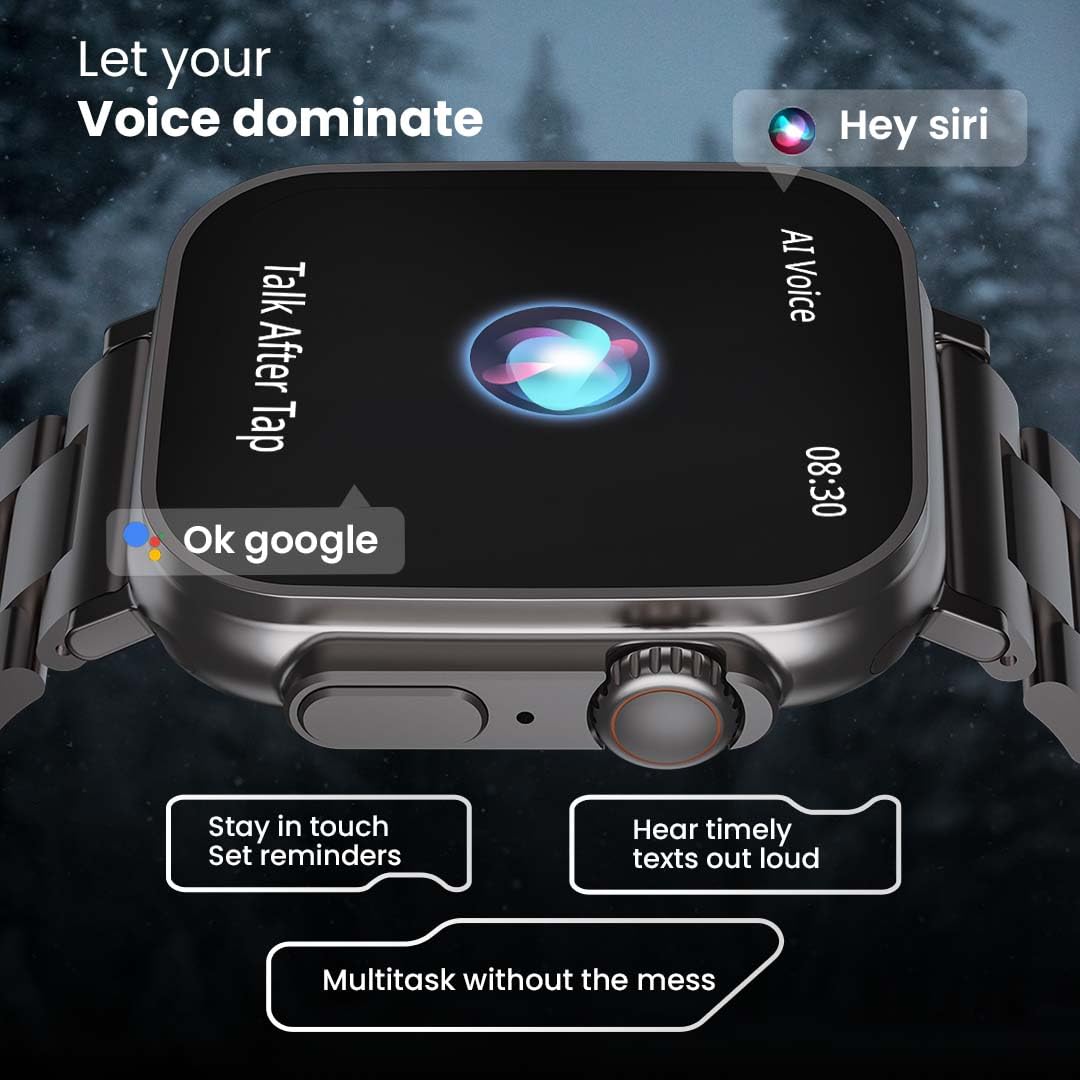
Image 5.4: The GOBOULT Crown Smart Watch interacting with AI Voice Assistants like Hey Siri and Ok Google, enabling users to stay in touch, set reminders, and hear timely texts aloud.
5.6 Watch Faces & Customization
Personalize your watch with over 100 cloud-based watch faces.
- Long-press the watch face on the home screen to quickly switch between pre-loaded faces.
- For more options, open the GOBOULT app and browse the 'Watch Faces' library.
- Download and apply new watch faces directly from the app.
5.7 Mini Games
The watch includes several mini-games for entertainment.
- Navigate to the 'Games' section in the app menu.
- Select a game (e.g., Young Bird, Hamster, Battleships, 2048) and follow the on-screen instructions to play.
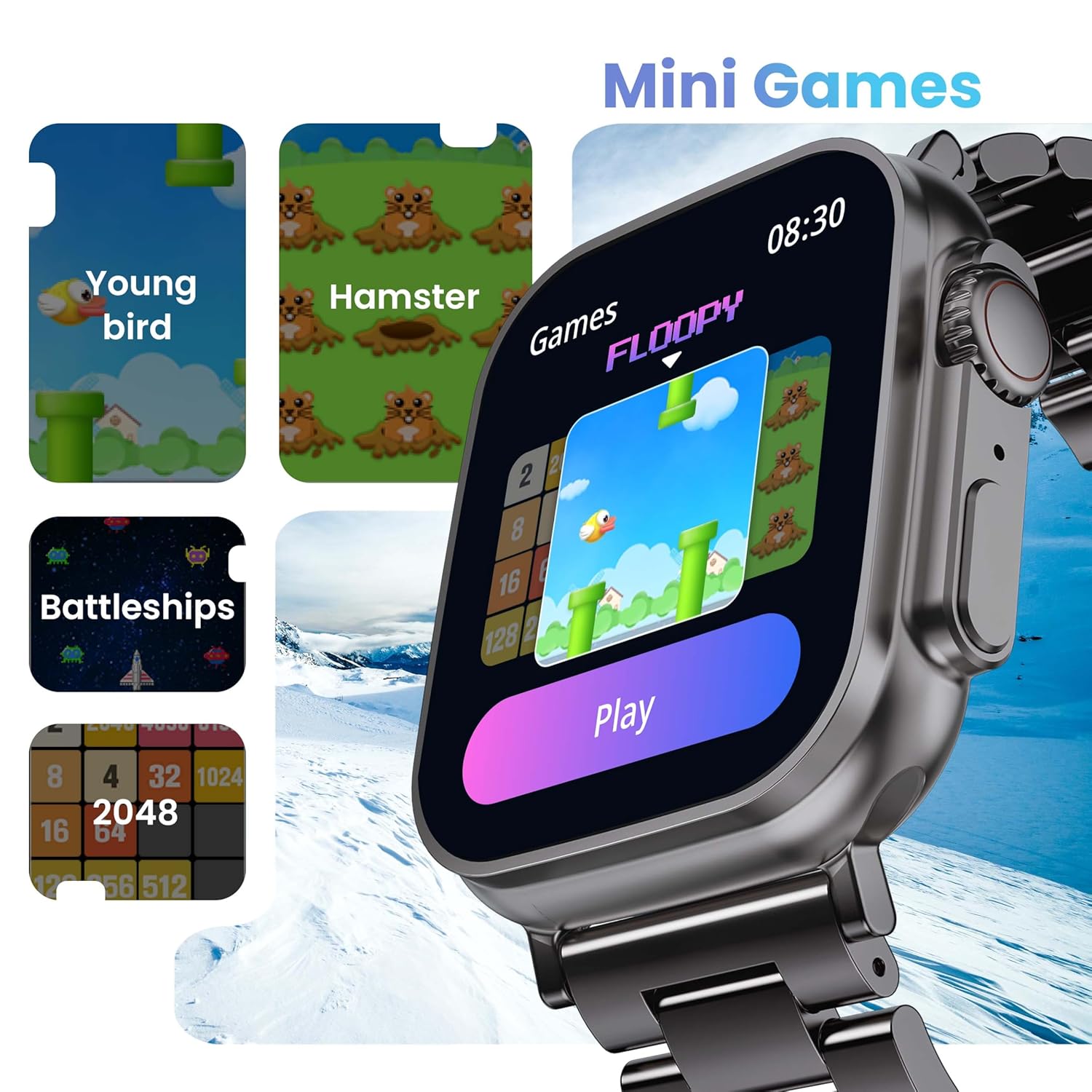
Image 5.5: The GOBOULT Crown Smart Watch showcasing its mini-games feature, including 'Young bird', 'Hamster', 'Battleships', and '2048'.
5.8 Знайсці мой тэлефон
Locate your paired smartphone using the watch.
- Go to the watch menu.
- Select the "Find Phone" option.
- The connected phone will ring or vibrate, helping you locate it.
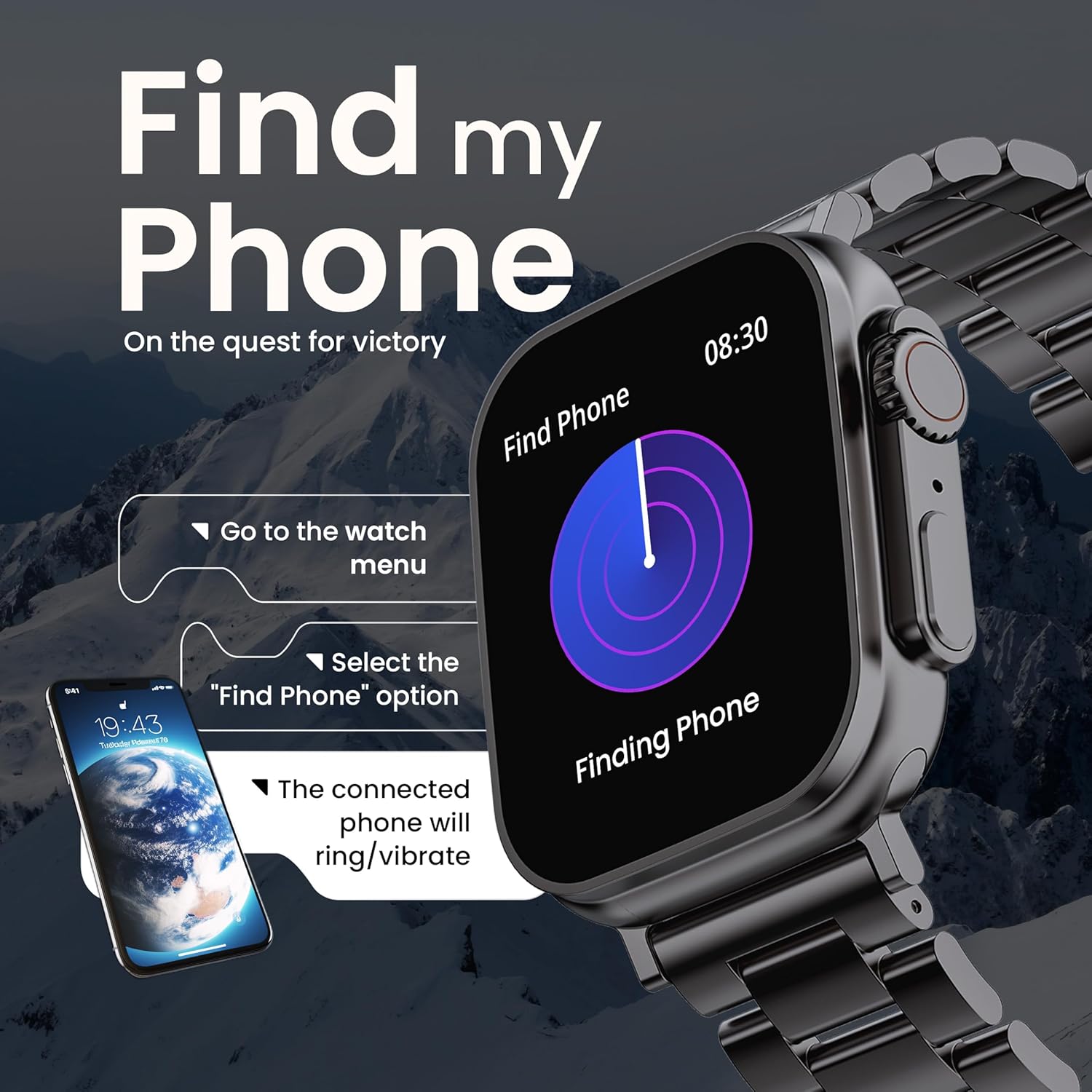
Image 5.6: The GOBOULT Crown Smart Watch illustrating the 'Find my Phone' feature, showing the steps to activate it and how the connected phone will respond.
6. Тэхнічнае абслугоўванне
6.1 Чыстка разумнага гадзінніка
- Працярыце экран і корпус гадзінніка мяккай тканінай без ворса.
- Для ўстойлівых плям, dampзлёгку прамакніце тканіну вадой. Пазбягайце выкарыстання агрэсіўных хімікатаў або абразіўных матэрыялаў.
- Clean the charging pins regularly to ensure proper connection.
- If your watch has a stainless steel band, use the provided strap adjustment tool for any modifications.
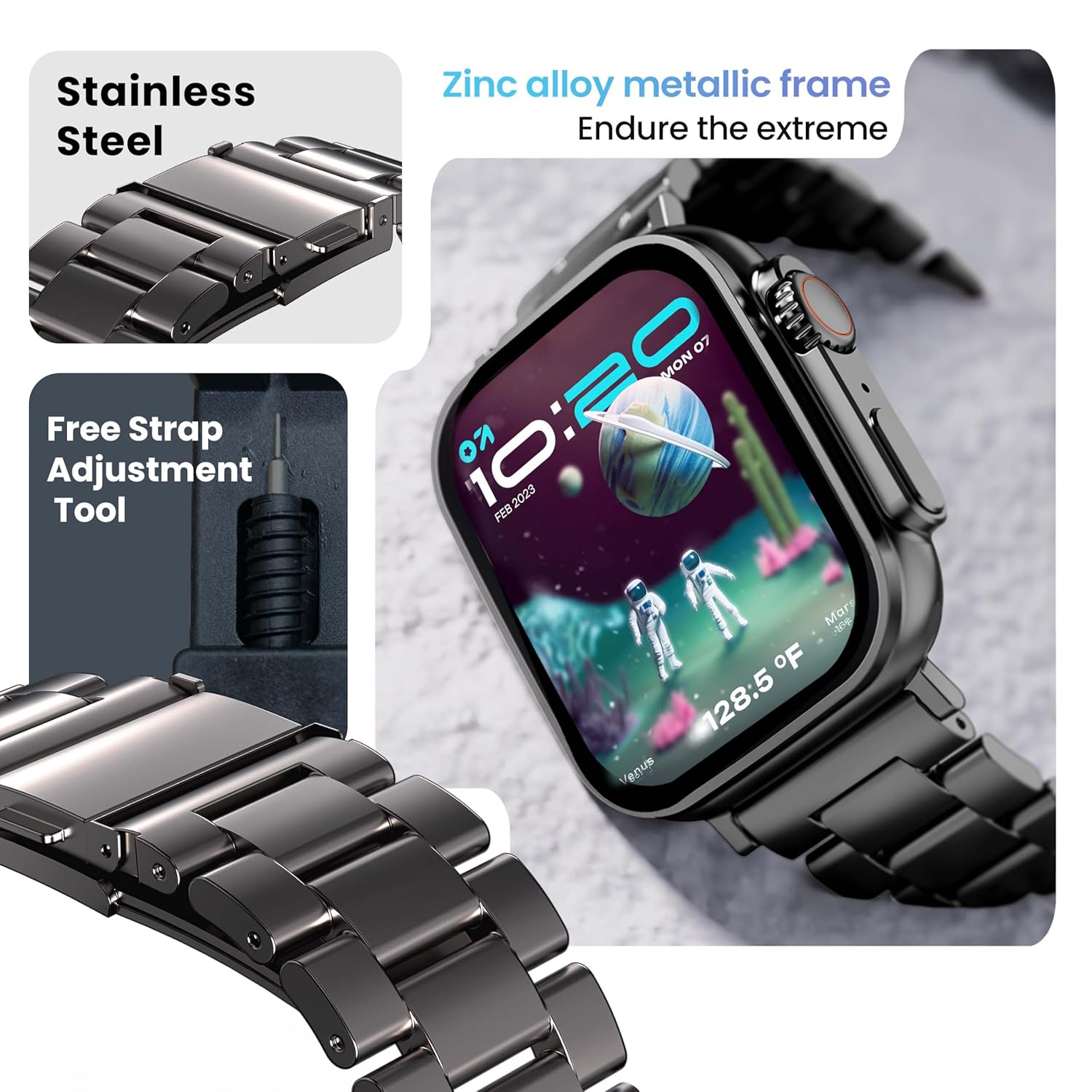
Image 6.1: The GOBOULT Crown Smart Watch featuring its stainless steel band and the included free strap adjustment tool for maintenance.
6.2 Воданепранікальнасць
The GOBOULT Crown Smart Watch has an IP67 waterproof rating.
- Рэйтынг IP67: This means the watch is dust-proof and can withstand submersion in water up to 1.5 meters for 30 minutes.
- It is suitable for daily use, such as washing hands or light rain.
- Avoid using the watch during swimming, diving, or in hot water (e.g., showers, saunas) as steam and high pressure can compromise the seal.
- Не націскайце кнопкі пад вадой.
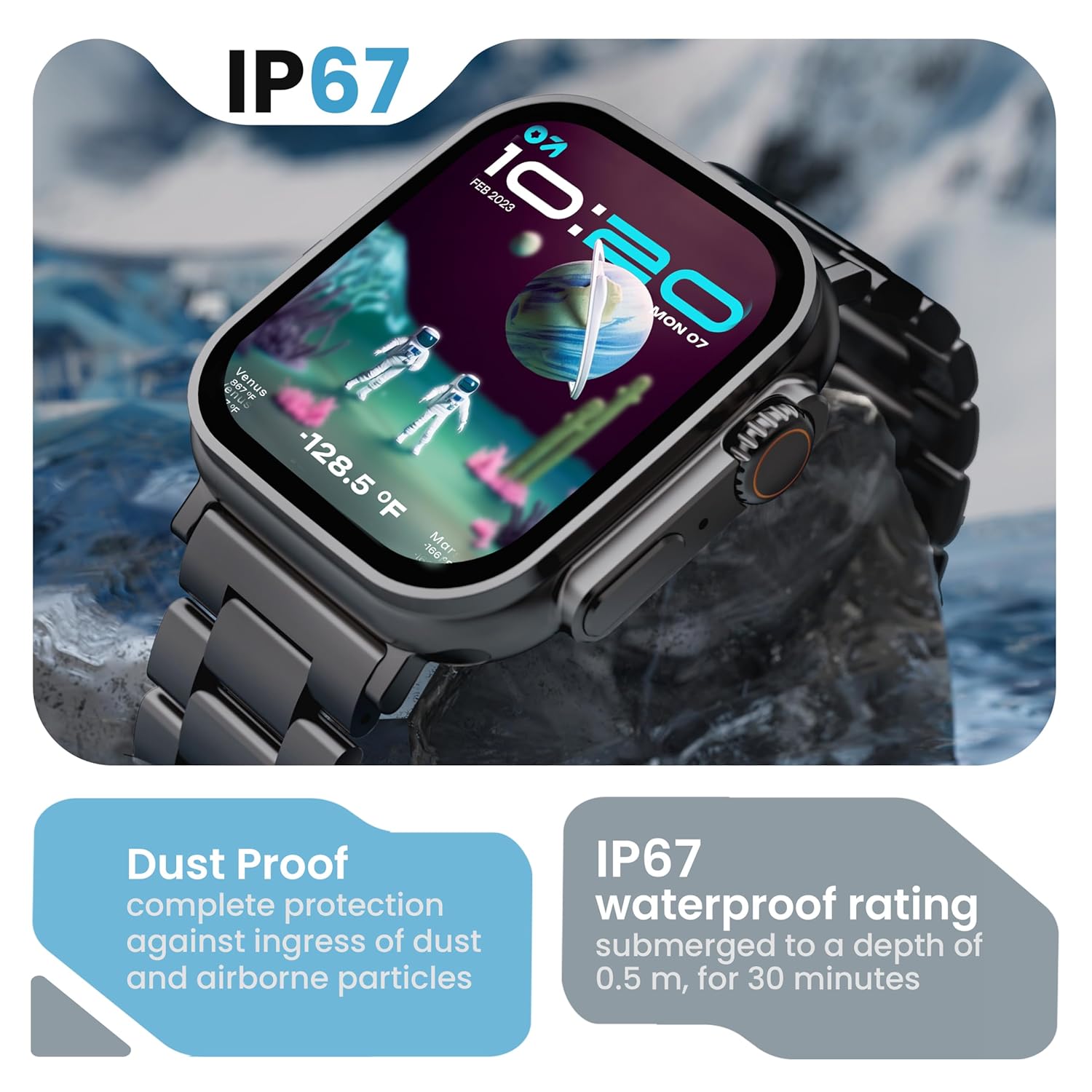
Image 6.2: The GOBOULT Crown Smart Watch emphasizing its IP67 rating, indicating complete protection against dust ingress and water submersion up to 0.5 meters for 30 minutes.
7. Выпраўленне непаладак
If you encounter issues with your GOBOULT Crown Smart Watch, refer to the following common solutions:
| праблема | Магчымае рашэнне |
|---|---|
| Гадзіннік не ўключаецца | Пераканайцеся, што гадзіннік цалкам зараджаны. Падключыце яго да зараднай прылады як мінімум на 30 хвілін. |
| Немагчыма спалучыць прыладу са смартфонам | Ensure Bluetooth is enabled on your phone. Restart both the watch and phone. Make sure the watch is within Bluetooth range. Check the app for pairing instructions. |
| Недакладныя дадзеныя пра здароўе | Пераканайцеся, што гадзіннік шчыльна прылягае да запясця, не занадта туга і не занадта свабодна. Ачысціце вобласць датчыка на задняй панэлі гадзінніка. |
| Праблемы з званкамі праз Bluetooth | Verify the watch is connected for both data and call audio in your phone's Bluetooth settings. Ensure microphone and speaker are not obstructed. |
| Экран не рэагуе | Перазапусціце гадзіннік. Калі праблема не знікне, пераканайцеся, што экран чысты і сухі. |
| Кароткі тэрмін службы батарэі | Зменшце яркасць экрана, адключыце непатрэбныя апавяшчэнні і абмяжуйце бесперапынны маніторынг пульса, калі ён не патрэбны. |
Калі праблема не знікне пасля выкарыстання гэтых рашэнняў, звярніцеся ў службу падтрымкі кліентаў.
8. Тэхнічныя характарыстыкі
Below are the technical specifications for the GOBOULT Crown Smart Watch (Model: B0FCSBLK42):
| Асаблівасць | Дэталь |
|---|---|
| Нумар мадэлі | B0FCSBLK42 |
| Памер дысплея | 1.95 цалі |
| Тып дысплея | TFT |
| Maximum Display Brightness | 900 гнід |
| Тэхналогія падлучэння | Bluetooth 5.2 |
| Сумяшчальнасць аперацыйнай сістэмы | Android Wear 1.0, iOS |
| Ёмістасць батарэі | 300 Міліamp Гадзіны (літый-палімерны) |
| Сярэдні тэрмін службы батарэі | Да 7 дзён |
| Час зарадкі акумулятара | 150 хвілін |
| Рэйтынг воданепранікальнасці | IP67 (Water Resistant up to 1.5 meters depth) |
| Тып матэрыялу раменьчыка | Нержавеючая сталь |
| Вага прадмета | 40 грам |
| Памеры прадмета (Д х Ш х У) | 40 Г х 38 Ш х 6 В міліметраў |
| Вымераныя паказчыкі | Blood Oxygen (SpO2), Distance, Heart Rate, Step Count |
| Падтрымліваюцца прыкладанні | Voice Assistant, Communication, Notifications |
| Тып кантролера | Google Assistant, Siri |
9. Гарантыя і падтрымка
9.1 Інфармацыя аб гарантыі
The GOBOULT Crown Smart Watch comes with a 1 гады гарантыі ад вытворцы з даты пакупкі. Гэтая гарантыя распаўсюджваецца на вытворчыя дэфекты. Калі ласка, захавайце чэк аб куплі для прад'яўлення прэтэнзій па гарантыі.
9.2 Падтрымка кліентаў
For technical assistance, warranty claims, or any other inquiries, please contact:
- вытворца: Boult Audio
- Імпарцёр: Exotic Mile Pvt. Ltd.
- Importer Contact Information: Прамысловая зона В67 Вазірпур, Нью-Дэлі 110052
Please refer to the warranty card included in your box for specific terms and conditions.


