Уводзіны
Thank you for choosing the GOBOULT Crown Smart Watch. This manual provides essential information for the proper setup, operation, and maintenance of your device. Please read it thoroughly to ensure optimal performance and longevity of your smartwatch.
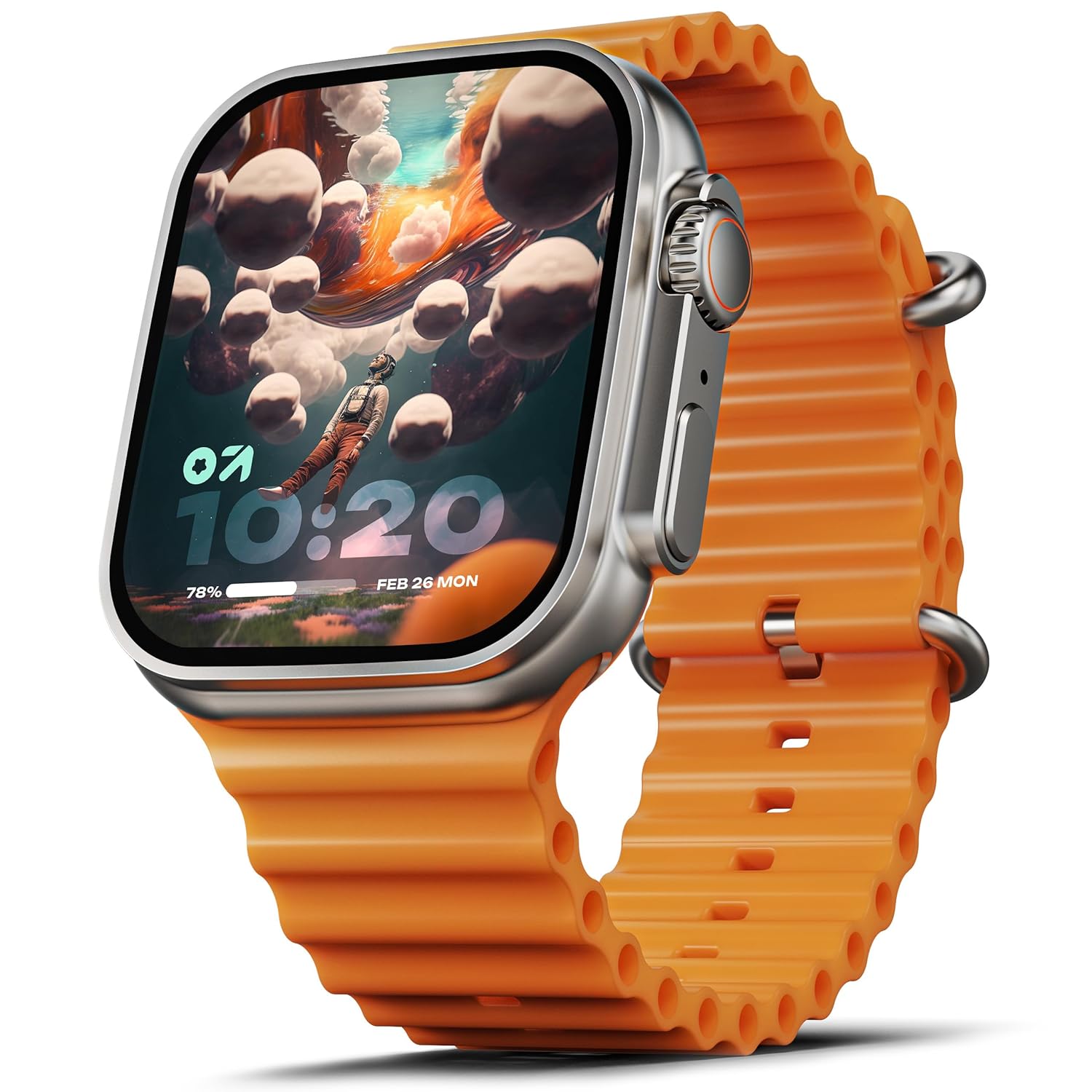
Image: The GOBOULT Crown Smart Watch, featuring a large display and an orange silicone strap.
Што ў скрынцы
Пасля распакавання пераканайцеся, што ўсе наступныя прадметы ў камплекце:
- GOBOULT Crown Smart Watch
- Зарадны кабель
- Кіраўніцтва карыстальніка
- Гарантыйны талон
Пачатак працы
1. Зарадка разумнага гадзінніка
Before initial use, fully charge your GOBOULT Crown Smart Watch. Connect the provided charging cable to the charging port on the back of the watch and to a standard USB power adapter. The watch display will indicate charging status.
2. Уключэнне / выключэнне харчавання
To power on, press and hold the side button until the GOBOULT logo appears. To power off, navigate to the settings menu on the watch, select 'Power Off', and confirm.
3. Спалучэнне са смартфонам
- Download the official GOBOULT companion app from your smartphone's app store (available for Android and iOS).
- Пераканайцеся, што Bluetooth уключаны на вашым смартфоне.
- Open the GOBOULT app and follow the on-screen instructions to search for and pair with your Crown Smart Watch.
- Пацвердзіце запыт на спалучэнне як на тэлефоне, так і на гадзінніку.
Інструкцыя па эксплуатацыі
Дысплей і навігацыя

Image: Close-up of the smartwatch display, highlighting its 1.95-inch size and 900 Nits brightness for clear visibility.
- 1.95-цалевы HD-дысплей: The large, high-definition screen provides clear visuals and responsive touch interaction.
- Яркасць 900 ніт: Ensures excellent visibility even in bright outdoor conditions.
- Working Rotating Crown: Use the functional rotating crown on the side of the watch to scroll through menus, zoom in/out, and switch watch faces.
Выява: Выбухнула view illustrating the internal mechanism of the working rotating crown, used for navigation and control.
Выклікі праз Bluetooth

Image: The smartwatch screen showing an incoming call, alongside diagrams explaining Bluetooth 5.2 calling features like call answer/reject, dial pad, and contact sync.
The GOBOULT Crown Smart Watch supports Bluetooth Calling 5.2, allowing you to make and receive calls directly from your wrist. It features a built-in speaker and microphone for clear communication.
- Адказ/адхіленне выклікаў: Tap the green icon to answer or the red icon to reject an incoming call.
- Панэль набору нумара: Access the dial pad on the watch to make outgoing calls.
- Сінхранізацыя кантактаў: Sync your phone's contacts to the watch via the companion app.
Маніторынг здароўя
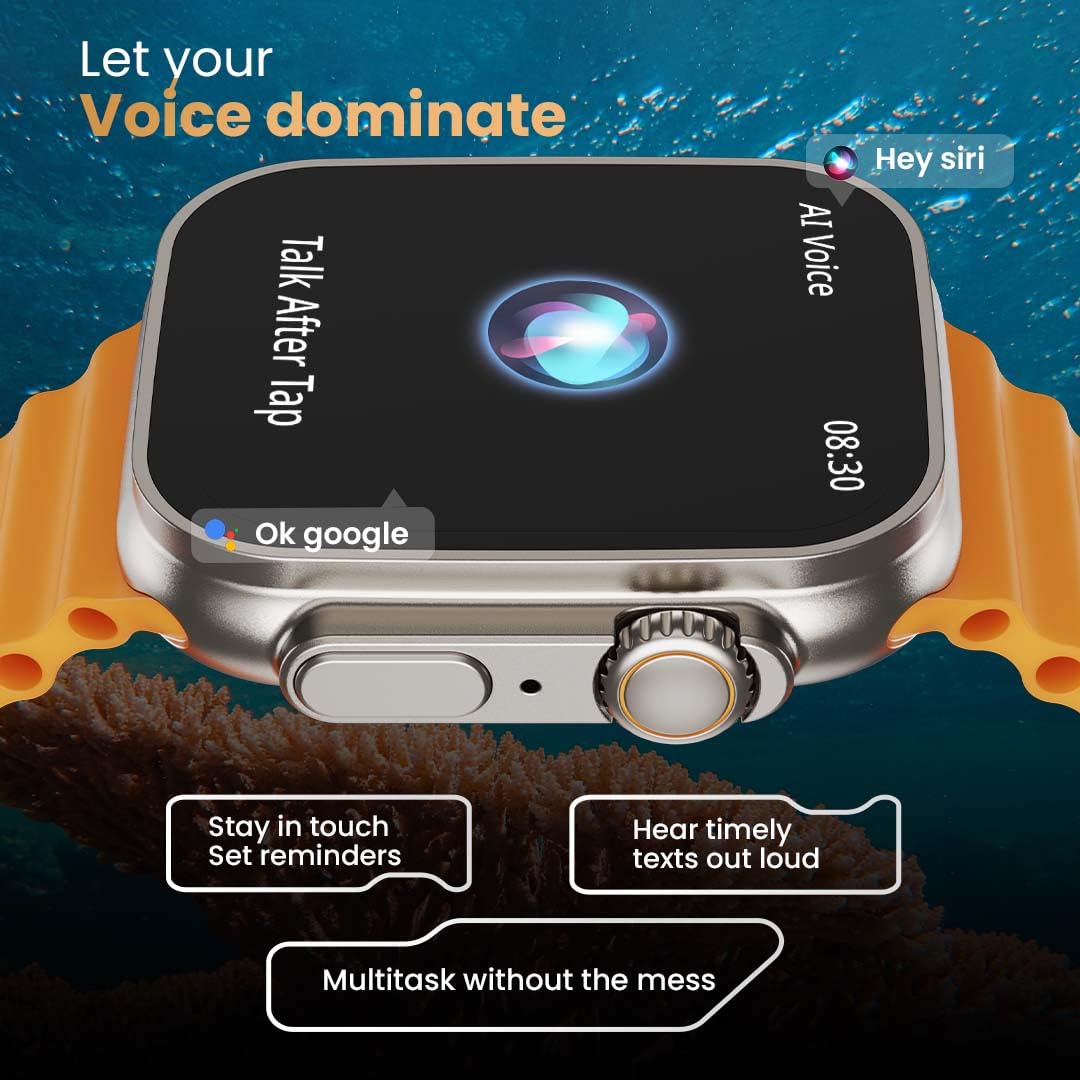
Image: The rear of the smartwatch showing its health sensors, accompanied by a list of health metrics it tracks, including heart rate, SpO2, and sleep.
The watch is equipped with an advanced health suite to help you monitor your well-being:
- Кругласутачны манітор сардэчнага рытму: Бесперапынна адсочвае частату сардэчных скарачэнняў на працягу дня.
- SpO2 Blood Oxygen Saturation Monitor: Вымярае ўзровень кіслароду ў крыві.
- Маніторынг сну: Аналізуе вашы рэжымы сну і яго якасць.
- Адсочванне актыўнасці: Запісвае крокі, адлегласць і спаленыя калорыі.
- Адсочванне жаночага менструальнага цыклу: Дае інфармацыю і прагнозы адносна менструальных цыклаў.
- Трэніроўка дыхання: Кіраваныя дыхальныя практыкаванні для рэлаксацыі.
Спартыўныя рэжымы
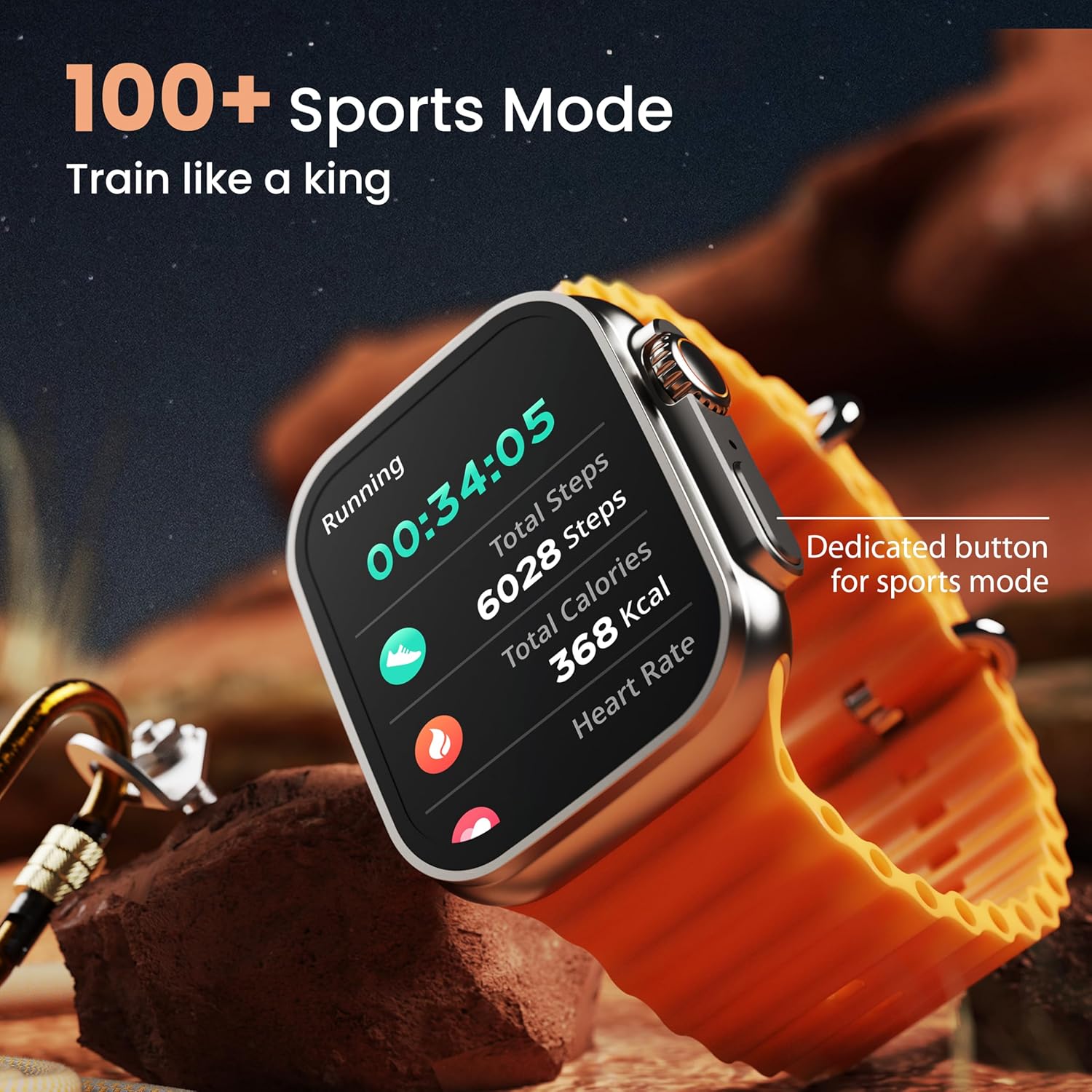
Image: The smartwatch screen showing a 'Running' sports mode with real-time metrics like duration, total steps, calories, and heart rate. A dedicated button for sports mode is also visible.
With over 120 sports modes, the GOBOULT Crown Smart Watch can track a wide range of physical activities. Select your desired sport from the watch menu to record real-time metrics, performance insights, and track your progress.
Налада

Выява: Выстава калажаўasing various watch faces, including custom and animated options, along with different UI styles available for personalization on the smartwatch.
Персаналізуйце свой разумны гадзіннік:
- 100+ Cloud-Based Watch Faces: Choose from a wide selection of watch faces available through the companion app.
- Параметры налады: Customize your screen with widgets, backgrounds, and layouts to match your style.
- 8 UI Styles: Select from different user interface styles for menu navigation.
Дадатковыя функцыі
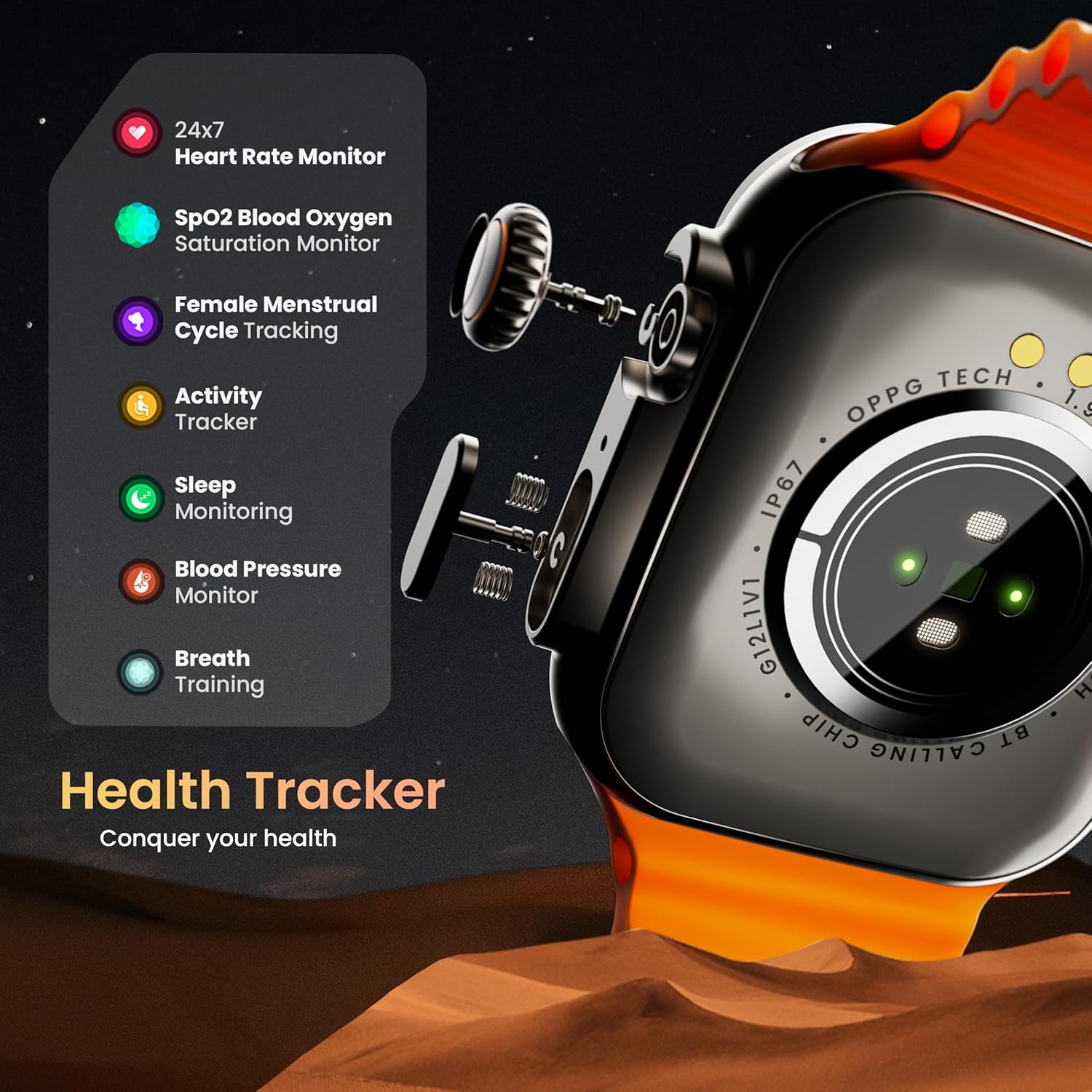
- Галасавы памочнік AI: Interact with your watch using voice commands (e.g., "Hey Siri" or "Ok Google") for tasks like setting reminders or hearing texts aloud.
- Знайсці мой тэлефон: If your paired phone is misplaced, use this feature on your watch to make it ring/vibrate.
- Міні гульні: Enjoy pre-installed mini-games directly on your watch.
- Апавяшчэнні і напаміны: Receive SMS, WhatsApp, social media, and mail notifications. Set goal achievement reminders.
- калькулятар: На гадзінніку даступная базавая функцыя калькулятара.
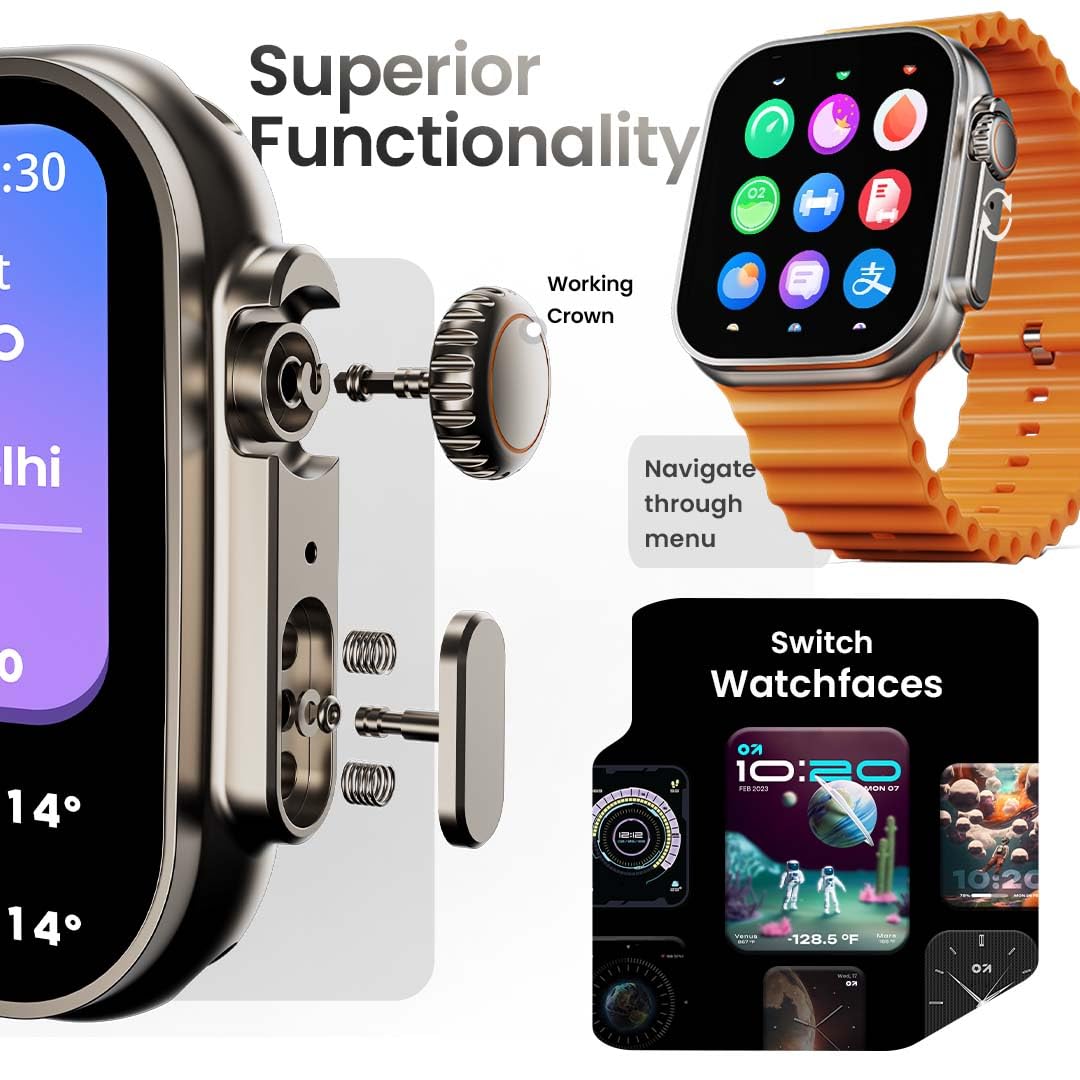
Image: The smartwatch screen showing the AI Voice Assistant interface, indicating support for voice commands like "Hey Siri" and "Ok Google".
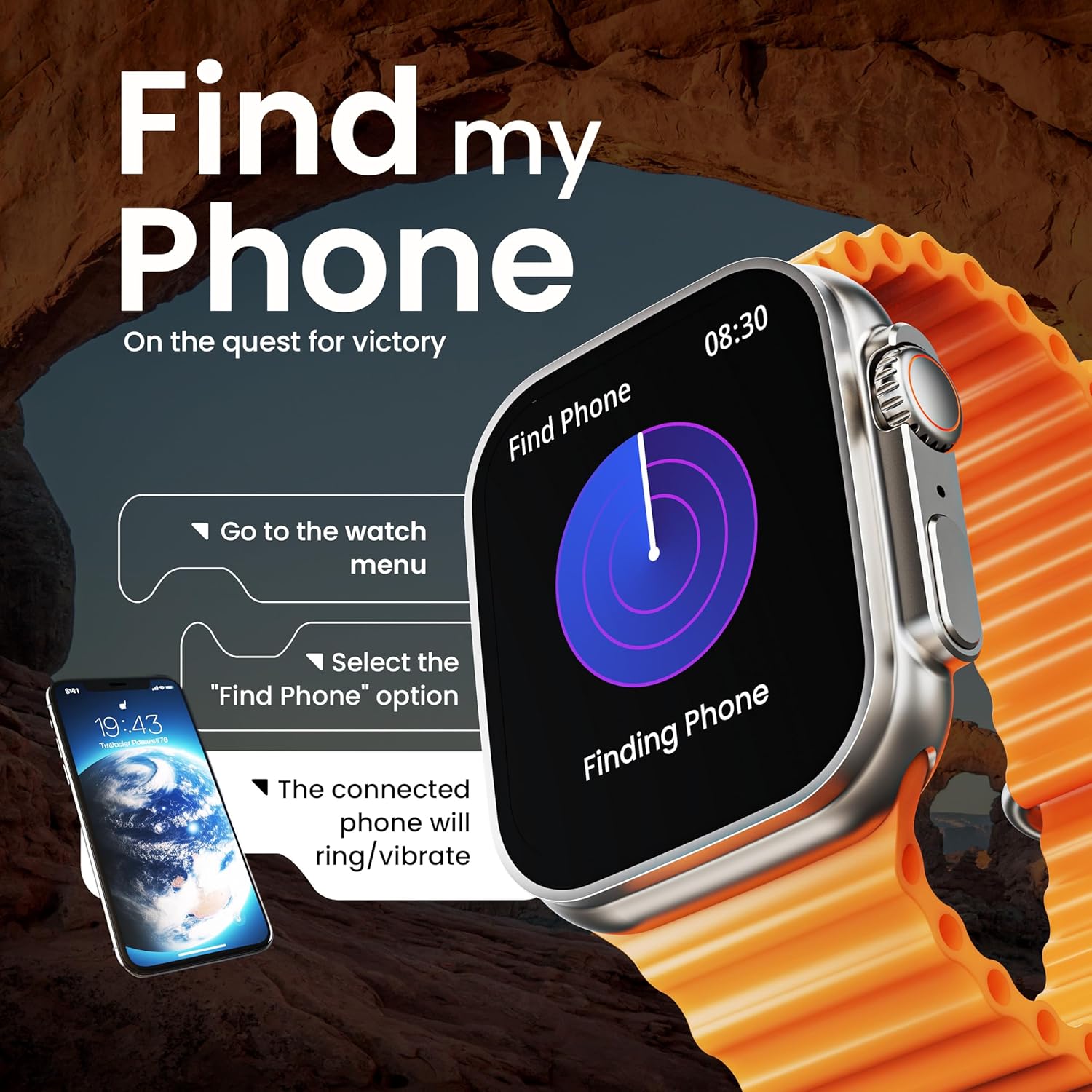
Image: The smartwatch screen illustrating the 'Find Phone' feature, with instructions on how to activate it to locate a connected smartphone.
Выява: Прэзентацыя экрана разумнага гадзіннікаasing a selection of mini-games available on the device, such as 'Young Bird', 'Hamster', and 'Battleships'.

Image: The smartwatch screen showing a calculator interface, along with a pop-up notification and a list of reliable and robust features like sync notifications and reminders.
Тэхнічнае абслугоўванне
Уборка
Regularly clean your smartwatch and strap to prevent skin irritation and maintain device hygiene. Use a soft, lint-free cloth. If necessary, slightly dampпрамыйце тканіну вадой. Пазбягайце агрэсіўных хімічных рэчываў або абразіўных матэрыялаў.
Воданепранікальнасць
The GOBOULT Crown Smart Watch is IP67 water resistant. This means it is protected against dust and can withstand immersion in water up to 1 meter for up to 30 minutes. It is suitable for daily use and light splashes but not recommended for swimming, showering, or diving.
Сыход за раменьчыкам
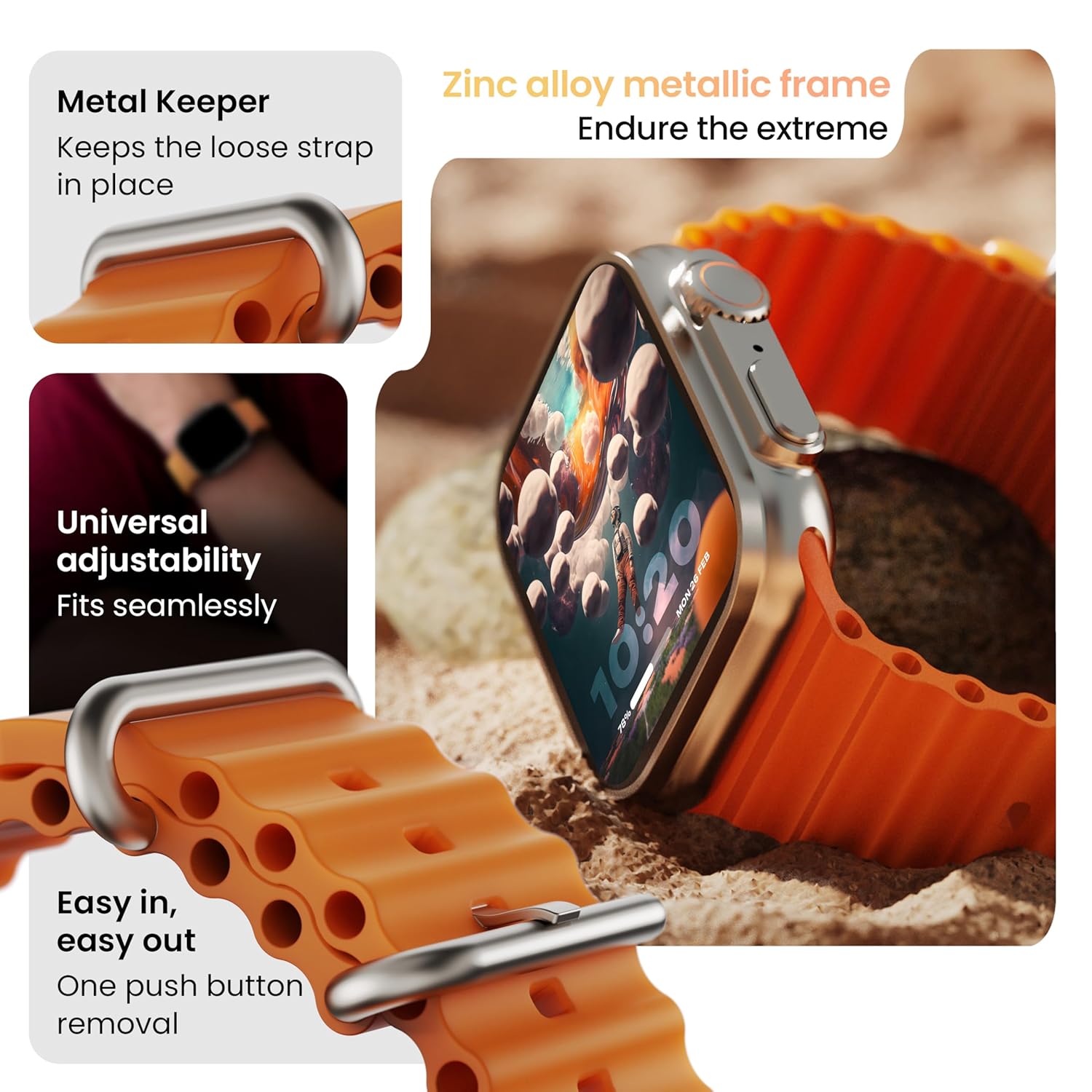
Выява: Падрабязная view of the smartwatch strap, highlighting features such as the metal keeper for securing the loose end, universal adjustability for a seamless fit, and a push-button mechanism for easy removal.
The skin-friendly silicone strap is designed for comfort. Ensure it is not too tight or too loose for accurate health tracking. Clean the strap regularly, especially after workouts, to remove sweat and dirt.
Ліквідацыю непаладак
Гадзіннік не ўключаецца
- Пераканайцеся, што гадзіннік цалкам зараджаны. Падключыце яго да зараднай прылады як мінімум на 30 хвілін.
- Націсніце і ўтрымлівайце бакавую кнопку на працягу 10-15 секунд, каб паспрабаваць прымусова перазапусціць.
Праблемы спалучэння
- Пераканайцеся, што Bluetooth уключаны на вашым тэлефоне і гадзінніку.
- Ensure the watch is within the Bluetooth range (approximately 10 meters).
- Перазагрузіце і тэлефон, і гадзіннік.
- Ачысціце кэш Bluetooth на тэлефоне або забудзьце прыладу і паспрабуйце падключыць яе зноў.
Недакладныя дадзеныя аб стане здароўя
- Пераканайцеся, што гадзіннік шчыльна прылягае да запясця, але не занадта туга.
- Ачысціце датчыкі на задняй панэлі гадзінніка.
- Avoid excessive movement during measurements for better accuracy.
Апавяшчэнні не з'яўляюцца
- Check if the watch is properly connected to your phone via Bluetooth.
- Verify notification permissions for the GOBOULT app in your phone's settings.
- Пераканайцеся, што рэжым «Не турбаваць» не ўключаны ні на вашым тэлефоне, ні на гадзінніку.
Тэхнічныя характарыстыкі
| Асаблівасць | Дэталь |
|---|---|
| Марка | ГОБАЛТ |
| мадэль | Разумны гадзіннік Crown |
| Памер дысплея | 1.95 цалі |
| Яркасць дысплея | 900 гнід |
| Сувязь | Bluetooth 5.2 |
| Аперацыйная сістэма | Android Wear 1.0, iOS compatible |
| Тэрмін службы батарэі (сярэдні) | 7 дзён |
| Час зарадкі акумулятара | 150 хвілін |
| Ёмістасць батарэі | 300 Міліamp Гадзіны |
| Воданепранікальнасць | IP67 |
| Вага прадмета | 40 г |
| Уключаныя кампаненты | Smartwatch, Charging Cable, User Manual, Warranty Card |
Гарантыя і падтрымка
Your GOBOULT Crown Smart Watch comes with a Warranty Card included in the box. Please refer to this card for detailed information regarding warranty coverage and terms. For technical support or further assistance, please contact GOBOULT customer service through the contact information provided on the warranty card or the official GOBOULT webсайт.


