Уводзіны
Thank you for choosing the Sony WH-1000XM6 Wireless Noise-Canceling Headphones. These headphones are designed to provide a superior audio experience with industry-leading noise cancellation technology, high-resolution audio support, and smart features for seamless daily use. This manual provides essential information for setting up, operating, maintaining, and troubleshooting your headphones to ensure optimal performance.
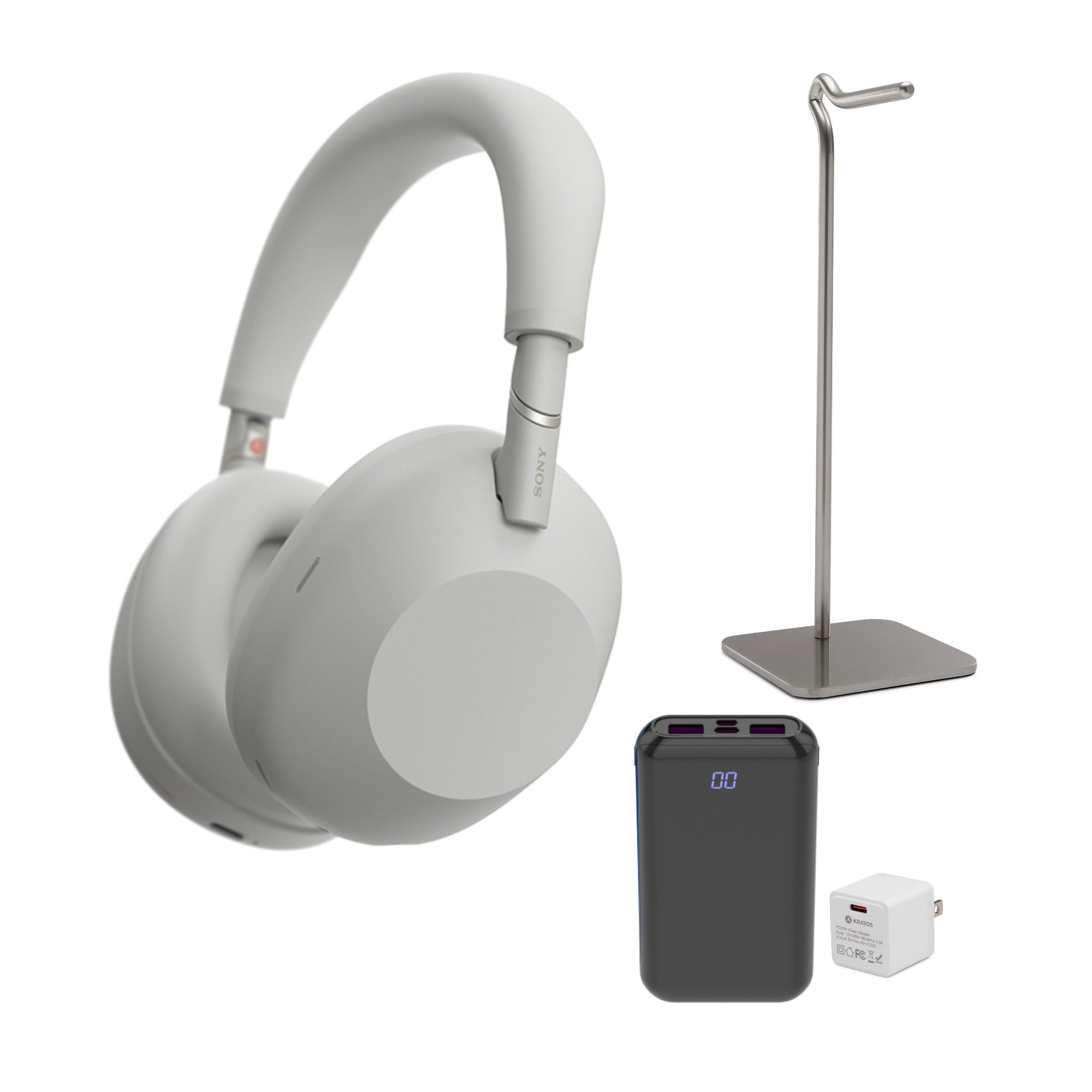
Выява: спераду view of the Sony WH-1000XM6 Wireless Noise-Canceling Headphones in silver.
Што ў скрынцы
Carefully unpack your new Sony WH-1000XM6 headphones and verify that all items are present. The package typically includes:
- Sony WH-1000XM6 Wireless Noise-Canceling Headphones
- Сумка для пераноскі
- Зарадны кабель USB-C
- Audio Cable for wired connection
- Metal Alloy Headphone Stand
- PD20W Power Adapter
- Партатыўны банк харчавання

Image: A visual representation of the items included in the Sony WH-1000XM6 package: the headphones, a metal alloy headphone stand, a PD20W power adapter, and a portable power bank.
Настройка
1. Зарадка навушнікаў
Before initial use, fully charge the headphones. Connect the supplied USB-C charging cable to the USB-C port on the headphones and the other end to the PD20W power adapter. Plug the adapter into a wall outlet. The indicator light will illuminate during charging and turn off when charging is complete.
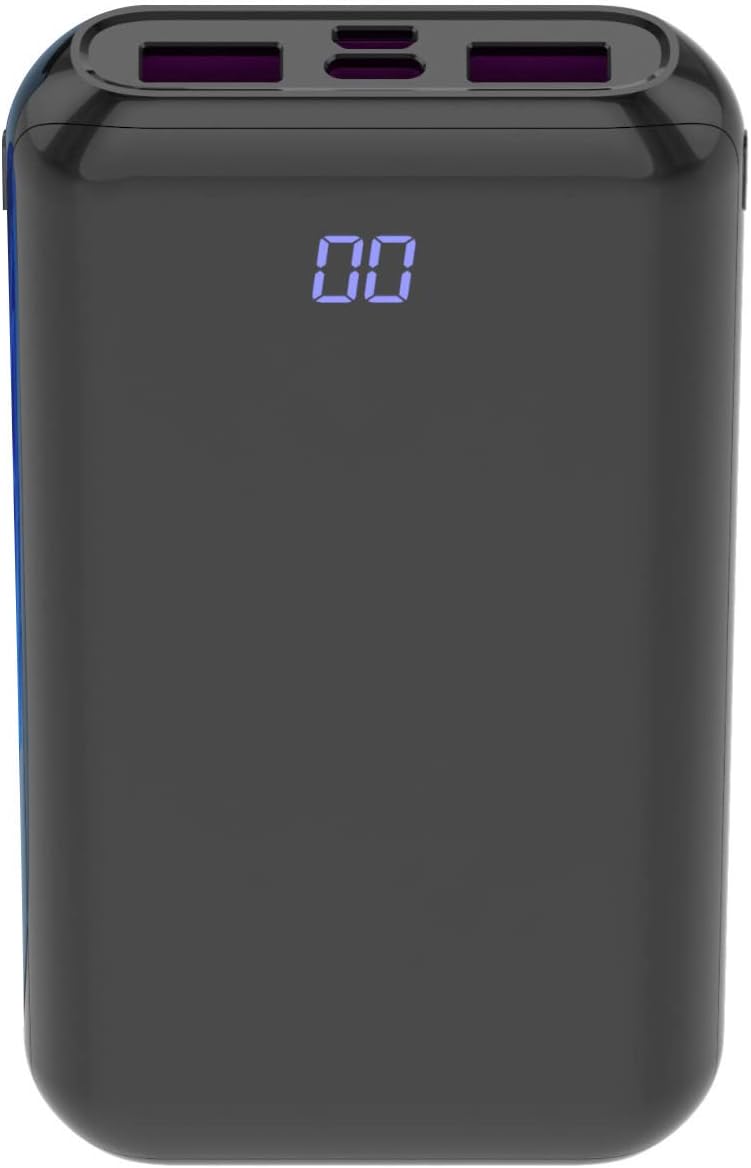
Image: The PD20W Power Adapter, used for charging the headphones.
2. Уключэнне / выключэнне харчавання
- Каб уключыць: Press and hold the Power button for approximately 2 seconds until the indicator light flashes blue.
- Каб выключыць: Націсніце і ўтрымлівайце кнопку харчавання прыблізна 2 секунды, пакуль індыкатар не пагасне.
3. Спарванне Bluetooth
- Пераканайцеся, што навушнікі адключаны.
- Press and hold the Power button for approximately 7 seconds. The indicator light will flash blue rapidly, indicating pairing mode.
- На вашай прыладзе (смартфоне, планшэце, камп'ютары) перайдзіце ў налады Bluetooth і ўключыце Bluetooth.
- Select "WH-1000XM6" from the list of available devices.
- Пасля падключэння індыкатар будзе павольна міргаць сінім колерам.
4. Нашэнне навушнікаў
Adjust the headband so that the earcups comfortably cover your ears. The 'L' (left) and 'R' (right) markings are located on the inside of the headband. Ensure a snug fit for optimal noise cancellation and sound quality.

Image: A person wearing the Sony WH-1000XM6 headphones, demonstrating proper fit.
5. Праграма Sony Headphones Connect
For advanced features and customization, download the Sony Headphones Connect app from your device's app store. The app allows you to:
- Адрэгулюйце ўзровень шумапрыглушэння і навакольных гукаў.
- Наладзьце параметры эквалайзера.
- Абнавіць прашыўку.
- Access other smart features.
Інструкцыя па эксплуатацыі
1. Noise Canceling and Ambient Sound Mode
The WH-1000XM6 features a dedicated button (often labeled 'NC/Ambient' or 'Custom') to switch between noise-canceling mode, ambient sound mode, and off. Press the button to cycle through these modes.
- Шумапрыглушэнне: Зніжае знешні навакольны шум.
- Навакольны гук: Allows you to hear surrounding sounds while listening to music.
- Выключана: Адключае як шумапрыглушэнне, так і навакольныя гукі.
2. Элементы кіравання прайграваннем
The right earcup features a touch control panel for various functions:
- Прайграванне/Паўза: Двойчы націсніце на цэнтр сэнсарнай панэлі.
- Павялічыць гучнасць: Swipe up on the touch panel.
- Паменшыць гучнасць: Swipe down on the touch panel.
- Наступны трэк: Swipe forward (right) on the touch panel.
- Папярэдні трэк: Swipe backward (left) on the touch panel.
3. Функцыі выкліку
- Адказ/завяршэнне выкліку: Двойчы націсніце на цэнтр сэнсарнай панэлі.
- Адхіліць выклік: Press and hold the center of the touch panel for approximately 2 seconds.
4. Галасавы памочнік
Press and hold the center of the touch panel to activate your device's voice assistant (e.g., Google Assistant, Siri, Alexa).
Тэхнічнае абслугоўванне
1. Уборка
- Працярыце навушнікі мяккай сухой тканінай.
- Не выкарыстоўвайце спірт, бензол, разбаўляльнікі або іншыя хімічныя ачышчальнікі, бо яны могуць пашкодзіць пакрыццё.
- Clean the earpads and headband gently to remove any buildup.
2. Захоўванне
When not in use, store the headphones in their supplied carrying case to protect them from dust, scratches, and impacts. Avoid exposing them to extreme temperatures or humidity.

Image: The Sony WH-1000XM6 headphones folded and stored inside their protective carrying case.
3. Сыход за батарэяй
- Пазбягайце частай поўнай разрадкі акумулятара.
- If storing for an extended period, charge the battery to about 50% every six months to prevent degradation.
Ліквідацыю непаладак
Няма сілы
- Ensure the headphones are charged. Connect them to a power source using the USB-C cable and power adapter.
- If the issue persists, try resetting the headphones.
Няма гуку або нізкая гучнасць
- Праверце ўзровень гучнасці як на навушніках, так і на падлучанай прыладзе.
- Ensure the headphones are properly paired and connected via Bluetooth.
- If using a wired connection, ensure the audio cable is securely plugged into both the headphones and the device.
Праблемы спалучэння Bluetooth
- Пераканайцеся, што навушнікі знаходзяцца ў рэжыме спалучэння (індыкатар хутка міргае сінім колерам).
- Delete the headphones from your device's Bluetooth list and attempt to pair again.
- Move the headphones closer to the device and away from potential interference sources.
Noise Canceling Not Effective
- Ensure the noise-canceling mode is active (not Ambient Sound or Off).
- Adjust the fit of the headphones on your ears to create a good seal.
- Use the Sony Headphones Connect app to optimize noise canceling for your environment.
Скід налад навушнікаў
If you experience persistent issues, you can reset the headphones. Refer to the Sony Headphones Connect app or the official Sony support website for specific instructions on how to perform a factory reset for your model.
Тэхнічныя характарыстыкі
| Марка | Sony |
| Назва мадэлі | WH-1000XM6 |
| Нумар мадэлі | KR-20WAC-MINI_K26 |
| Тэхналогія падлучэння | Бесправадная сувязь (Bluetooth) |
| Версія Bluetooth | 4.0 |
| Кантроль шуму | Актыўнае падаўленне шуму |
| Размяшчэнне вушэй | Над вухам |
| Дыяпазон частот | 40 Гц - 40,000 Гц |
| Тып аўдыё драйвера | Індывідуальны драйвер |
| Метад кантролю | Праграма, сэнсарная панэль |
| Матэрыял | Пластыкавыя |
| Вага прадмета | 4.2 фунта |
| Колер | Серабро |
Гарантыя і падтрымка
Інфармацыя аб гарантыі
The Sony WH-1000XM6 headphones come with a Limited Manufacturer's Warranty. Please refer to the warranty card included in your product packaging or visit the official Sony support website for detailed terms and conditions, including coverage duration and claim procedures.
Падтрымка кліентаў
For further assistance, technical support, or service inquiries, please contact Sony customer support through their official website or the contact information provided in your product documentation. You can also find FAQs and troubleshooting guides on the Sony support portal.
Наведайце афіцыйную службу падтрымкі Sony webсайт: https://www.sony.com/electronics/support


