Уводзіны
Welcome to the DOOGEE V Max Play 5G Rugged Smartphone user manual. This device is engineered for durability and high performance, featuring a built-in 100-lumen projector, a massive 20500mAh battery, and a powerful 200MP AI camera system. Designed to withstand challenging environments, the V Max Play is IP68/IP69K and MIL-STD-810H certified, ensuring reliability wherever your adventures take you. This manual will guide you through the setup, operation, and maintenance of your new smartphone.
Што ў скрынцы
Upon unboxing your DOOGEE V Max Play, you should find the following items:
- 1x DOOGEE V Max Play Rugged Phone
- 1x зарадны кабель
- 1x Charger (45W Fast Charger)
- 1x Silk Screen Printing Protective Film (Pre-applied)
- 1x ахоўная плёнка для экрана з загартаванага шкла
- 1x Кіраўніцтва карыстальніка
- 1x гарантыйны талон
- 1x скрынка пакета
- 1x Portable Storage Box
- 1x Phone Back Clip
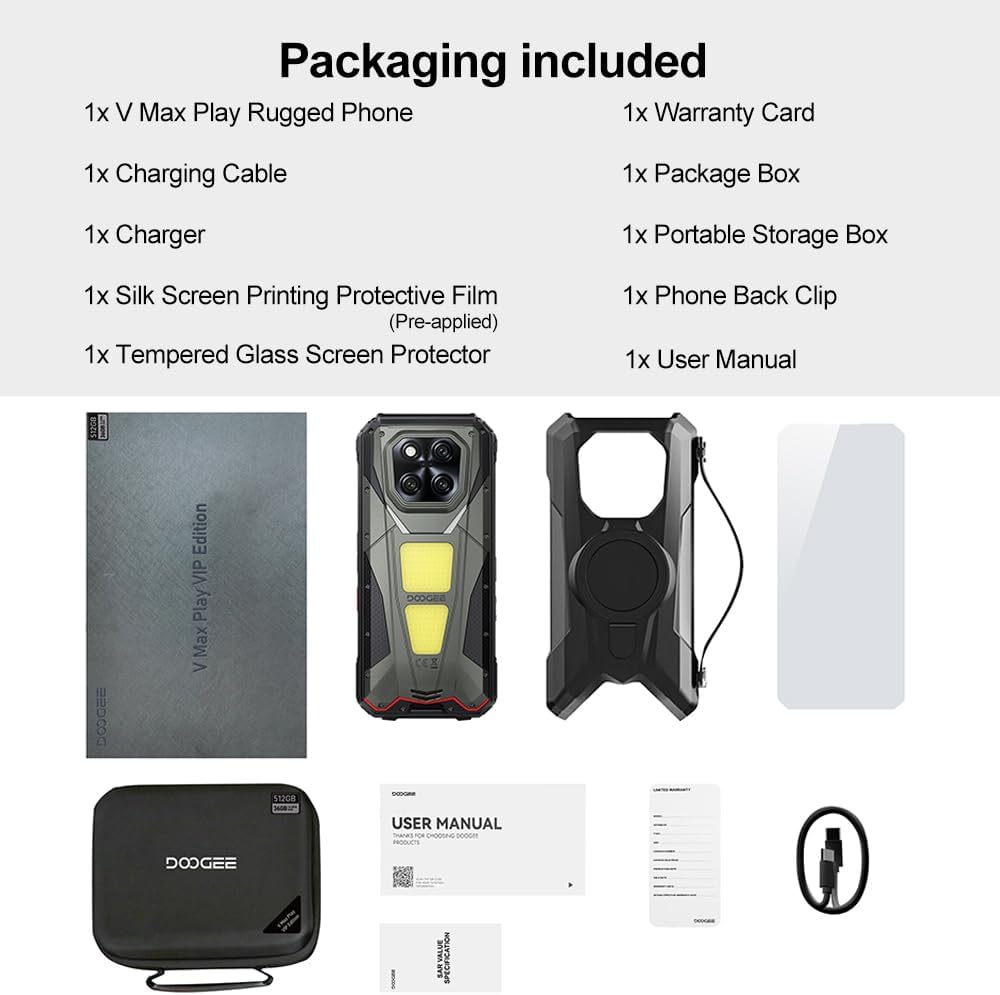
Image: Contents of the DOOGEE V Max Play retail box, including the phone, charger, cables, and documentation.
Прылада скончыласяview
Familiarize yourself with the physical features and components of your DOOGEE V Max Play smartphone.

Выява: Зверхуview of the DOOGEE V Max Play highlighting the projector, mega battery, main camera, dual camping lights, loud speaker, and waterdrop display.
Фізічныя кнопкі і парты
- Кнопка харчавання/Сканер адбіткаў пальцаў: Located on the side, used to power on/off the device and for biometric authentication.
- Кнопкі гучнасці: Адрэгулюйце гучнасць мультымедыя і званкоў.
- Наладжвальная кнопка дзеяння: A programmable button for quick access to various functions (e.g., flashlight, camera, SOS).
- Порт USB-C: For charging and data transfer, protected by a waterproof cover.
- Слот для SIM-карты/SD-карты: Supports dual 5G Nano-SIM cards and expandable storage up to 2TB.
Другасны дысплей

Image: Close-up of the customizable secondary display on the rear of the DOOGEE V Max Play.
The DOOGEE V Max Play features a 1.32-inch customizable secondary display on its rear. This display can show time, battery status, music controls, notifications, and more. It offers various clock styles and widgets for personalized quick-glance information.
Built-in Projector
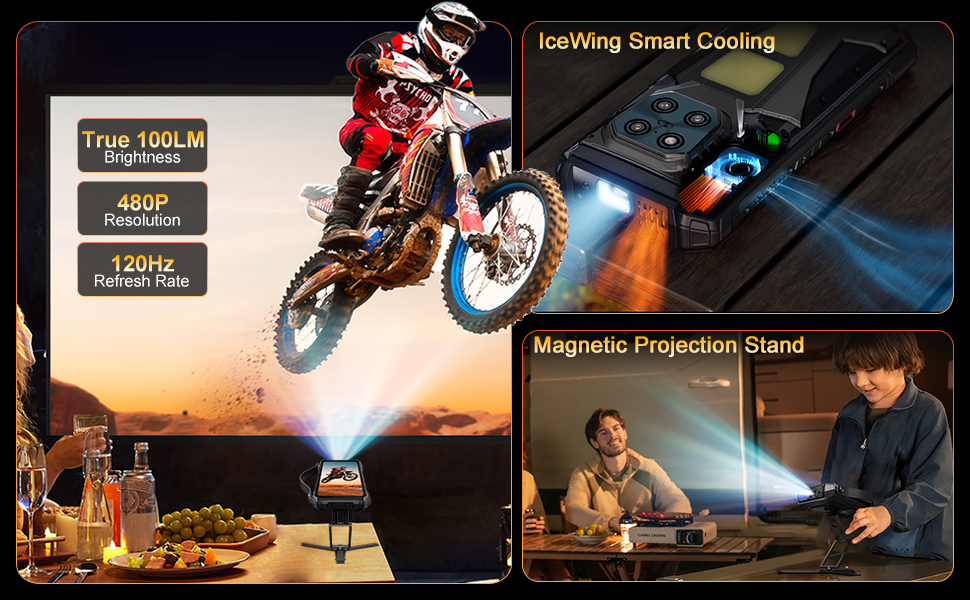
Image: The DOOGEE V Max Play's 100-lumen projector in action, showing projection features like autofocus and keystone correction.
Integrated into the device is a 100-lumen projector with a 60Hz refresh rate and 854x480 resolution. It supports autofocus and various projection adjustments for clear viewінж.
Двайны CampING Lights

Image: The DOOGEE V Max Play's 1200LM dual camping lights illuminating a dark outdoor scene.
The phone features powerful 1200LM dual camping lights with multiple modes (Lighting, SOS, Flash) and brightness adjustments, capable of brightening up to 8 meters ahead.
Настройка
1. Пачатковае ўключэнне
- Press and hold the Power Button on the side of the device until the DOOGEE logo appears.
- Выконвайце падказкі на экране, каб завяршыць пачатковую наладу, у тым ліку выбар мовы, падключэнне да Wi-Fi і наладу ўліковага запісу Google.
2. Усталёўка SIM-карты і карты MicroSD
- Locate the SIM/SD card slot on the side of the phone.
- Асцярожна адкрыйце ахоўную вечка.
- Insert your Nano-SIM card(s) and/or MicroSD card into the tray, ensuring correct orientation.
- Gently push the tray back into the slot and securely close the protective cover to maintain waterproof integrity.
3. Налада разблакіроўкі па адбітках пальцаў і твары
- Перайсці да Налады > Бяспека і прыватнасць > Разблакіроўка прылады.
- Выберыце Адбітак пальца or Распазнаванне асобы and follow the on-screen instructions to register your fingerprint(s) or face data.
Інструкцыя па эксплуатацыі
1. Асноўныя аперацыі
- Уключэнне/выключэнне харчавання: Press and hold the Power Button. Select 'Power off' or 'Restart' from the menu.
- Блакіроўка/разблакіроўка экрана: Briefly press the Power Button to lock or unlock the screen.
- Рэгуляванне гучнасці: Use the Volume Up/Down buttons to control audio levels.
2. Secondary Display Usage
To interact with the secondary display, simply swipe across its surface. You can customize its functions via Settings > MiniScreen.
- Clock Plate: Choose from various clock styles.
- Фішкі: Access music controls, camera shortcuts, calendar, and notifications.
- Апавяшчэнні: Incoming calls and messages will be displayed on the secondary screen.
3. Функцыя праектара
Video: Demonstration of the DOOGEE V Max Play's 100-lumen projector in various usage scenarios, including outdoor entertainment and professional presentations.
The built-in projector allows you to share content on a larger screen. Access projector settings from the quick settings panel or a dedicated app.
- Актывацыя: Open the projector app or toggle from the quick settings.
- Аўтафокус: The projector automatically adjusts focus for a clear image.
- Карэкціроўкі: Use on-screen controls for vertical flip, keystone correction, and aspect ratio.
- Гульні: Connect a game controller for an enhanced gaming experience with projected content.
4. СampING Lights
Відэа: Прэзентацыяasing the DOOGEE V Max Play's camping lantern feature, demonstrating its brightness and utility in dark environments.
The 1200LM dual camping lights provide powerful illumination. Access controls from the quick settings panel or a dedicated app.
- Рэжымы: Switch between Lighting, SOS, and Flash modes.
- Яркасць: Адрэгулюйце ўзровень яркасці ад 20% да 100%.
5. Выкарыстанне камеры

Выява: Падрабязная view of the DOOGEE V Max Play's camera setup, including the 200MP AI main camera, 20MP night vision, 8MP ultra-wide/macro, and 32MP front camera.
The DOOGEE V Max Play features a versatile camera system:
- 200MP AI Main Camera: For high-resolution photos with EIS stabilization.
- 20-мегапіксельная камера начнога бачання: Captures clear images in complete darkness.
- 8MP Ultra-Wide & Macro Camera: For expansive landscapes and detailed close-ups.
- 32-мегапіксельная франтальная камера: For optimized selfies.
Open the Camera app and select your desired mode (Photo, Video, Night Vision, Macro, etc.).
6. Customizable Action Button
The customizable action button on the side of the device can be configured for various shortcuts. Go to Settings > Side Key Function to assign single-click, double-click, and long-press actions to functions like flashlight, screenshots, or opening specific applications.
Тэхнічнае абслугоўванне
Your DOOGEE V Max Play is built to be rugged, but proper maintenance ensures its longevity.
- Воданепранікальны/пыланепранікальны: Ensure all port covers (USB-C, SIM/SD card slot) are securely closed before exposing the device to water or dust.
- Уборка: Выкарыстоўвайце мяккі, damp тканінай для чысткі прылады. Пазбягайце выкарыстання агрэсіўных хімічных рэчываў.
- Устойлівасць да падзення: While designed to be drop-proof (MIL-STD-810H), extreme impacts can still cause damage. Handle with care.
- Сыход за батарэяй: Avoid extreme temperatures. Do not fully discharge the battery regularly. Use the provided 45W fast charger for optimal charging.
Ліквідацыю непаладак
Калі ў вас узніклі праблемы з прыладай, паспрабуйце наступныя рашэнні:
- Прылада не ўключаецца: Пераканайцеся, што акумулятар зараджаны. Падключыце зарадную прыладу і паспрабуйце яшчэ раз.
- Экран не рэагуе: Restart the device by holding the Power Button.
- Праблемы з сеткай: Check SIM card installation. Ensure mobile data is enabled and you have network coverage.
- Projector not working: Check projector settings. Ensure the lens is clean and there are no obstructions.
- Хуткая разрадка батарэі: Close unused apps. Reduce screen brightness. Check for background app activity.
Тэхнічныя характарыстыкі
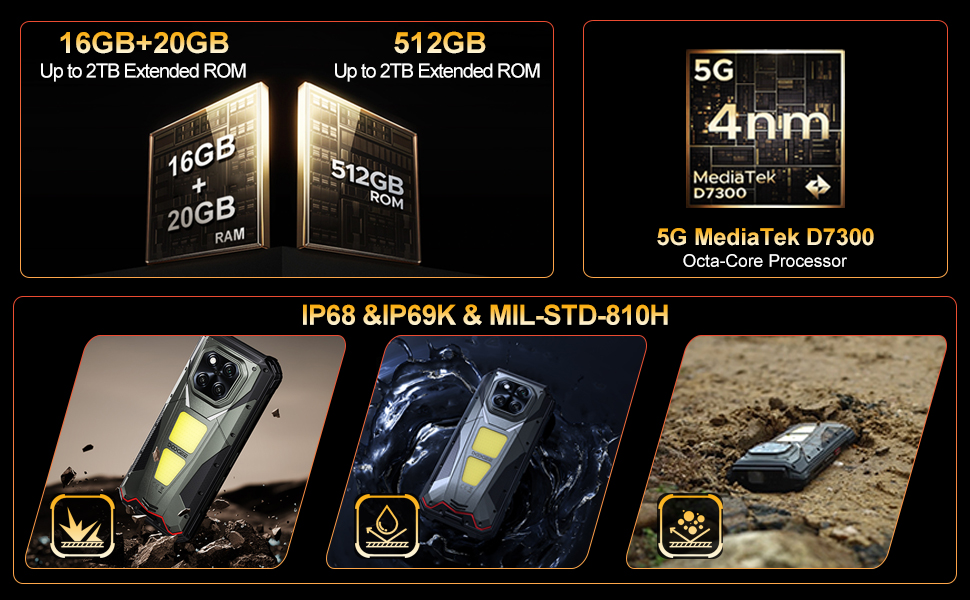
Image: The DOOGEE V Max Play running on Android 15 with Gemini AI integration.
| Асаблівасць | Спецыфікацыя |
|---|---|
| Назва мадэлі | DOOGEE V Max Play |
| Аперацыйная сістэма | Android 15 |
| Працэсар | MediaTek Dimensity 7300 5G (4nm Octa-core, 2.5GHz) |
| АЗП | 16GB Physical RAM + 20GB Virtual RAM (36GB Total) |
| Захоўванне | 512GB ROM (Expandable up to 2TB) |
| Дысплей | 6.78-inch FHD+ (1080x2460) 120Hz Refresh Rate, 500 nits brightness |
| Праектар | 100 Lumens, 854x480 Resolution, 60Hz Refresh Rate |
| Задняя камера | 200MP AI Main (EIS), 20MP Night Vision, 8MP Ultra-Wide/Macro |
| Пярэдняя камера | 32 МП |
| акумулятар | 20500mAh, 45W Fast Charging, 10W Reverse OTG |
| Даўгавечнасць | IP68/IP69K, MIL-STD-810H |
| Сувязь | Dual 5G SIM, Bluetooth 5.2, Wi-Fi 6, NFC (Google Pay), GPS/Beidou/GLONASS/Galileo |
| Памеры | 7.07 х 3.25 х 0.75 цалі |
| Вага | 1.18 фунта (536 грамаў) |
Гарантыя і падтрымка
Your DOOGEE V Max Play 5G Rugged Smartphone comes with a 24-month warranty. For any hardware or software issues, please contact our technical support team. We are committed to resolving your concerns promptly.
For further assistance, please visit the official DOOGEE website or contact customer service through your purchase platform.