1. Уводзіны
This manual provides essential information for the safe and efficient operation of your CHiQ 40QA10 QLED 40 Inch Full HD Google TV. Please read it thoroughly before using the television and retain it for future reference.
1.1 Інфармацыя па бяспецы
- Ensure the television is placed on a stable surface to prevent tipping.
- Do not block ventilation openings. Maintain adequate space around the television for proper airflow.
- Avoid exposing the television to rain or moisture to prevent electric shock or fire.
- Не адчыняйце тэлевізарasing. Па ўсіх пытаннях тэхнічнага абслугоўвання звяртайцеся да кваліфікаванага персаналу.
- Адключайце шнур сілкавання падчас навальніцы або калі прылада не выкарыстоўваецца працяглы час.
2. Прадукт скончыўсяview
The CHiQ 40QA10 is a 40-inch Full HD QLED Google TV, offering vibrant visuals and smart functionalities.
2.1 Асноўныя магчымасці
- Quantum Dot Color Technology: Delivers a wide color gamut for vibrant and realistic images.
- Full HD with HDR10: Provides sharp, detailed resolution with enhanced brightness and contrast.
- Google TV Smart Experience: Access streaming apps, integrated WiFi and Bluetooth, and Google Assistant for voice control.
- Dolby Audio and DBX-TV: Offers immersive sound with clear dialogues and rich effects.
- Убудаваны Chromecast: Allows content casting from compatible devices.
2.2 Змест пакета
Праверце наяўнасць усіх прадметаў ва ўпакоўцы:
- CHiQ 40QA10 QLED TV
- Пульт дыстанцыйнага кіравання
- Адаптар сілкавання
- Кіраўніцтва карыстальніка (гэты дакумент)
- Тумбы для тэлевізара і шрубы

Figure 2.2.1: TV dimensions, remote control, and included accessories.
2.3 TV Ports and Connections
Familiarize yourself with the available ports on your television:

Малюнак 2.3.1: Падключэнні на задняй панэлі.
- АВ: For multimedia players or small projectors.
- АГУЛЬНЫ ІНТЕРФЭЙС: For digital multimedia players.
- HDMI 1.4 * 3: For Blu-ray players, game consoles, or AV receivers.
- ANT1: Антэнны ўваход.
- ANT2 SATELLITE: Satellite input.
- USB 2.0 * 2: For multimedia playback from USB drives.
- LAN: Для правадных сеткавых злучэнняў.
- CUFFIE (Headphones): For headphones and external speakers.
- ЛІЧБАВЫ АЎДЫЯВЫХ: Для лічбавага аўдыёвыхаду.
3. Настройка
3.1 Усталёўка падставак для тэлевізара
- Асцярожна пакладзеце тэлевізар экранам уніз на мяккую, роўную паверхню, каб пазбегнуць пашкоджання экрана.
- Align the stands with the corresponding slots on the bottom of the TV.
- Замацуйце стойкі з дапамогай прадугледжаных шруб.

Малюнак 3.1.1: Views of the TV, including stand installation area.
3.2 Насценны мантаж (дадаткова)
The TV supports VESA 200x200mm wall mounts. Ensure you use a compatible wall mount and follow the instructions provided with the mount. Professional installation is recommended.

Малюнак 3.2.1: Выпample of wall-mounted TV.
3.3 Пачатковае ўключэнне і налада Google TV
- Connect the power adapter to the TV and a power outlet.
- Націсніце кнопку харчавання на пульце дыстанцыйнага кіравання або тэлевізары.
- Выконвайце інструкцыі на экране, каб завяршыць пачатковую наладу Google TV, у тым ліку выбраць мову, падключэнне да сеткі (Wi-Fi або Ethernet) і ўвайсці ў ўліковы запіс Google.
4. Аперацыйная
4.1 Асноўныя функцыі тэлевізара
- Уключэнне/выключэнне харчавання: Выкарыстоўвайце кнопку харчавання на пульце дыстанцыйнага кіравання.
- Рэгулятар гучнасці: Выкарыстоўвайце кнопкі гучнасці +/-.
- Выбар канала: Use the Channel +/- buttons or number pad.
- Крыніца ўводу: Press the 'Source' button to select HDMI, AV, Tuner, etc.
4.2 Інтэрфейс Google TV
Navigate the Google TV home screen to access apps, streaming services, and settings.

Figure 4.2.1: Google TV home screen.
4.3 Памочнік Google
Use the built-in Google Assistant for voice commands. Press the Google Assistant button on your remote and speak into the microphone.

Figure 4.3.1: Using Google Assistant with the remote control.
4.4 Налады гуку
The TV features Dolby Audio and dbx-tv for enhanced sound. Adjust audio settings in the TV menu to optimize your listening experience.

Малюнак 4.4.1: Праслухоўванне Dolby Audio.

Figure 4.4.2: dbx-tv audio customization.
5. Сувязь
5.1 Wi-Fi і Bluetooth
The TV supports dual-band Wi-Fi for internet access and Bluetooth 5.0 for connecting wireless accessories like headphones or game controllers.
5.2 Убудаваны Chromecast
Cast content directly from your Android, iOS, or Mac devices to the TV using Chromecast. Ensure your device and TV are on the same Wi-Fi network.
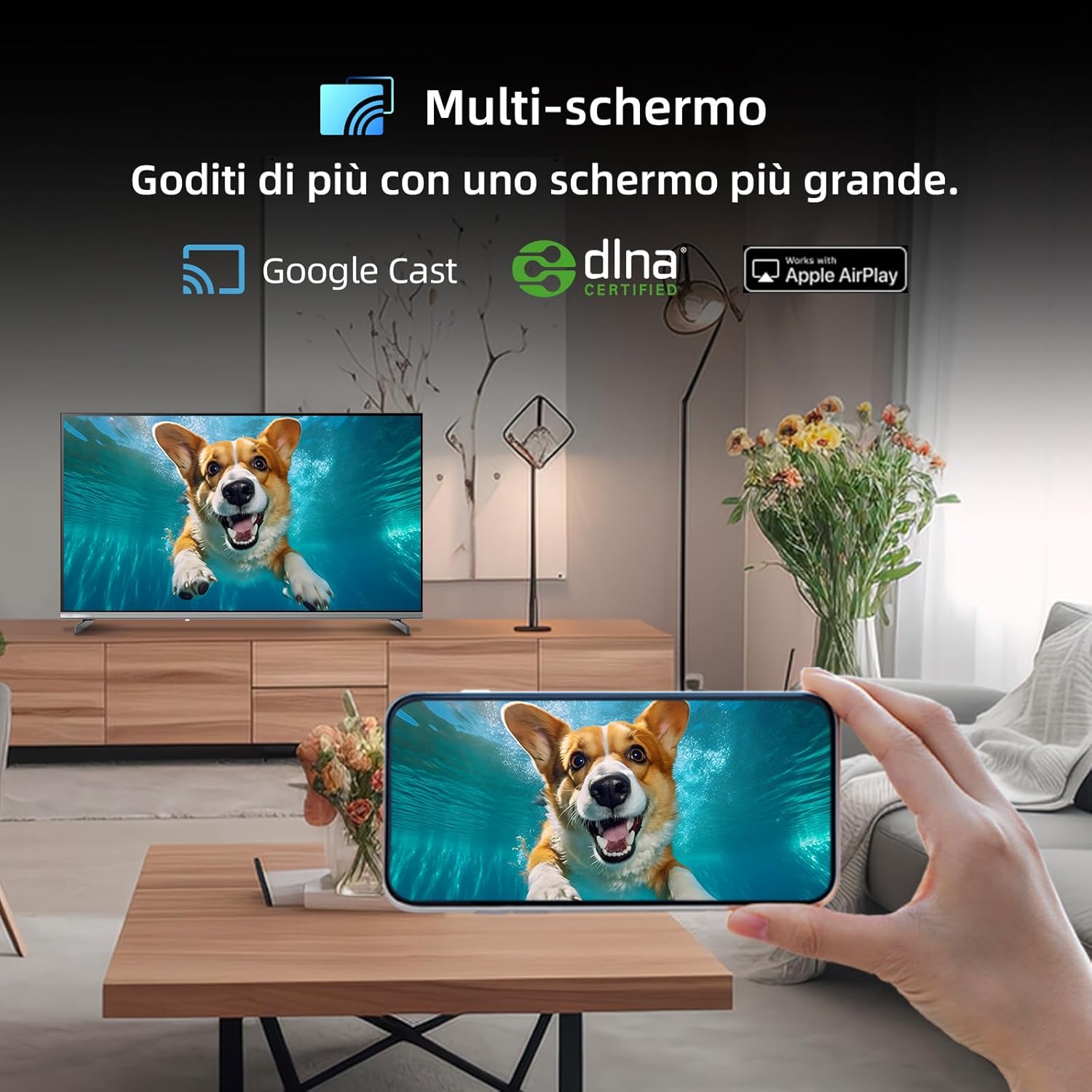
Figure 5.2.1: Multi-screen functionality with Google Cast.
6. Тэхнічнае абслугоўванне
6.1 Ачыстка экрана
- Выключыце тэлевізар і адключыце шнур харчавання.
- Акуратна працярыце экран мяккай тканінай без ворса.
- Для ўстойлівых плям злёгку пачысціцеampПрацярыце тканіну вадой або спецыяльным сродкам для чысткі экранаў. Не распыляйце вадкасць непасрэдна на экран.
6.2 Ачыстка Casing
Працярыце тэлевізарasinмяккай сухой тканінай. Пазбягайце выкарыстання абразіўных ачышчальнікаў або растваральнікаў.
7. Выпраўленне непаладак
Калі ў вас узніклі праблемы з тэлевізарам, звярніцеся да наступных распаўсюджаных праблем і іх рашэнняў:
| праблема | Магчымая прычына | Рашэнне |
|---|---|---|
| Няма ўлады | Шнур сілкавання адключаны, праблема з разеткай | Check power cord connection, try a different outlet. |
| Няма выявы, але гук ёсць | Incorrect input source, faulty cable | Verify input source, check HDMI/AV cable connections. |
| Няма гуку, але выява ёсць | Volume muted, external audio system issue | Unmute volume, check external audio connections. |
| Пульт дыстанцыйнага кіравання не працуе | Разраджаныя батарэі, перашкода | Replace batteries, remove obstructions between remote and TV. |
| Smart features slow or unresponsive | Network issue, temporary software glitch | Restart TV, check Wi-Fi connection, update software. |
8. Тэхнічныя характарыстыкі
Detailed technical specifications for the CHiQ 40QA10 QLED TV:
| Асаблівасць | Спецыфікацыя |
|---|---|
| мадэль | 40QA10 |
| Памер экрана | 40 цалі |
| Тэхналогія адлюстравання | QLED, IPS |
| дазвол | 1080p Full HD (1920 x 1080) |
| Частата абнаўлення | 60 Гц |
| Падтрымка HDR | HDR10 |
| Аперацыйная сістэма | Google TV |
| Аўдыётэхналогія | Dolby Audio, dbx-tv |
| Сувязь | Wi-Fi (Dual Band), Bluetooth 5.0, Ethernet, HDMI (x3), USB (x2) |
| Тэхналогія цюнэра | DVB-C/T/T2/S/S2 |
| Дадатковыя магчымасці | Chromecast Built-in, DLNA |
| Энергаспажыванне | 55 ват |
| Клас энергаэфектыўнасці | E |
| Памеры прадукту (ШxГxВ) | 89.18 х 7.07 х 50.86 см (без падстаўкі) |
| Вага | 5 кг |

Figure 8.1: Energy Efficiency Label. For more details, visit База даных EPREL.

Figure 8.2: Detailed Product Information Sheet. For more details, visit База даных EPREL.
9. Гарантыя і падтрымка
9.1 Інфармацыя аб гарантыі
The CHiQ 40QA10 TV typically comes with a manufacturer's warranty. Please refer to the warranty card included with your product for specific terms and conditions, including warranty duration and coverage details. Keep your proof of purchase for warranty claims.
9.2 Падтрымка кліентаў
For technical assistance, troubleshooting beyond this manual, or warranty service, please contact CHiQ customer support. Contact information can usually be found on the official CHiQ webсайце або ў дакументацыі да вашага прадукту.
- вытворца: Changhong Europe Electric sro
- Адрас: Dělnická 213/12, 17000 Praha 7, Czech Republic
- Webсайт: www.chiq.com
- электронная пошта: info@chiq.com
- тэлефон: +420233325611