Уводзіны
This manual provides detailed instructions for the setup, operation, and maintenance of your Zebronics Pixaplay 35 Android Smart LED Projector. Please read this manual thoroughly before using the product to ensure proper functionality and to prevent damage.
Важная інфармацыя па бяспецы
- Не блакуйце вентыляцыйныя адтуліны. Забяспечце дастатковую цыркуляцыю паветра вакол праектара.
- Пазбягайце прамога траплення ў вочы аб'ектыва праектара падчасamp уключаны.
- Выкарыстоўвайце толькі адаптар сілкавання, які пастаўляецца з прыладай.
- Трымайце праектар далей ад вады, вільгаці і экстрэмальных тэмператур.
- Не спрабуйце разбіраць або рамантаваць праектар самастойна. Звяртайцеся па любыя паслугі па абслугоўванні да кваліфікаванага персаналу.
Прадукт скончаныview
The Zebronics Pixaplay 35 is a compact Android Smart LED Projector designed for versatile home entertainment. It features 4K UHD support, 4000 lumens brightness, and a 240° tilt mechanism for flexible projection.
Змест пакета
- Projector - 1 Unit
- Пульт дыстанцыйнага кіравання
- Power Adapter - 1 Unit
- Кабель HDMI
- Даведнік па QR-кодах - 1 адзінка
- Cotton Swab Pack - 1 Unit
Кампаненты праектара

Малюнак 1: Пярэдняя верхняя частка view of the Zebronics Pixaplay 35 projector with its remote control.
The projector features a compact design with a lens at the front, ventilation grilles on the sides, and various ports at the rear for connectivity. The included remote control allows for easy navigation and settings adjustment.
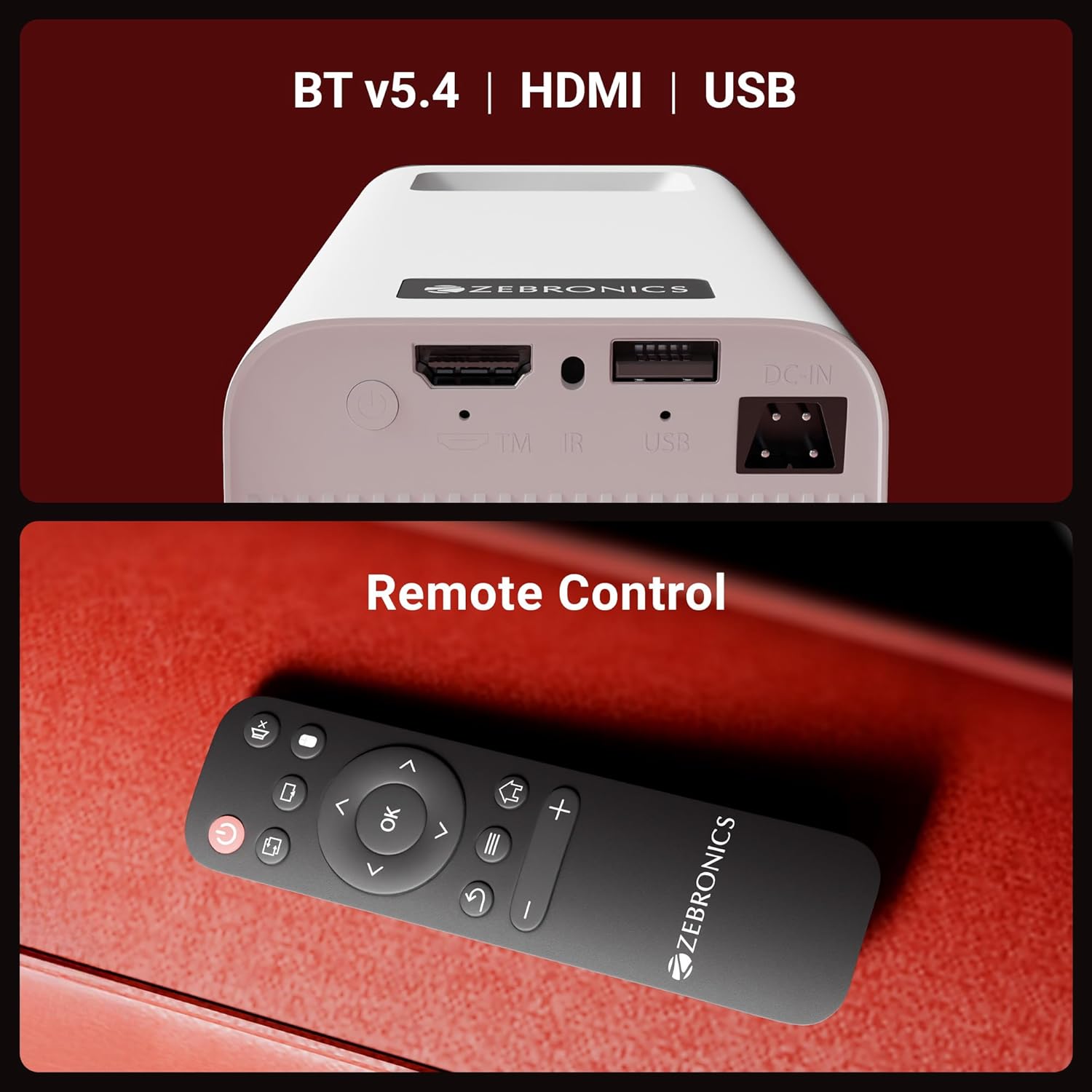
Малюнак 2: Тыл view of the projector highlighting the connectivity ports (DC-IN, USB, HDMI) and the remote control.
The rear panel includes a DC-IN port for power, a USB port for media playback, and an HDMI port for connecting external devices. An IR receiver is also present for remote control operation.
Інструкцыя па наладзе
1. размяшчэнне
Position the projector on a stable, flat surface. The 240° tilt mechanism allows you to adjust the projection angle for optimal viewing on a wall or screen. Ensure there are no obstructions in front of the lens or around the ventilation areas.

Малюнак 3: The projector's 240° tilt mechanism allows for flexible positioning and projection angles.
For best results, project onto a smooth, light-colored surface. The projector can create a screen size of up to 254cm (100 inches).

Малюнак 4: The projector can display images up to 254cm (100 inches) diagonally, creating a large viewвопыту.
2. Падключэнне сілкавання
Connect the provided power adapter to the DC-IN port on the projector and then plug it into a power outlet.
3. Пачатковае ўключэнне
Press the power button on the projector or the remote control to turn on the device. The projector will boot up and display the Android smart interface.
Інструкцыя па эксплуатацыі
Пульт дыстанцыйнага кіравання
Use the included remote control to navigate the projector's interface, adjust settings, and control media playback. Ensure batteries are correctly inserted.
Рэгуляванне фокусу
Rotate the focus wheel located near the lens to achieve a clear and sharp image on your projection surface.
Аўтаматычная адаптацыя трапецеідальных скажэнняў
The projector features automatic vertical keystone correction. This function automatically adjusts the image to be rectangular even if the projector is placed at an angle. Manual adjustment may be available in settings for fine-tuning.
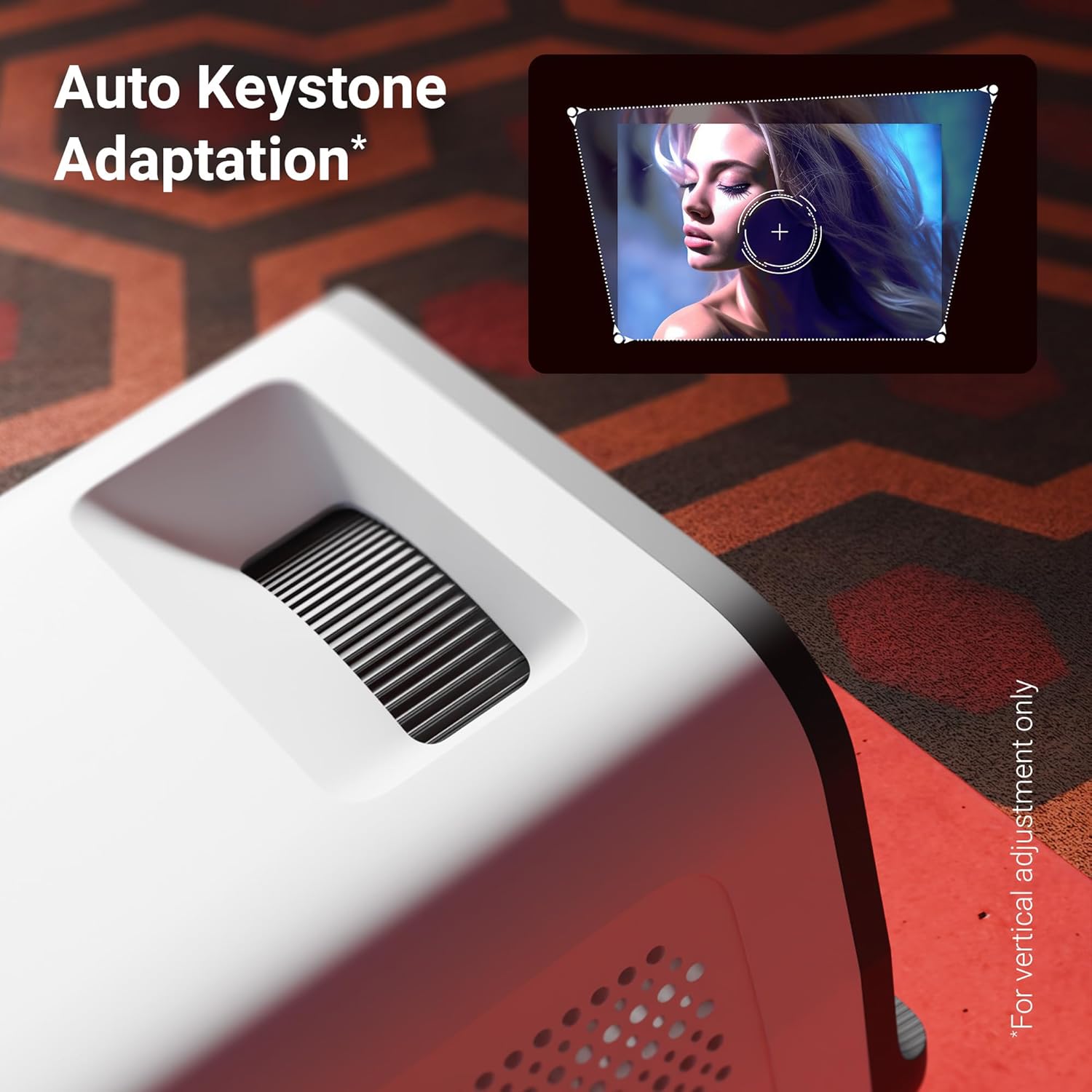
Малюнак 5: The auto keystone adaptation feature corrects vertical image distortion automatically.
Сувязь
- HDMI: Connect external devices such as laptops, gaming consoles, or Blu-ray players using an HDMI cable. Select the HDMI input source from the projector's menu.
- USB: Устаўце USB-назапашвальнік у USB-порт, каб прайграваць медыяфайлы files (photos, videos, music) directly from the drive.
- Bluetooth v5.4: Pair Bluetooth audio devices like speakers or headphones for enhanced sound. Access Bluetooth settings in the Android interface.
- Wi-Fi (2.4GHz & 5GHz): Connect the projector to your home Wi-Fi network to access online content, streaming apps, and firmware updates.
- Miracast & iOS Screen Mirroring: Wirelessly mirror the screen of your Android or iOS smartphone/tablet to the projector. Follow the on-screen instructions for pairing.
Разумныя функцыі (аперацыйная сістэма Android)
The projector runs on an Android operating system, allowing you to download and use various OTT (Over-The-Top) applications like Netflix and Prime Video directly on the device. Navigate the app store to install desired applications.
Асноўныя характарыстыкі
- 4K UHD Support: Experience high-resolution content with support for 4K Ultra HD input, delivering sharp and detailed images.
- Яркасць 4000 люмен: Святлодыёд lamp provides 4000 lumens, ensuring bright and clear visuals for an immersive viewвопыту.
- Up to 254cm (100") Screen Size: Project large images suitable for home theater setups.
- 240° Tilt Mechanism: Offers flexible projection angles, reducing glare and improving viewз камфортам.
- Auto Keystone Adaptation: Automatically corrects vertical image distortion for a perfectly rectangular picture.
- Убудаваны дынамік: Integrated speaker provides audio output for convenience. External audio can be connected via Bluetooth or other ports.
- 30,000-hour LED Lamp жыццё: Даўгавечны святлодыёд lamp ensures extended usage without frequent replacement.
- Чатырох'ядравы працэсар: Enhances performance and responsiveness for smooth operation of the Android OS and applications.
- Двухдыяпазонны Wi-Fi: Supports both 2.4GHz and 5GHz Wi-Fi for stable and fast wireless connectivity.
- Miracast & iOS Screen Mirroring: Seamlessly cast content from Android and iOS devices.

Малюнак 6: Скончанаview of key features including brightness, connectivity, and processing power.

Малюнак 7: The projector includes a built-in speaker for integrated audio playback.
Тэхнічнае абслугоўванне
- Ачыстка аб'ектыва: Use a soft, lint-free cloth or the provided cotton swab to gently clean the projector lens. Do not use abrasive cleaners.
- Вентыляцыя: Regularly check and clean the ventilation grilles to prevent dust buildup, which can affect performance and lifespan.
- захоўванне: Калі праектар не выкарыстоўваецца працяглы час, захоўвайце яго ў прахалодным, сухім месцы, абароненым ад пылу і прамых сонечных прамянёў.
Ліквідацыю непаладак
| праблема | Магчымая прычына | Рашэнне |
|---|---|---|
| Не адлюстроўваецца выява | Харчаванне не падключана; няправільная крыніца ўваходнага сігналу; надзета вечка аб'ектыва. | Ensure power is connected and unit is on. Select correct HDMI/USB input. Remove lens cap. |
| Відарыс размыты | Focus not adjusted; Projector too far/close to screen. | Adjust the focus wheel. Reposition the projector for optimal distance. |
| Няма гуку | Занадта нізкая гучнасць; гук выключаны; знешняя аўдыёпрылада не падключана/не спалучана. | Increase volume. Unmute. Check Bluetooth connection or external audio cable. |
| Пульт дыстанцыйнага кіравання не працуе | Batteries low/incorrectly inserted; Obstruction between remote and projector. | Replace batteries. Ensure clear line of sight to IR receiver. |
| Праблемы з падключэннем да Wi-Fi | Няправільны пароль; маршрутызатар занадта далёка; перашкоды ў сетцы. | Verify Wi-Fi password. Move projector closer to router. Try connecting to 2.4GHz or 5GHz band. |
Тэхнічныя характарыстыкі
| Марка | ЗЕБРОНІКА |
| мадэль | Zeb-Pixa Play 35 |
| Тэхналогія адлюстравання | святлодыёд |
| Тып дысплея | 4K UHD Support |
| Роднае дазвол | 1280 x 720 пікселяў |
| Яркасць выявы | 4000 люмен |
| Каэфіцыент кантраснасці выявы | 1000:1 |
| Суадносіны бакоў | 16:10 |
| Тэхналогія падлучэння | Bluetooth v5.4, HDMI, USB, Dual-band Wi-Fi (2.4GHz & 5GHz) |
| Сумяшчальныя прылады | Laptops, Smartphones, Tablets, Gaming Consoles, Blu-ray Players, Media Streaming Devices |
| Памеры прадукту | 10.5 х 8.8 х 16.5 см |
| Вага прадмета | 355 г |
| Тып мацавання | Настольнае мацаванне |
Гарантыя і падтрымка
The Zebronics Pixaplay 35 Projector comes with a Гарантыя 1 год from the date of purchase. For warranty claims, technical support, or service inquiries, please contact Zebronics customer service. Refer to the QR Code Guide included in your package for contact details or visit the official Zebronics webсайт.
вытворца: Zebronics India Private Limited


