1. Уводзіны
The Razer Viper V3 Pro SE is a high-performance wireless gaming mouse designed for precision and speed. This manual provides essential information for its proper setup, operation, and maintenance.
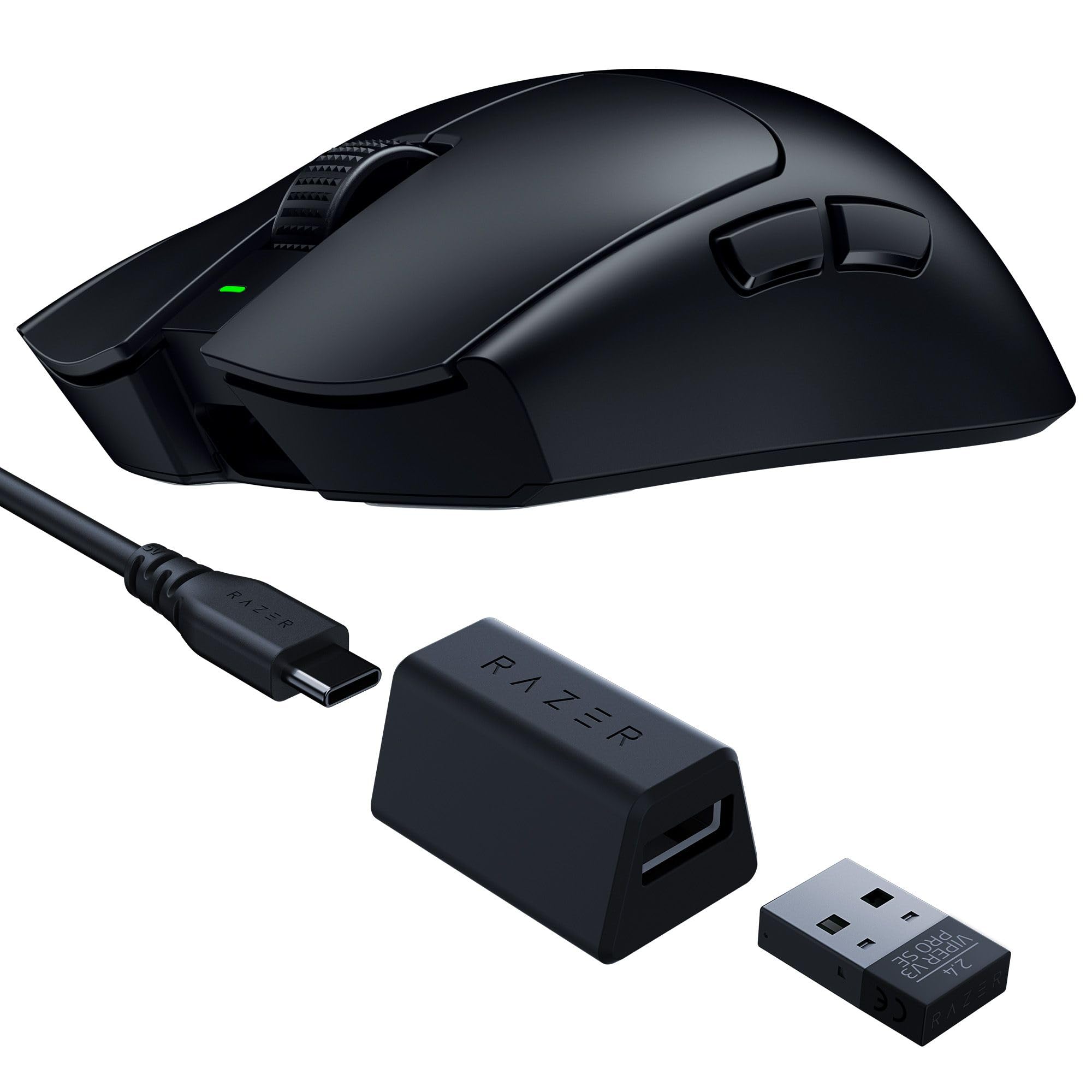
Image: The Razer Viper V3 Pro SE Wireless Gaming Mouse in black, showcasing its symmetrical design.
Асноўныя характарыстыкі:
- 54 г Ультралёгкая канструкцыя: Engineered for swift and precise movements.
- Focus Pro 35K Optical Sensor Gen-2: Offers up to 35,000 DPI with 99.8% resolution accuracy.
- Бесправадная сувязь HyperSpeed: Provides ultra-responsive, low-latency performance with a 1000 Hz polling rate dongle.
- Optical Mouse Switches Gen-3: Features a 90-million click lifespan and 0.2 ms actuation speed.
- Up to 95 Hours of Battery Life: Extended usage for long gaming sessions.
- Smooth-Touch Finish: Designed for enhanced grip and comfort.
2. Настройка
2.1 Што ў камплекце:
- Razer Viper V3 Pro SE Wireless Gaming Mouse
- HyperSpeed Wireless Dongle + USB Dongle Adapter
- Кабель USB тыпу A да USB тыпу C
- Кіраўніцтва па важнай інфармацыі аб прадукце
2.2 Initial Connection:
- Connect the HyperSpeed Wireless Dongle to an available USB-A port on your computer.
- Уключыце мыш з дапамогай выключальніка харчавання, размешчанага на ніжняй баку.
- The mouse should automatically pair with the dongle.

Image: The HyperSpeed Wireless Dongle and USB Type A to USB Type C Cable included with the mouse.
2.3 Charging the Mouse:
Connect the USB Type A to USB Type C cable to the front of the mouse and to a USB-A port on your computer or a USB charger. The mouse features an internal battery with up to 95 hours of life.
2.4 Software Installation (Razer Synapse):
For full customization and optimization, download and install the Razer Synapse software from the official Razer webсайт. Гэта праграмнае забеспячэнне дазваляе вам:
- Адрэгулюйце параметры DPI.
- Перапрызначыць кнопкі.
- Configure polling rates.
- Стварыце карыстальніцкі праfiles.
Video: An unboxing video demonstrating the contents and initial setup of the Razer Viper V3 Pro SE.
3. Кіраванне мышшу
3.1 Basic Functions:
- Пстрычка левай кнопкай мышы: Першаснае дзеянне.
- Пстрыкніце правай кнопкай мышы: Secondary action.
- Кола пракруткі: Пракрутка ўверх/уніз, клік сярэдняй кнопкай мышы.
- Бакавыя кнопкі: Default to forward/back, customizable via Razer Synapse.
- Power/DPI Button (Underside): Toggles power and cycles through preset DPI stagэс.

Image: The underside of the Razer Viper V3 Pro SE, highlighting the power switch and DPI cycle button.
3.2 DPI Adjustment:
The mouse features a Focus Pro 35K Optical Sensor Gen-2, allowing for precise tracking. You can adjust the DPI (Dots Per Inch) sensitivity:
- На лета: Press the Power/DPI button on the underside to cycle through preset DPI stagэс.
- Настройка: Use Razer Synapse to set specific DPI levels and assign them to buttons or profiles.
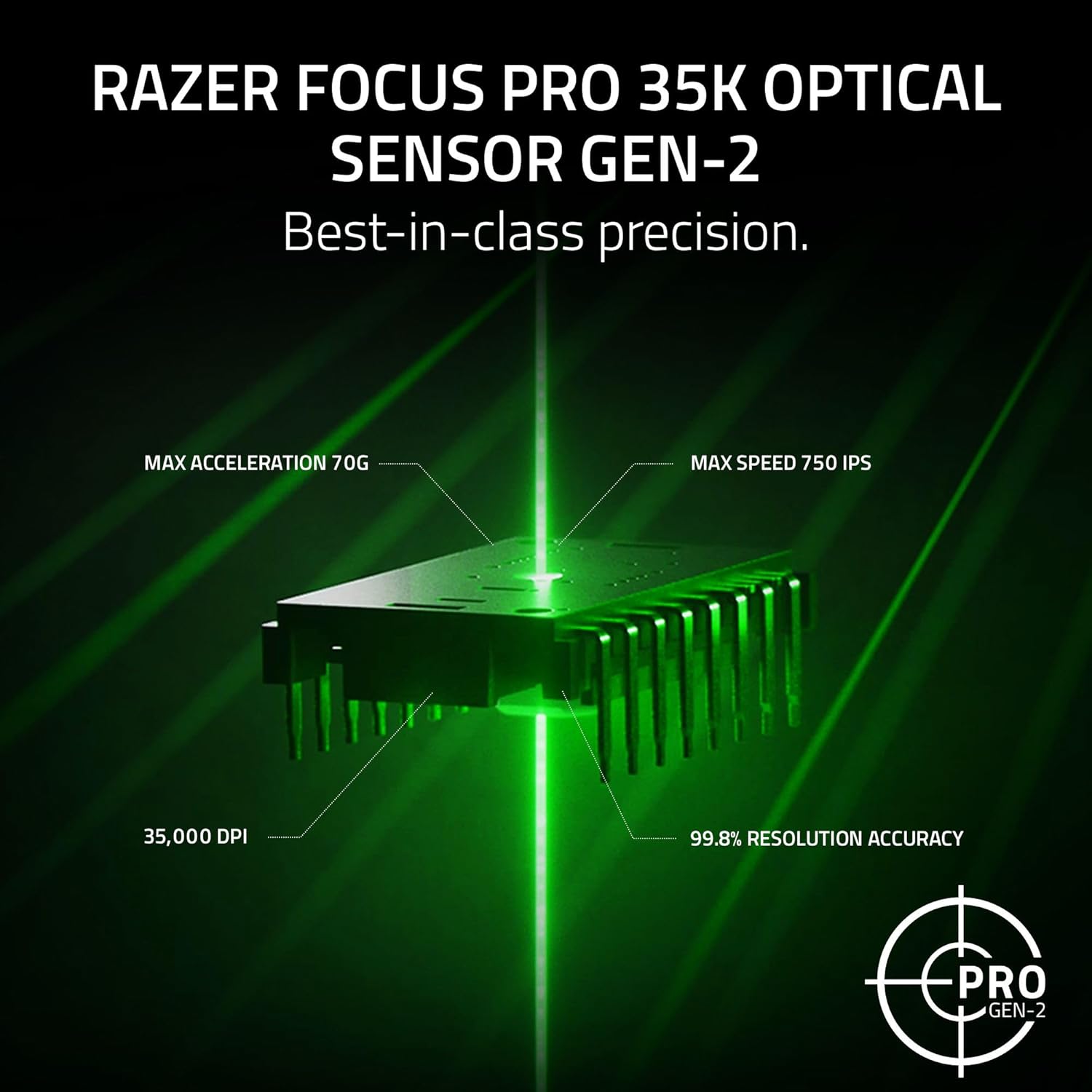
Image: A visual representation of the Razer Focus Pro 35K Optical Sensor Gen-2, detailing its 35,000 DPI, 99.8% resolution accuracy, 70G max acceleration, and 750 IPS max speed.
3.3 HyperSpeed Wireless:
The Razer HyperSpeed Wireless technology ensures a stable and responsive connection. The included dongle supports a 1000 Hz polling rate. For higher polling rates (up to 8000 Hz), a separate Razer HyperPolling Wireless Dongle is required.
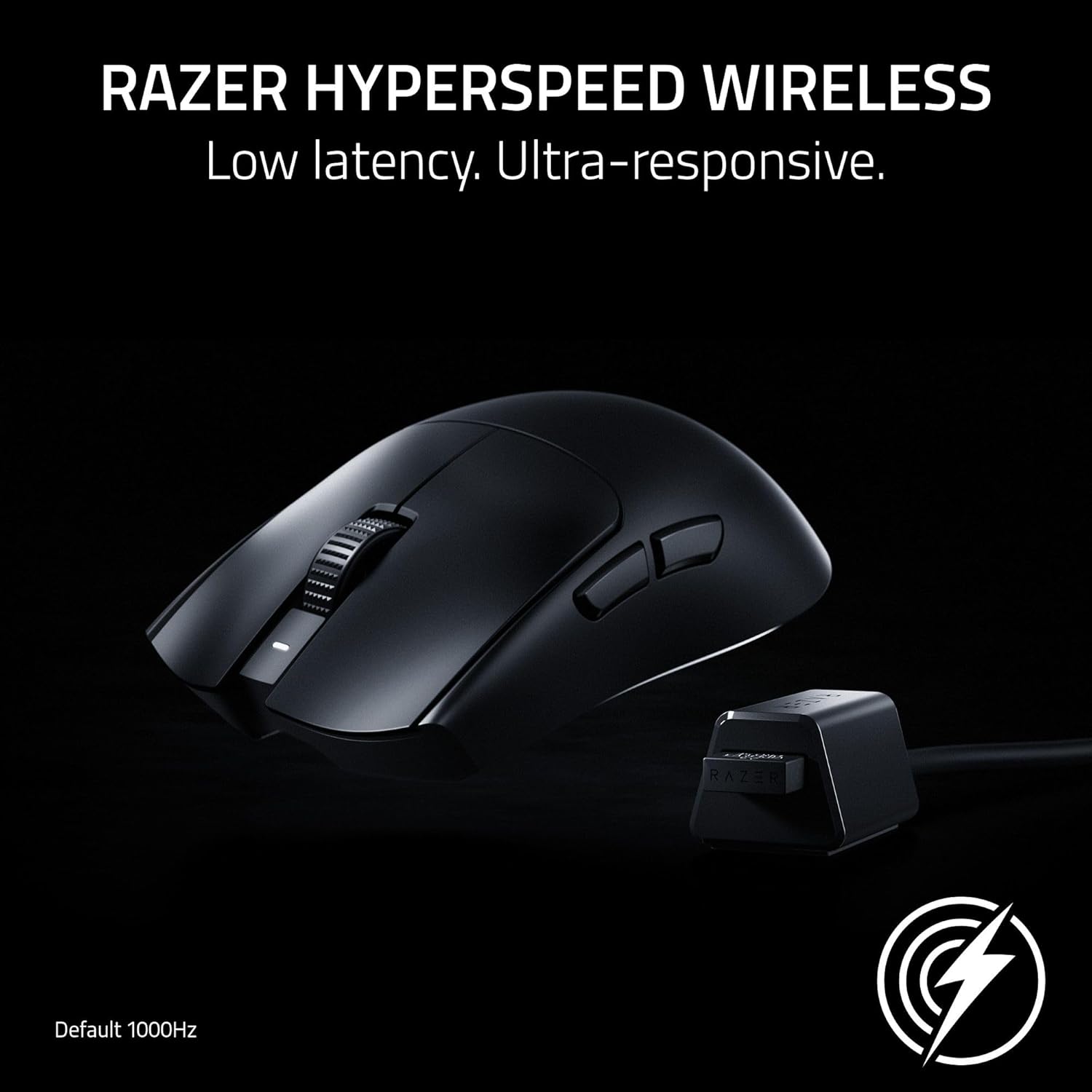
Image: The Razer Viper V3 Pro SE mouse positioned next to its HyperSpeed Wireless dongle, illustrating the wireless connection.
Video: A showcase video highlighting the features and performance of the Razer Viper V3 Pro SE.
4. Тэхнічнае абслугоўванне
4.1 Уборка:
Каб падтрымліваць аптымальную прадукцыйнасць, рэгулярна чысціце мыш. Выкарыстоўвайце мяккую тканіну без ворса, злёгку змочануюampвадой або мяккім ачышчальным растворам. Пазбягайце выкарыстання агрэсіўных хімічных рэчываў або абразіўных матэрыялаў.
4.2 Сыход за батарэяй:
The mouse has a built-in rechargeable battery. To prolong battery life:
- Пазбягайце частай поўнай разрадкі акумулятара.
- Зараджайце мыш, калі індыкатар зарада батарэі нізкі.
- Захоўвайце мыш у прахалодным, сухім месцы, калі яна не выкарыстоўваецца працяглы час.

Image: A hand operating the Razer Viper V3 Pro SE mouse on a gaming mat, emphasizing its long battery life.
5. Выпраўленне непаладак
5.1 Connectivity Issues:
- Ensure the HyperSpeed Wireless Dongle is securely plugged into a USB-A port.
- Пераканайцеся, што мыш уключана.
- Try plugging the dongle into a different USB port or a different computer to isolate the issue.
- If issues persist, try re-pairing the mouse with the dongle using Razer Synapse.
5.2 Tracking Problems:
- Ачысціце аптычны датчык на ніжняй частцы мышы.
- Пераканайцеся, што вы карыстаецеся мышшу на адпаведнай паверхні (рэкамендуецца выкарыстоўваць кілімок для мышы).
- In Windows mouse settings, disable "Enhance pointer precision" for optimal accuracy.
- Calibrate the mouse surface in Razer Synapse for improved tracking performance.
5.3 Battery Not Charging:
- Check the USB Type C cable for damage and ensure it's properly connected.
- Паспрабуйце іншы USB-порт або адаптар зарадкі.
- Ensure the mouse is not in an extremely cold or hot environment, which can affect charging.
6. Тэхнічныя характарыстыкі
| Асаблівасць | Дэталь |
|---|---|
| Марка | Razer |
| Назва мадэлі | Viper V3 Pro SE |
| Нумар мадэлі | RZ01-04550100-R3U1 |
| Колер | Чорны |
| Тэхналогія падлучэння | 2.4Ghz Wireless, USB |
| Тэхналогія выяўлення руху | Аптычны |
| Mouse Maximum Sensitivity | 35000 Dots per Inch (DPI) |
| Стаўка апытання | 1000Hz (up to 8000Hz with separate HyperPolling Dongle) |
| Колькасць кнопак | 6 |
| Рука арыентацыі | правільна |
| Сярэдні тэрмін службы батарэі | 95 гадзін |
| Вага прадмета | 0.28 кілаграма (54 г) |
| Памеры прадмета (Д х Ш) | 5"Д х 2.51"Ш |
| Сумяшчальныя прылады | Персанальны кампутар |
| Аперацыйная сістэма | Windows 10, Linux, Mac |
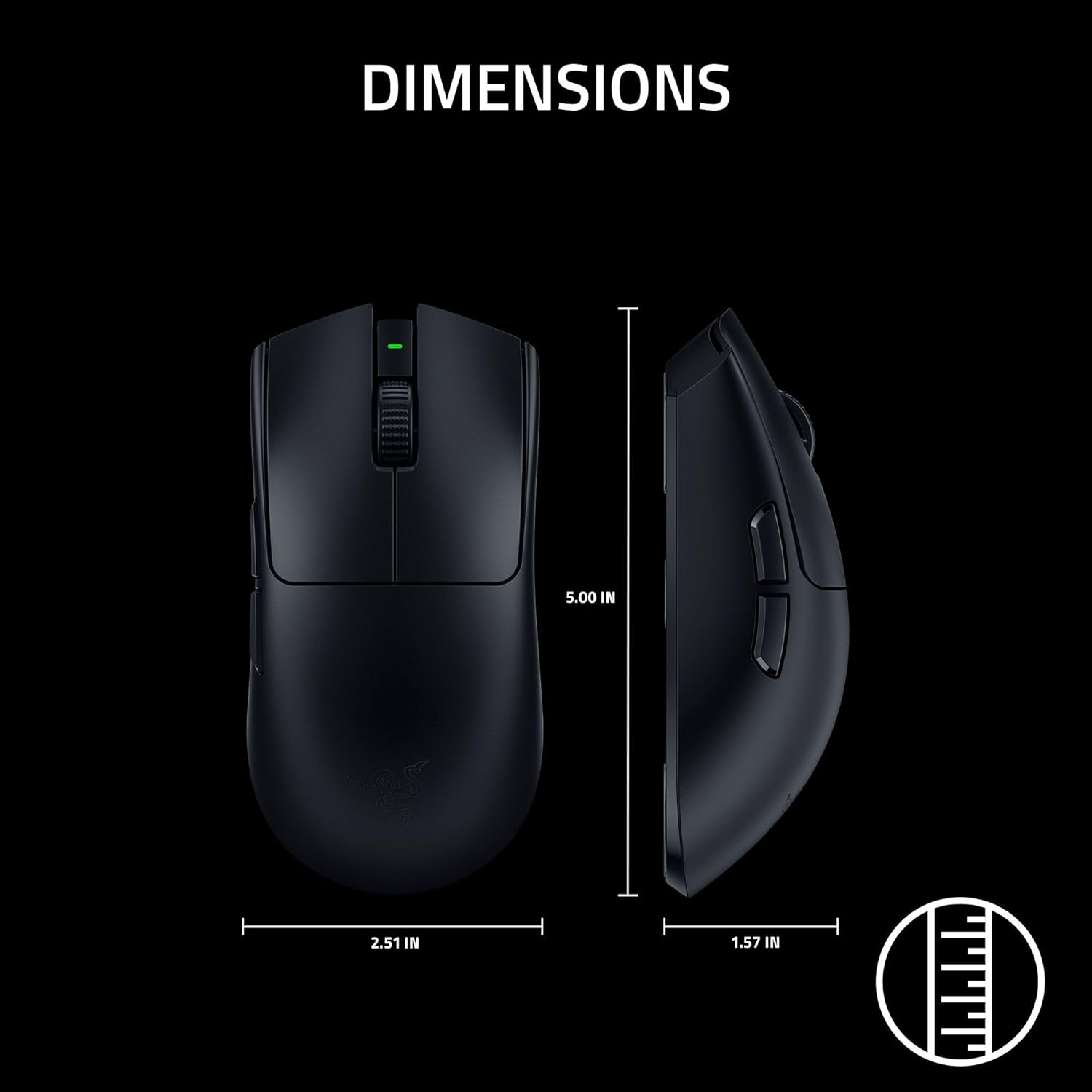
Image: A diagram illustrating the dimensions of the Razer Viper V3 Pro SE mouse.
7. Гарантыя
The Razer Viper V3 Pro SE Wireless Gaming Mouse comes with a 2-гадовая гарантыя ад вытворцы. Please retain your proof of purchase for warranty claims. For detailed warranty terms and conditions, refer to the Important Product Information Guide included in your package or visit the official Razer webсайт.
8. Падтрымка
For further assistance, technical support, or to download the latest version of Razer Synapse software, please visit the official Razer Support webсайт: www.razer.com/support.
You can also find additional resources and FAQs on the Razer community forums.


