1. Уводзіны
This manual provides essential information for setting up, operating, and maintaining your DOOGEE Note 56 X PRO Android 16 smartphone. Please read this guide thoroughly to ensure proper usage and to maximize the device's capabilities. Keep this manual for future reference.
2. Што ў скрынцы
Пасля адкрыцця ўпакоўкі пераканайцеся, што ўсе пералічаныя ніжэй элементы наяўныя:
- 1x DOOGEE NOTE 56 X PRO Cell Phone
- 1x Type-C кабель USB
- 1x зарадная прылада
- 1x чахол для тэлефона
- 1x гарантыйны талон
- 1x Кіраўніцтва карыстальніка (гэты дакумент)
- 1x Card Removal Pin
- 1x Protective Film (Pre-applied)

Image: Contents of the DOOGEE Note 56 X PRO retail box.
3. Прылада скончанаview
Familiarize yourself with the physical components of your DOOGEE Note 56 X PRO smartphone.

Выява: спераду і ззаду view of the DOOGEE Note 56 X PRO.
Выява: Side profile of the DOOGEE Note 56 X PRO, demonstrating its slim design.

Выява: зверху і знізу view of the DOOGEE Note 56 X PRO, indicating port locations.
4. Настройка
4.1. Installing SIM and TF Cards
- Знайдзіце латок для SIM-карты на бакавой панэлі тэлефона.
- Insert the provided card removal pin into the small hole next to the tray to eject it.
- Place your Nano-SIM card(s) and/or TF (microSD) card into the tray according to the diagram. The phone supports dual SIM (SIM1 + SIM2) or one SIM card and one TF card for expandable storage up to 2TB.
- Асцярожна ўстаўце латок назад у тэлефон, пакуль ён не будзе ўпоравень з корпусам прылады.
4.2. Пачатковае ўключэнне і зарадка
- Press and hold the Power button (located on the side) until the DOOGEE logo appears.
- Выконвайце інструкцыі на экране, каб завяршыць пачатковую наладу, у тым ліку выбар мовы, падключэнне да Wi-Fi і наладу ўліковага запісу Google.
- To charge the phone, connect the Type-C USB cable to the phone's charging port and the other end to the provided charger. Plug the charger into a power outlet. The phone supports 10W fast charging.
- Для аптымальнага тэрміну службы батарэі цалкам зарадзіце прыладу перад першым выкарыстаннем.
5. Кіраванне тэлефонам
5.1. Аперацыйная сістэма Android 16
The DOOGEE Note 56 X PRO runs on the Android 16 operating system, offering an intuitive user experience with enhanced features:
- Game Space: Аптымізуйце прадукцыйнасць гульняў і кіруйце апавяшчэннямі падчас гульні.
- Smart Body Sensing: Utilize advanced sensor capabilities for various applications.
- Screen Sense: Intelligent screen features for improved interaction.
- Video Display Enhancement: Optimized visual quality for video playback.
- Live Subtitles: Real-time captioning for audio content.
- Прыватная прастора: Create a secure, isolated environment for sensitive apps and data.
- Dual System Mode: Run two separate system environments for enhanced privacy or work/personal separation.
- Super Clipboard: Advanced clipboard functionality for efficient copy-pasting.
- Раздзелены экран: Use two applications simultaneously on the same screen for multitasking.

Выява: Зверхуview функцый Android 16.
5.2. Calls, Messages, and Internet
- Здзяйсненне званкоў: Націсніце на значок тэлефона, увядзіце нумар і націсніце кнопку выкліку.
- Адпраўка паведамленняў: Tap the Messages icon, start a new conversation, enter the recipient and message, then send.
- Падключэнне да Інтэрнэту: Connect to Wi-Fi via Settings > Network & internet > Wi-Fi. Ensure mobile data is enabled via Settings > Network & internet > Mobile network for cellular internet access.
5.3. Функцыі камеры
The phone features a 13MP main camera and an 8MP front camera, enhanced by Google intelligent camera features.
- Фотаздымкі: Адкрыйце праграму «Камера», сфармуйце кадр і націсніце кнопку спуску засаўкі.
- Пераключэнне камер: Tap the camera switch icon to toggle between the main and front cameras.
- Google Intelligent Camera: Utilize features like homework analysis, view search, and e-commerce search directly from the camera interface.

Image: Camera specifications and capabilities.
5.4. Функцыі бяспекі
- Распазнаванне асобы: Register your face for quick and secure unlocking.
- Бакавое распазнаванне адбіткаў пальцаў: Use the side-mounted fingerprint sensor for convenient access.
5.5. NFC і GPS
- NFC (сувязь блізкага поля): Enable NFC in settings to use features like Google Pay for contactless payments.
- GPS: The phone supports Beidou, Galileo, Glonass, and GPS navigation systems for accurate location services.
5.6. Google Gemini AI Assistant
The integrated Google Gemini AI assistant offers advanced functionalities:
- Блізняты ў прамым эфіры: Engage in real-time conversations with the AI.
- Вызваліце творчасць: Generate ideas and creative content.
- Smarter Insights: Gain deeper understanding from information.
- Language Partner: Assist with language learning and translation.

Image: Key connectivity and security features.
6. Тэхнічнае абслугоўванне
6.1. Сыход за батарэяй
The DOOGEE Note 56 X PRO is equipped with a 6150mAh Silicon-Carbon battery.
- Выкарыстоўвайце толькі зарадную прыладу і кабель, якія ўваходзяць у камплект, каб пазбегнуць пашкоджанняў.
- Пазбягайце ўздзеяння экстрэмальных тэмператур на тэлефон.
- The phone supports OTG reverse charging, allowing it to act as a power bank for other devices.

Image: Battery capacity and usage estimates.
6.2. Ачыстка прылады
Акуратна працярыце экран і корпус мяккай тканінай без ворса. Пазбягайце выкарыстання агрэсіўных хімічных рэчываў або абразіўных матэрыялаў.
7. Выпраўленне непаладак
Калі ў вас узніклі праблемы з прыладай, паспрабуйце наступныя распаўсюджаныя рашэнні:
- Тэлефон не ўключаецца: Пераканайцеся, што акумулятар зараджаны. Падключыце зарадную прыладу і пачакайце некалькі хвілін, перш чым зноў уключыць прыладу.
- Збоі ў праграмах: Зачыніце і перазапусціце праграму. Калі праблема не знікне, ачысціце кэш праграмы або пераўсталюйце яе.
- Слабы сігнал сеткі: Check your SIM card installation. Move to an area with better network coverage.
- Экран не рэагуе: Restart the phone by holding the power button.
- Акумулятар хутка разраджаецца: Reduce screen brightness, close unused apps, or disable unnecessary features like GPS or Bluetooth when not in use.
For more complex issues, refer to the official DOOGEE support resources or contact customer service.
8. Тэхнічныя характарыстыкі
Key technical specifications for the DOOGEE Note 56 X PRO:
| Асаблівасць | Спецыфікацыя |
|---|---|
| Назва мадэлі | DOOGEE NOTE 56 X PRO |
| Аперацыйная сістэма | Android 16 |
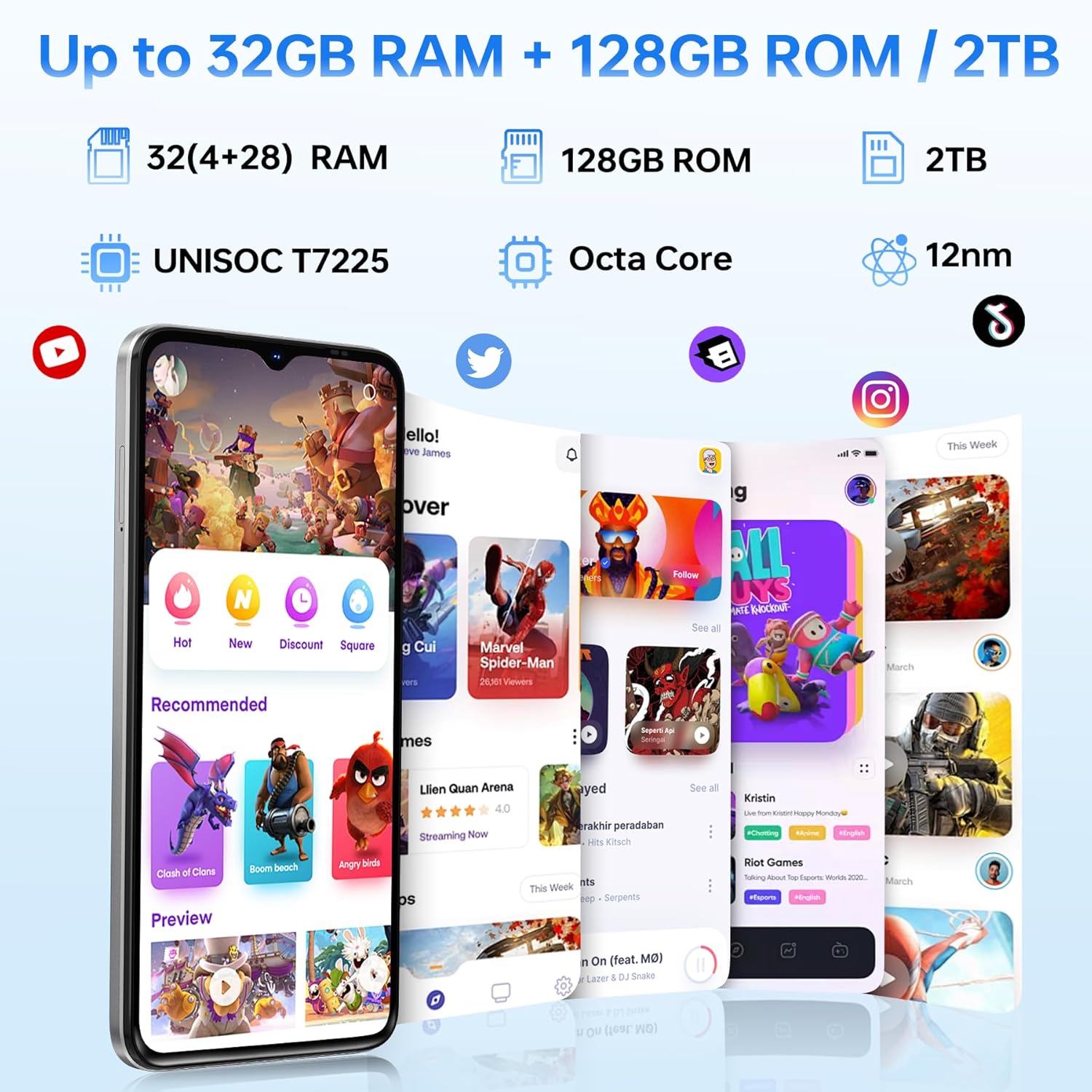
| Працэсар | Unisoc T7225 Octa-Core Chipset |
| АЗП | 32GB (4GB basic + up to 28GB extended) |
| Унутраная памяць | 128 ГБ |
| Сховішча з магчымасцю пашырэння | Да 2 ТБ праз TF-карту |
| Памер экрана | 6.56 цалі |
| Тып дысплея | HD+ IPS Waterdrop Display |
| дазвол | 720*1612 |
| Частата абнаўлення | 90 Гц |
| Асноўная камера | 13 МП |
| Пярэдняя камера | 8 МП |
| Ёмістасць батарэі | 6150mAh Silicon-Carbon |
| Зарадка | Хуткая зарадка 10 Вт, зваротная зарадка OTG |
| Сувязь | 4G, Bluetooth 5.0, NFC, Wi-Fi 2.4G/5G |
| Навігацыя | GPS, Glonass, Galileo, Beidou |
| Аўдыёраз'ём | 3.5 мм |
| Памеры | 8.45mm Ultra-Slim |
| Вага | 195 г |
9. Прадукт скончыўсяview Відэа
Паглядзіце гэта відэа для візуальнага ўяўленняview of the DOOGEE Note 56 X PRO's design and key features.
Video: DOOGEE Note 56 X PRO Android 16 Cell Phone Unlocked - Product Overview.
10. Гарантыя і падтрымка
DOOGEE provides a 30-day no-reason return policy for this product. Additionally, long-term technical support and 24-hour online customer service are available. If you have any questions or require assistance with your DOOGEE Note 56 X PRO, please contact the DOOGEE customer service team.


