1. Уводзіны
This manual provides detailed instructions for the LIGE FV21-F Smart Watch. Please read this guide thoroughly to ensure proper usage, optimal performance, and longevity of your device. This smartwatch is designed to enhance your daily life with health monitoring, fitness tracking, and smart communication features.
2. Што ў скрынцы
Upon unboxing your LIGE FV21-F Smart Watch, verify that all the following items are included:
- Smartwatch (LIGE FV21-F)
- Зарадны кабель
- Watch Strap (Black Mesh)
- Additional Watch Strap (Apricot Silicone)
- Watch Setting Tools
- Smartwatch Manuals (this document)
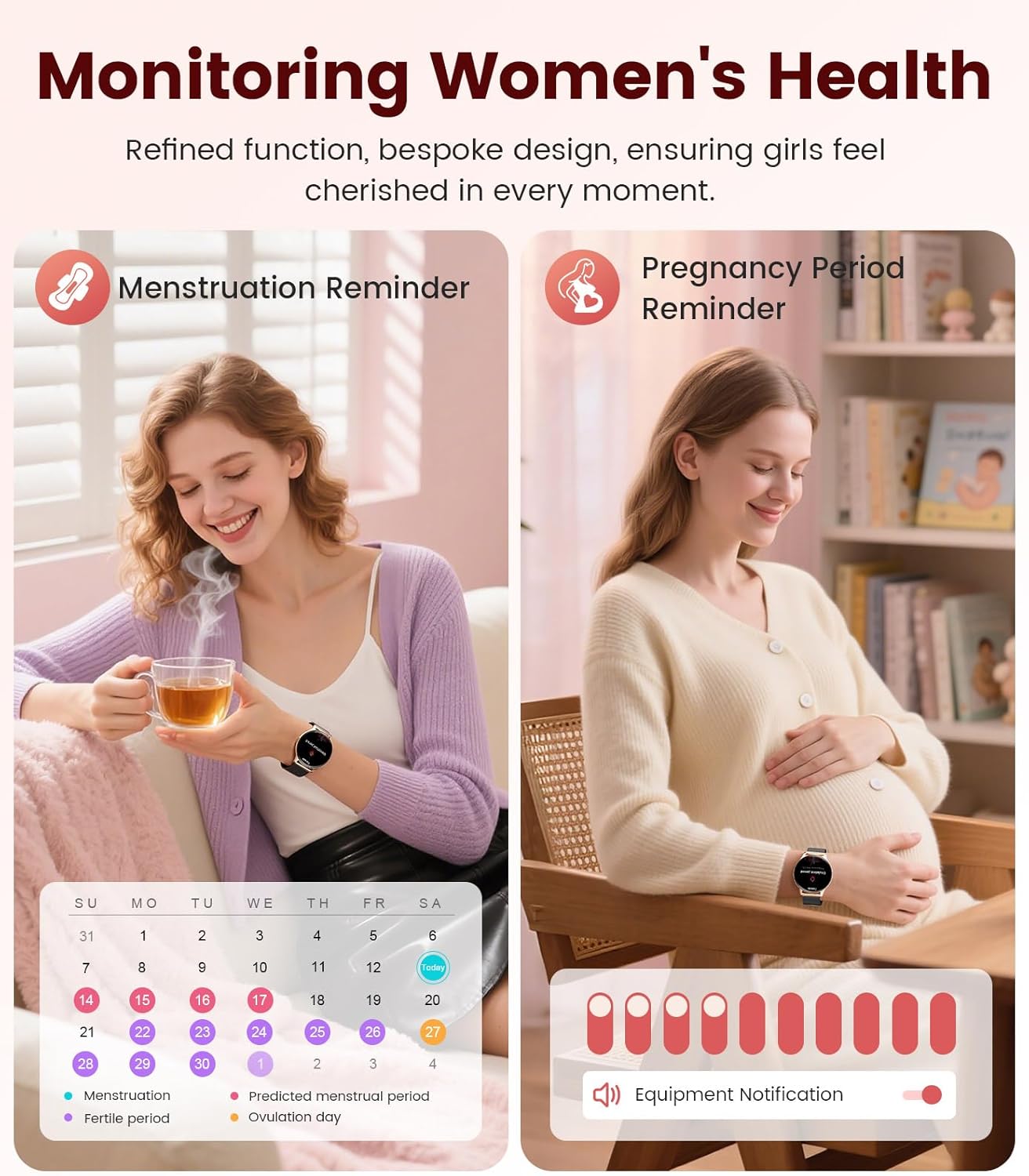
Image: Contents of the LIGE FV21-F Smart Watch package, showing the watch, charging cable, and two interchangeable bands.
3. Кіраўніцтва па наладцы
3.1 Attaching the Watch Straps
Your LIGE FV21-F Smart Watch comes with two interchangeable straps: a black mesh band and an apricot silicone band. To attach a strap:
- Locate the spring bar on the back of the watch strap.
- Align one end of the spring bar with the lug hole on the watch case.
- Push the spring bar inward and slide the strap into place between the lugs.
- Release the spring bar, ensuring both ends are securely seated in the lug holes.
- Gently pull the strap to confirm it is firmly attached.
Video: Demonstrates how to attach and change the watch straps, as well as initial setup and pairing with a smartphone.
3.2 Зарадка разумнага гадзінніка
Before first use, fully charge your smartwatch. Use the provided magnetic charging cable.
- Падключыце USB-канец зараднага кабеля да адаптара харчавання (не ўваходзіць у камплект) або USB-порта кампутара.
- Place the magnetic end of the charging cable onto the charging contacts on the back of the smartwatch. The magnets will align it correctly.
- The watch screen will display a charging indicator. A full charge typically takes approximately 2-3 hours.
Image: The LIGE FV21-F Smart Watch being charged using its magnetic charging cable.
3.3 Загрузка праграмы і спалучэнне
To unlock the full functionality of your smartwatch, download the companion app, "FitCloudPro," and pair it with your smartphone.
- Спампаваць прыкладанне: Scan the QR code displayed on the watch screen (access via Settings > QR Code) or search for "FitCloudPro" in your smartphone's app store (App Store for iOS, Google Play Store for Android).
- Уключыць Bluetooth: Пераканайцеся, што Bluetooth уключаны на вашым смартфоне.
- Адкрыйце праграму і падключыце прыладу: Open the FitCloudPro app, navigate to the "Device" section, and tap "Add Device" or "Search Now". Select "FV21" from the list of discovered devices.
- Пацвердзіць спалучэнне: A pairing request will appear on both your phone and watch. Confirm the pairing on both devices.
- Дазволіць апавяшчэнні: Grant necessary permissions for notifications (calls, messages, apps) when prompted by the app.

Image: The FitCloudPro app interface on a smartphone and the QR code on the smartwatch for easy app download and pairing.
4. Інструкцыя па эксплуатацыі
4.1 Асноўная навігацыя
- Сэнсарны экран: Правядзіце пальцам улева/управа, уверх/уніз для навігацыі па меню і экранах. Націсніце, каб выбраць.
- Бакавая кнопка: Націсніце, каб абудзіць экран, вярнуцца на галоўны экран або атрымаць доступ да спісу праграм.
- Экран абуджэння: Raise your wrist or press the side button to activate the display.
4.2 Налада цыферблатаў гадзінніка
The LIGE FV21-F offers over 200 customizable watch faces. You can also upload your own photos.
- On the watch, long-press the home screen to access watch face options, then swipe to select.
- In the FitCloudPro app, go to "Watch Face Store" to browse and sync new faces.
- To use a custom photo, select "Watch Face DIY" in the app, choose a photo, adjust its position, and sync to your watch.

Image: The smartwatch displaying a custom watch face, demonstrating the personalization options available through the app.
4.3 Функцыі сувязі
- Адказваць/здзяйсняць званкі: Once paired via Bluetooth, you can answer incoming calls directly from your watch or dial numbers using the watch's dial pad.
- Апавяшчэнні аб паведамленнях: Receive notifications for SMS, emails, and various social media apps (WhatsApp, Facebook, Instagram, etc.) directly on your wrist. Ensure app permissions are granted.
- Галасавы памочнік: Utilize the integrated voice assistant for quick commands and information.

Image: The smartwatch displaying an incoming call and message notifications, highlighting its communication capabilities.
5. Маніторынг здароўя
The LIGE FV21-F Smart Watch provides comprehensive health tracking features to help you monitor your well-being.
- Маніторынг сардэчнага рытму: Бесперапынна адсочвае частату сардэчных скарачэнняў на працягу дня.
- Маніторынг сну: Аналізуе вашы рэжымы сну, у тым ліку глыбокі сон, лёгкі сон і час няспання.
- Маніторынг кіслароду ў крыві (SpO2): Вымярае ўзровень насычэння крыві кіслародам.
- Women's Physiological Cycle Monitor: Provides reminders and tracking for menstrual and pregnancy periods.
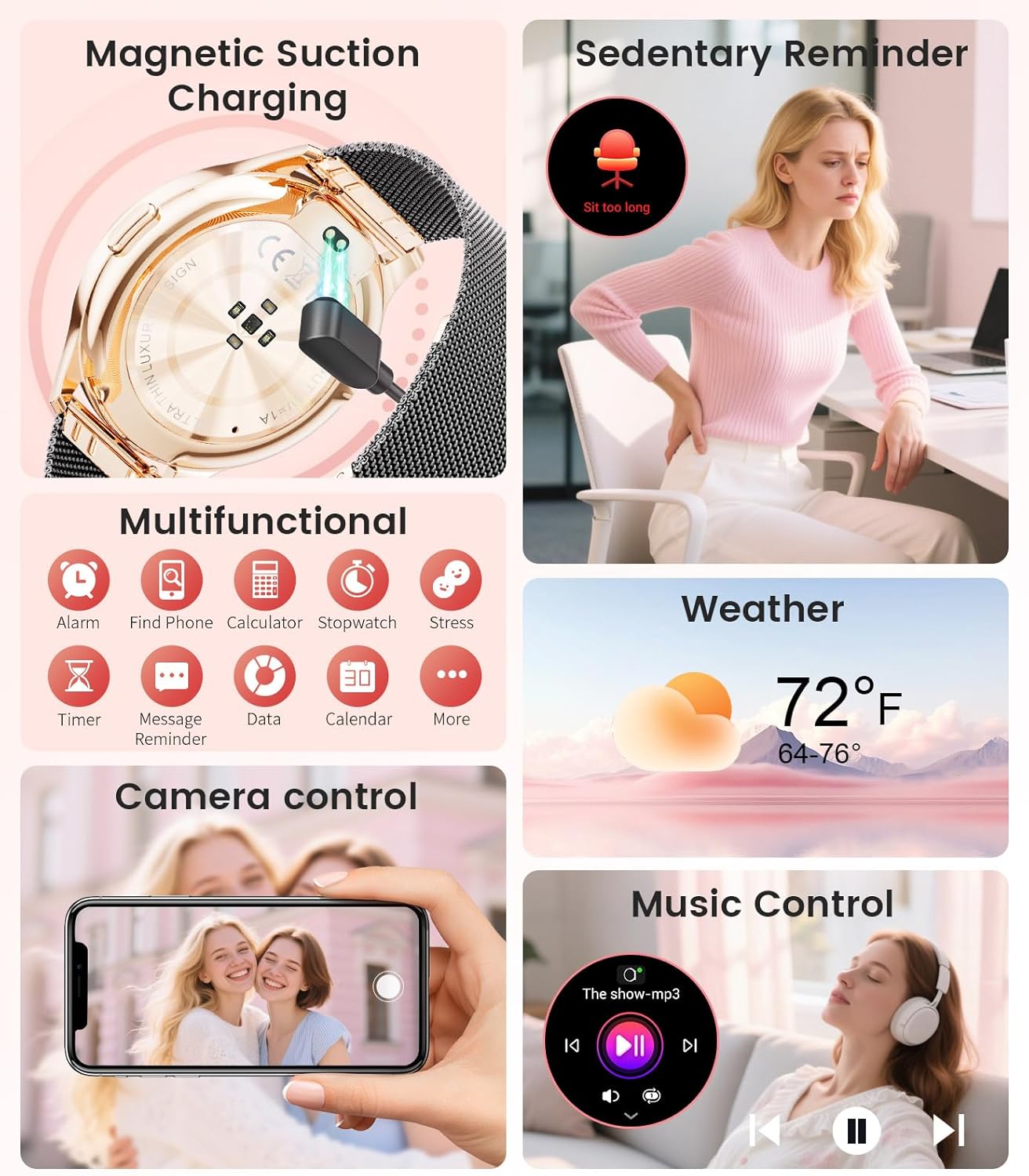
Image: The smartwatch interface showing women's health tracking features, including menstruation and pregnancy reminders.

Image: A user sleeping while wearing the smartwatch, with an inset showing the sleep tracking data on the watch face.
6. Fitness Tracking (120+ Sport Modes)
The LIGE FV21-F Smart Watch supports over 120 sport modes to track your activities, including walking, running, cycling, yoga, and more. It records steps, distance, calories burned, and heart rate during workouts.
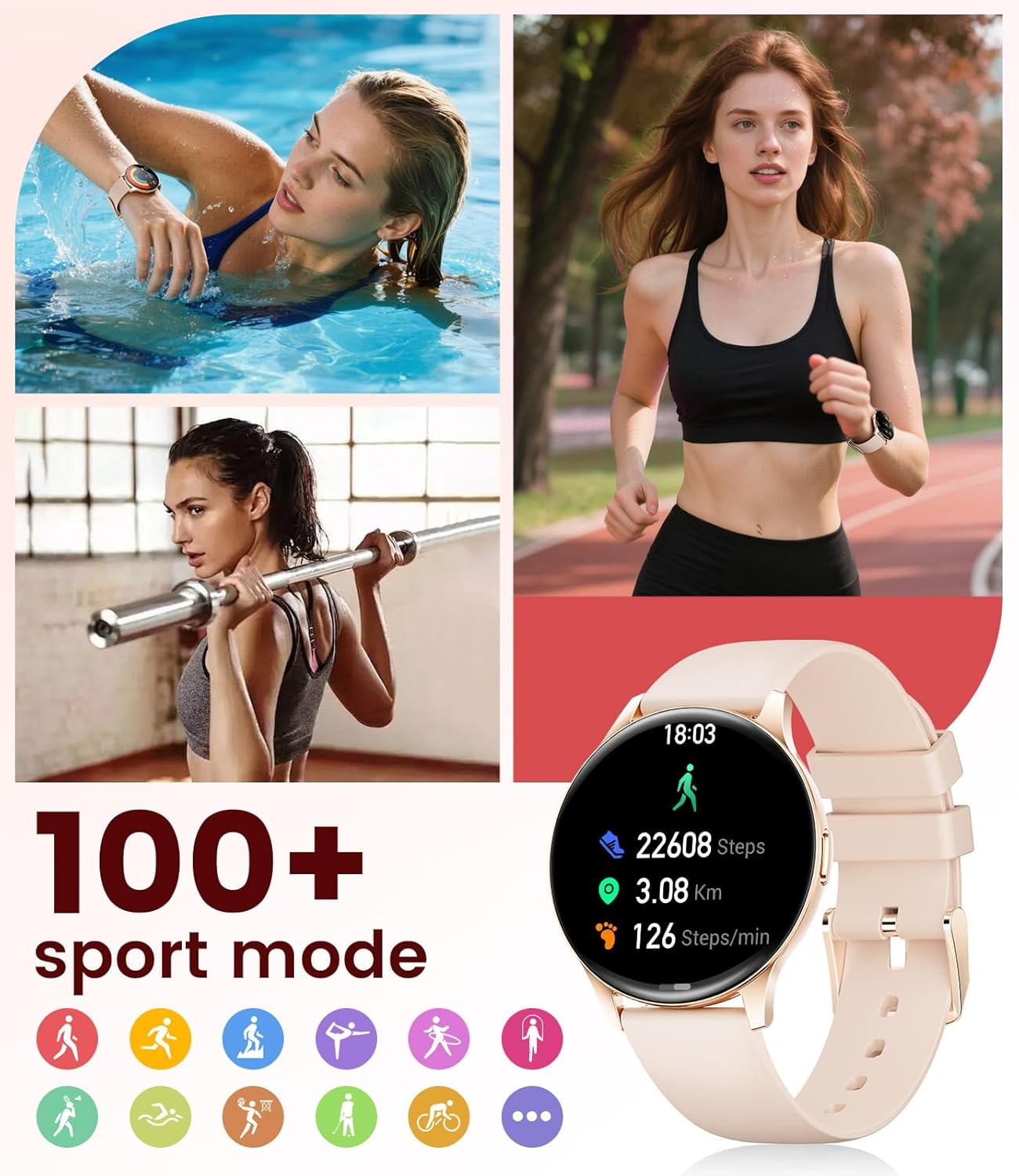
Image: The smartwatch showing different sport modes and real-time fitness data like steps, distance, and calories.
7. Іншыя разумныя функцыі
Beyond health and fitness, your smartwatch offers several convenient smart features:
- Кіраванне музыкай: Кіруйце прайграваннем музыкі на смартфоне непасрэдна з гадзінніка.
- Кіраванне камерай: Выкарыстоўвайце гадзіннік як пульт дыстанцыйнага кіравання затворам для камеры тэлефона.
- Дысплей надвор'я: Атрымлівайце абнаўленні надвор'я ў рэжыме рэальнага часу.
- Будзільнікі і напаміны: Set alarms, sedentary reminders, and drink water reminders.
- Знайсці тэлефон: Locate your misplaced phone by triggering an alarm from your watch.
- Calculator & Stopwatch: Basic utility tools available on your wrist.

Image: The smartwatch screen showing icons for music control, weather forecast, camera remote, and other utility features.
8. Тэхнічныя характарыстыкі
Detailed technical specifications for the LIGE FV21-F Smart Watch:
| Асаблівасць | Дэталь |
|---|---|
| Назва мадэлі | FV21-F |
| Дысплей | 1.43" HD Curved AMOLED (466x466) |
| Сумяшчальнасць аперацыйнай сістэмы | Android 4.4+ і iOS 9.0+ |
| Сувязь | Bluetooth |
| Ёмістасць батарэі | 1000 Міліamp Гадзіны (літый-палімерны) |
| Воданепранікальнасць | Воданепранікальнасць IP68 (да 50 метраў) |
| Ёмістасць памяці | 256 Мб |
| Тып матэрыялу раменьчыка | Нержавеючая сталь, сілікон |
| Вымераныя паказчыкі | Heart Rate, Sleep Duration, Blood Oxygen |
| Увод чалавечага інтэрфейсу | Сэнсарны экран |
| GPS | Праз смартфон |
9. Тэхнічнае абслугоўванне
To ensure the longevity and optimal performance of your LIGE FV21-F Smart Watch, follow these maintenance guidelines:
- Уборка: Regularly wipe the watch screen and straps with a soft, dry cloth. For silicone straps, a mild soap and water solution can be used, ensuring to rinse thoroughly and dry completely.
- Пазбягайце рэзкіх хімічных рэчываў: Do not use abrasive cleaners, solvents, or strong chemicals, as these can damage the watch's finish and internal components.
- Зарадка: Use only the provided magnetic charging cable. Avoid exposing the charging contacts to moisture or corrosive substances.
- захоўванне: Калі гадзіннік не выкарыстоўваецца працяглы час, захоўвайце яго ў прахалодным, сухім месцы, удалечыні ад прамых сонечных прамянёў і экстрэмальных тэмператур.
- Ўздзеянне вады: While IP68 waterproof, avoid prolonged submersion in hot water, steam, or high-pressure water jets. Dry the watch thoroughly after exposure to water.
Video: The smartwatch being rinsed under tap water, showcasing its IP68 water resistance. Ensure to dry the watch after such exposure.
10. Выпраўленне непаладак
If you encounter issues with your LIGE FV21-F Smart Watch, refer to the following common solutions:
- Гадзіннік не ўключаецца: Пераканайцеся, што гадзіннік цалкам зараджаны. Падключыце яго да зараднай прылады як мінімум на 30 хвілін.
- Немагчыма спалучыць з тэлефонам:
- Пераканайцеся, што на вашым тэлефоне ўключаны Bluetooth, і гадзіннік знаходзіцца ў зоне дзеяння.
- Перазагрузіце і тэлефон, і гадзіннік.
- Ачысціце кэш Bluetooth на тэлефоне і паспрабуйце зноў падключыць прыладу.
- Ensure the FitCloudPro app has all necessary permissions.
- Апавяшчэнні не атрыманы:
- Check app permissions for notifications in your phone settings and within the FitCloudPro app.
- Пераканайцеся, што гадзіннік правільна падключаны праз Bluetooth.
- Disable and re-enable notifications in the FitCloudPro app.
- Недакладныя даныя пра здароўе:
- Пераканайцеся, што гадзіннік шчыльна прылягае да запясця, не занадта туга і не занадта свабодна.
- Ачысціце датчык на задняй панэлі гадзінніка.
- Note that health data is for reference and not for medical diagnosis.
- Кароткі тэрмін службы батарэі:
- Зменшце яркасць экрана і час уключэння экрана.
- Адключыце бесперапынны маніторынг пульса, калі ён не патрэбны.
- Абмежаваць колькасць праграм, якія адпраўляюць апавяшчэнні на гадзіннік.
Калі праблема не знікне, звярніцеся ў службу падтрымкі кліентаў.
11. Гарантыя і падтрымка
The LIGE FV21-F Smart Watch comes with a Гарантыя 2 год з даты пакупкі, якая пакрывае вытворчыя дэфекты. Гэтая гарантыя не распаўсюджваецца на пашкоджанні, выкліканыя няправільным выкарыстаннем, аварыямі, несанкцыянаванымі мадыфікацыямі або звычайным зносам.
For technical support, warranty claims, or any other inquiries, please contact LIGE customer service through the retailer where you purchased the product or visit the official LIGE webсайт для кантактнай інфармацыі.
We are committed to ensuring your satisfaction and providing a delightful experience with your LIGE Smart Watch.


