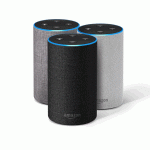
Кіраўніцтвы і кіраўніцтвы карыстальніка Amazon Alexa
Amazon Alexa — гэта воблачны галасавы сэрвіс і экасістэма разумнага дома, звязаная з дынамікамі Echo, прыладамі Fire TV і тысячамі сумяшчальных разумных прылад.
About Amazon Alexa manuals on Manuals.plus
Amazon Alexa, often known simply as Alexa, is a virtual assistant technology developed by Amazon. It powers the Amazon Echo line of smart speakers and displays, Fire TV devices, and a vast array of third-party products through the "Alexa Built-in" program. Beyond simple voice commands, Alexa serves as a central hub for smart home automation, offering capabilities such as voice interaction, music playback, making to-do lists, setting alarms, streaming podcasts, playing audiobooks, and providing weather, traffic, sports, and other real-time information.
The ecosystem allows users to control compatible smart devices—lights, thermostats, locks, and cameras—using voice commands or the Alexa app. Alexa's capabilities are extensible through "Skills," allowing developers to create custom applications that integrate specialized hardware and services. Whether integrated into a car, a television remote, or a bedside smart display, Alexa is designed to simplify daily tasks and provide hands-free assistance.
Інструкцыі па выкарыстанні Amazon Alexa
Апошнія інструкцыі ад manuals+ спецыяльна распрацаваны для гэтага брэнда.
amazon alexa Aura Indoor and Outdoor 8 Blade 72in Smart Ceiling Fan Кіраўніцтва карыстальніка
Кіраўніцтва карыстальніка AUSLOCK TTLock Smart Lock Amazon Alexa
Бесправадныя навушнікі iLIVE PLATINUM IAEPV38 з кіраўніцтвам карыстальніка Amazon Alexa
airtouch Кіраўніцтва карыстальніка кіравання кандыцыянаваннем паветра Amazon Alexa
Кіраўніцтва карыстальніка ActronAir Amazon Alexa Actron Air Skill для кантролера NEO
Кіраўніцтва карыстальніка JBL Amazon Alexa
Кіраўніцтва карыстальніка праграмы brisa Amazon Alexa
Кіраўніцтва карыстальніка JBL Amazon Alexa
Кіраўніцтва па відэазванках Alexa Show: патрабаванні, налада і ліквідацыя непаладак
Кіраўніцтва па наладзе разумнага дома: інтэграцыя Amazon Alexa і Smart Life
Уводзіны ў дызайн Alexa: ключавыя меркаванні для стварэння навыкаў
Апісанне функцыі Alexa: Кіраўніцтва па інтэграцыі хатняга кантролера Steward
7 парад па стварэнні лайфхакаў з галасавым кіраваннем з дапамогай Alexa
Amazon Alexa manuals from online retailers
Amazon Alexa Devices: Comprehensive User Manual
Amazon Alexa: Поўнае кіраўніцтва карыстальніка - парады, хітрасці і навыкі для кожнай прылады Amazon Alexa
Amazon Alexa video guides
Глядзіце відэа па ўсталёўцы, наладзе і ліквідацыі непаладак для гэтай маркі.
Alexa Originals: Эксклюзіўны музычны кантэнт з удзелам Вібы Сараф на Amazon Echo і HP Pavilion
Amazon Alexa: святкуем 4 гады ў Індыі - разумны кампаньён для кожнай сям'і
Штодзённыя распарадкі дня Amazon Alexa: аўтаматызуйце свой дзень з дапамогай галасавых каманд
Alexa Care Hub: Stay Connected and Monitor Loved Ones with Amazon Echo Devices
Amazon Alexa Energy Dashboard & Proactive Hunches: Smart Home Energy Management
Alexa Care Hub: Stay Connected with Loved Ones
Amazon Alexa Guard Plus: Enhanced Home Security Features & Emergency Helpline
Amazon Alexa support FAQ
Распаўсюджаныя пытанні аб інструкцыях, рэгістрацыі і падтрымцы гэтага брэнда.
-
How do I put my Echo device in setup mode?
Press and hold the Action button (the button with a dot) for about 15-20 seconds until the light ring turns orange. Your device will then say it is in setup mode.
-
What do the lights on my Alexa device mean?
Blue indicates the device is listening or processing. Yellow signifies a notification or message. Red means the microphone is muted. Orange indicates the device is in setup mode or trying to connect to the internet.
-
How do I connect my Alexa device to Wi-Fi?
Open the Alexa app, go to Devices > Echo & Alexa, and select your device. Select 'Change' next to Wi-Fi Network and follow the in-app instructions to update connectivity.
-
How do I reset my Alexa Voice Remote?
Unplug your Fire TV device from power, then press and hold the Left button, Menu button, and Back button simultaneously on the remote for 12 seconds. Release, wait 5 seconds, remove the batteries, plug your Fire TV back in, and reinstall the batteries.